hemal
hemalIn the modern tech landscape, the average enterprise uses hundreds of different software applications. The problem? Most of them don’t talk to each other. Your marketing data is stuck in HubSpot, your sales data is in Salesforce, and your support tickets are buried in Zendesk. (Tray.io)
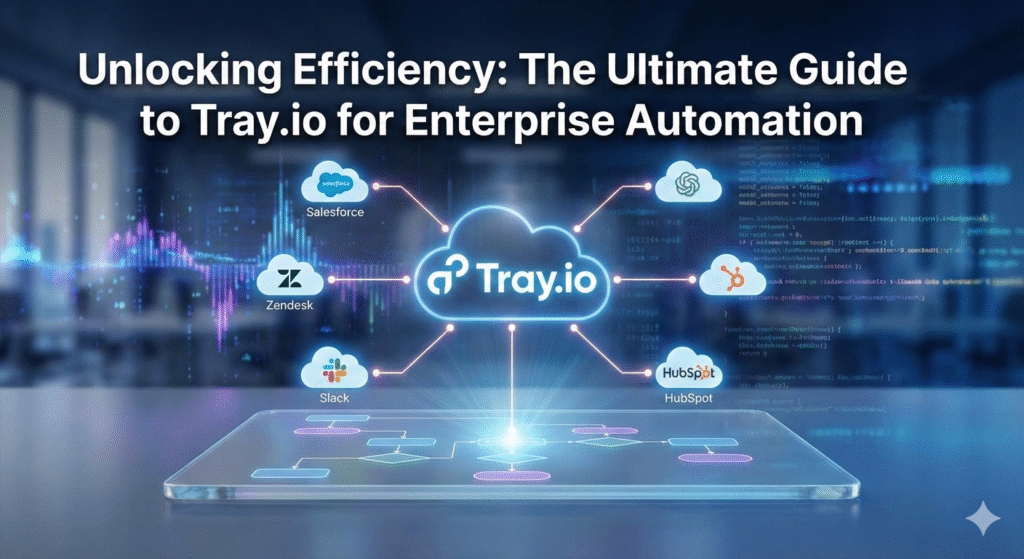
Enter Tray.io.
While tools like Zapier popularized the concept of connecting apps for individuals, Tray.io has emerged as the heavyweight champion for enterprises and power users who need robust, scalable, and flexible integration.
In this guide, we will explore what Tray.io is, its standout features, and why it might be the missing link in your company’s tech stack.
What is Tray.io?
Tray.io is a General Automation Platform (GAP) and an Integration Platform as a Service (iPaaS). In simple terms, it allows you to connect your entire cloud stack without needing to write complex code.
Unlike simple connector tools, Tray.io is built for logic. It allows users—both developers and non-technical “citizen automators”—to build sophisticated workflows that can transform data, handle errors, and automate complex business processes.
Why is it different?
Most automation tools follow a linear “If This, Then That” structure. Tray.io differs because it offers a flexible drag-and-drop visual builder that supports:
- Complex branching logic (Boolean loops).
- Data transformation (formatting dates, merging arrays).
- Full API access to connected services.
Top 4 Features of Tray.io
If you are evaluating automation platforms, here are the four “killer features” that make Tray.io stand out in the iPaaS market.
1. The Visual Workflow Builder
The heart of Tray.io is its canvas. It looks like a flowchart but functions like a script. You can drag connectors onto the screen and draw lines between them. It creates a visual map of your data flow, making it easy for IT teams to audit and for marketing teams to understand.
2. The Universal Connector
This is a game-changer for developers. If Tray.io doesn’t have a pre-built integration for a specific app you use, you can use their Universal Connector. This allows you to connect to any REST, SOAP, or GraphQL API effortlessly, ensuring you are never limited by a library of plugins.
3. Scalable Serverless Architecture
Tray.io is built on a serverless architecture. This means you don’t have to worry about provisioning servers or traffic spikes. Whether you are processing 100 leads a day or 1 million data points an hour, the platform scales automatically to handle the load.
4. Embedded (Tray for Product Teams)
Tray isn’t just for internal automation; it offers Tray Embedded. This allows SaaS companies to white-label Tray’s integration capabilities and offer them directly to their own customers. It turns integration from a product roadmap headache into a competitive advantage.
Real-World Use Cases: Who Needs Tray.io?
Who actually benefits from this level of automation?
- Marketing Operations: automatically routing leads based on enrichment data, syncing webinar attendees to CRM, and standardizing data formats between tools.
- Sales Teams: Automating the “Quote-to-Cash” process, generating contracts automatically when a deal stage changes in Salesforce.
- Customer Success: Triggering onboarding emails based on product usage data or creating Jira tickets automatically when a high-value customer reports a bug.
- HR & IT: Automating the employee onboarding process—provisioning Slack, Gmail, and Zoom accounts instantly when a contract is signed.
Tray.io vs. The Competition
The most common question asked is: “How is this different from Zapier or Make (formerly Integromat)?”
| Feature | Zapier | Make (Integromat) | Tray.io |
| Target Audience | Individuals & SMBs | SMBs & Tech-savvy users | Mid-Market & Enterprise |
| Complexity | Linear (Simple) | Visual (Medium complexity) | High (Complex Logic & Data) |
| Pricing Model | Per Task | Per Operation | Platform fee + Volume |
| Data Governance | Basic | Standard | Enterprise-Grade (SOC 2, HIPAA) |
The Verdict: If you need to move a lead from a form to a spreadsheet, use Zapier. If you need to sync thousands of records, apply complex data formatting, and ensure enterprise-level security, use Tray.io.
Conclusion: Is Tray.io Worth the Investment?
Tray.io is not the cheapest tool on the market, but for an enterprise, the ROI is often immediate. By eliminating manual data entry and patching the holes in your tech stack, you free up your team to focus on strategy rather than admin work.
If your organization is struggling with data silos or you have outgrown the capabilities of simpler automation tools, Tray.io is a robust, future-proof solution worth exploring.
Frequently Asked Questions (FAQ)
1. Does Tray.io require coding knowledge?
No, it is a low-code platform. However, understanding basic logic (loops, if/else) and how APIs work is very helpful to get the most out of it.
2. Is Tray.io secure?
Yes, Tray.io is built for enterprise security. It is SOC 2 Type 2 certified and GDPR and HIPAA compliant, making it suitable for healthcare and finance sectors.
3. Can I try Tray.io for free?
Tray.io typically offers a trial period, but unlike Zapier, it does not have a permanent “free forever” tier for public users. It is a B2B enterprise product with custom pricing.