
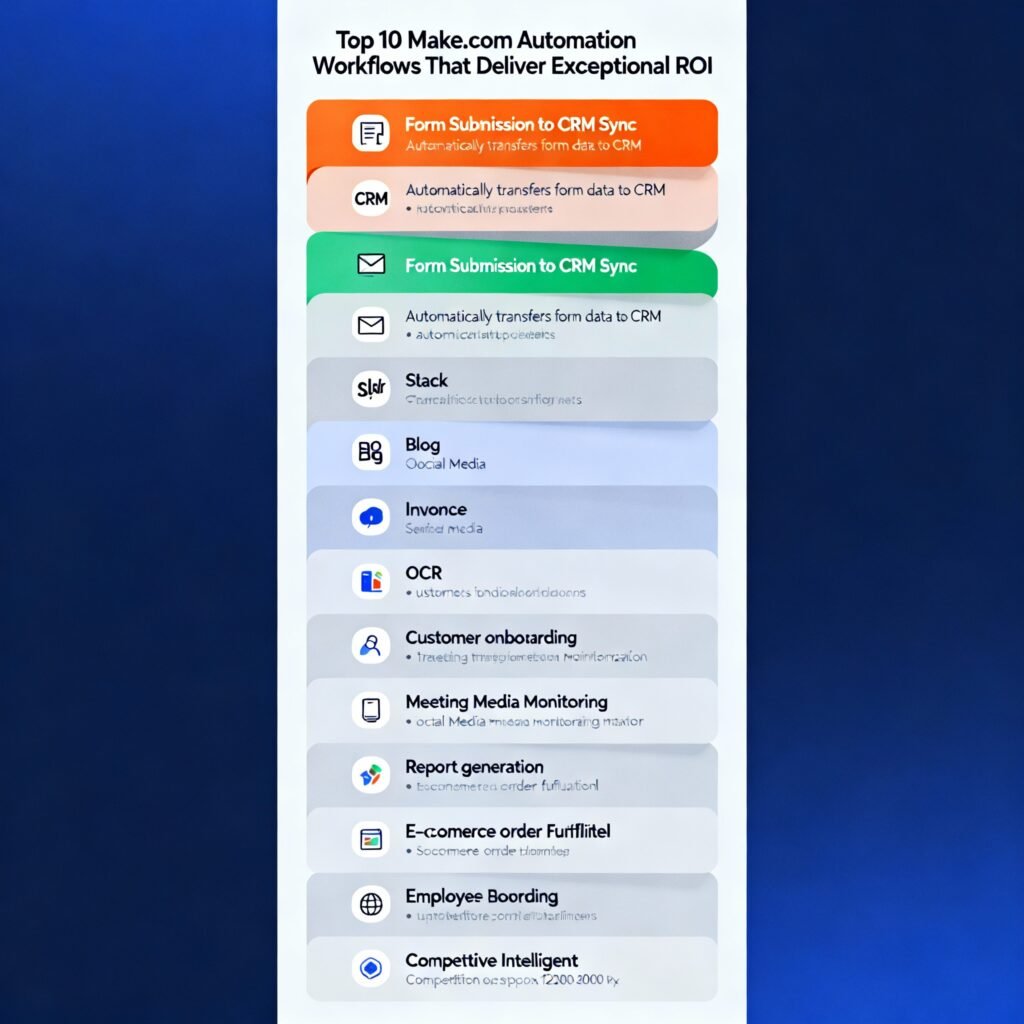
Make.com automation

Make.com workflows
Workflow Automation

Make.com Workflows Every Business Should Automate Today

Make.com is one of the most powerful automation platforms available, but most people barely scratch the surface of what’s possible. | Make.com workflows I’ve built hundreds of Make.com scenarios for clients across industries, and certain patterns consistently deliver exceptional ROI. These ten workflows have proven their worth time and again. Let me show you exactly what to build. 1. Automated Lead Enrichment and Routing The Problem: Leads come in with minimal information. Sales teams waste time researching and determining who should handle each lead. The Solution: When a new lead submits a form, Make.com: Time Saved: 15-20 minutes per lead Technical Difficulty: Intermediate Modules Needed: Webhook, HTTP requests, router, CRM integration, Gmail, Slack 2. Content Distribution Across Multiple Platforms The Problem: Publishing content to multiple platforms takes forever and content often needs reformatting for each channel. The Solution: When you publish a blog post: Time Saved: 45-60 minutes per piece of content Technical Difficulty: Intermediate Modules Needed: RSS/Webhook, OpenAI, social media modules, scheduling 3. Automated Invoice Processing and Payment Tracking The Problem: Invoices arrive via email in various formats. Tracking payments manually is tedious and error-prone. The Solution: When an invoice email arrives: Time Saved: 10-15 minutes per invoice Technical Difficulty: Advanced Modules Needed: Gmail, PDF parsing, accounting software, calendar, notification system 4. Customer Onboarding Automation The Problem: New customers need multiple touchpoints across different tools. Manual onboarding is time-consuming and inconsistent. The Solution: When someone becomes a customer: Time Saved: 30-40 minutes per customer Technical Difficulty: Intermediate Modules Needed: CRM, email marketing, project management, router for conditional logic 5. Meeting Recording to Action Items The Problem: Meeting insights get lost. Action items aren’t consistently tracked. Meeting notes are incomplete or never written. The Solution: After a recorded meeting: Time Saved: 20-30 minutes per meeting Technical Difficulty: Intermediate Modules Needed: Zoom/Google Meet, transcription service, OpenAI, project management, email 6. Social Media Monitoring and Response The Problem: Monitoring multiple social platforms is time-consuming. Important mentions get missed. Response times lag. The Solution: Continuous monitoring that: Time Saved: 2-3 hours per week Technical Difficulty: Advanced Modules Needed: Social media APIs, sentiment analysis, OpenAI, routing logic, notification systems 7. Automated Report Generation and Distribution The Problem: Creating weekly/monthly reports manually is tedious. Data lives in multiple systems. Reports are often delayed. The Solution: On a schedule (weekly/monthly): Time Saved: 2-4 hours per report Technical Difficulty: Advanced Modules Needed: Multiple API connections, data aggregation, OpenAI, Google Docs/Slides, email 8. E-commerce Order Fulfillment Workflow The Problem: Order processing involves multiple steps across different systems. Manual coordination causes delays and errors. The Solution: When a new order is placed: Time Saved: 15-20 minutes per order Technical Difficulty: Intermediate Modules Needed: E-commerce platform, inventory system, shipping API, email, CRM 9. Employee Onboarding Automation The Problem: New employee onboarding involves coordination across HR, IT, and multiple departments. Things fall through cracks. The Solution: When a new employee is added to HR system: Time Saved: 3-4 hours per new hire Technical Difficulty: Advanced Modules Needed: HR system, IT systems, email, Slack, project management, calendar 10. Competitive Intelligence Monitoring The Problem: Staying aware of competitor activities requires constant monitoring. Important changes get missed. The Solution: Continuous monitoring that: Time Saved: 5-6 hours per week Technical Difficulty: Advanced Modules Needed: Web scraping, news APIs, social monitoring, OpenAI analysis, notification system Implementation Tips for Success Start simple: Don’t try to build the perfect workflow on day one. Get a basic version working, then iterate. Test thoroughly: Use Make.com’s manual run feature to test each module before activating automated triggers. Add error handling: Use error handlers to catch failures gracefully. Always have a notification system for critical failures. Monitor usage: Keep an eye on your operations count. Optimize scenarios that consume too many operations. Document your workflows: Future you will appreciate notes on what each scenario does and why decisions were made. The Make.com Features That Make This Possible Routers: Send data down different paths based on conditions Iterators: Process arrays of data item by item Aggregators: Combine multiple results into one Error handlers: Gracefully manage failures Data stores: Temporarily store data between workflow runs Scheduling: Run scenarios on custom schedules Master these features, and you can build virtually any automation. Your Next Steps Choose one workflow from this list that addresses your biggest pain point. Don’t try to implement all ten at once. Spend a week building and testing that single workflow. Once it’s running smoothly, move to the next one. Six months from now, you’ll have most of these running, and you’ll wonder how you ever managed without them. The businesses winning in 2025 are the ones that automate strategically. Start today.


workflow automation
Workflow Automation

The Complete Guide to Workflow Automation in 2025

Workflow automation has matured from a nice-to-have into a must-have for competitive businesses. But here’s the problem: most companies are doing it wrong. They automate random tasks without strategy. They pick tools before understanding their needs. They expect magic but end up disappointed. This guide will show you the right way to approach workflow automation—from strategy to implementation to optimization. What Workflow Automation Actually Means Let’s get clear on terminology. Workflow automation is the use of technology to execute recurring tasks or processes where manual effort can be replaced by a systematic approach. It’s not just about saving time. It’s about: The Automation Maturity Model Most businesses fall into one of four stages: Stage 1: Manual Everything Every process requires human intervention. High error rates, inconsistent results, team burnout. Stage 2: Disconnected Automation Individual tools have some automation, but nothing talks to each other. Slightly better, still chaotic. Stage 3: Connected Workflows Systems integrate and share data. Most common processes are automated. This is where most businesses should aim. Stage 4: Intelligent Automation AI makes decisions, adapts to conditions, predicts needs. Still emerging but increasingly accessible. Where does your business sit? Be honest. The Framework: How to Identify Automation Opportunities Don’t automate blindly. Use this framework to find your best opportunities: The Automation Scorecard For each process, score these factors (1-5): Add up the scores. Anything scoring 18+ is a prime automation candidate. Common Workflow Automation Patterns Certain patterns appear repeatedly across industries. Master these, and you can automate 80% of common business workflows. Pattern 1: Data Transfer Moving information from System A to System B when conditions are met. Example: New CRM contact → add to email marketing tool. Pattern 2: Approval Chains Multi-step approval processes with routing logic. Example: Expense report → manager approval → accounting review → payment processing. Pattern 3: Scheduled Data Processing Recurring tasks that run on a schedule. Example: Generate sales report every Monday at 9 AM. Pattern 4: Event-Triggered Actions Actions that occur when specific events happen. Example: Customer signs up → send welcome email + create project folder + notify team. Pattern 5: Data Enrichment Automatically enhancing data with additional information. Example: Email address submitted → lookup company info → append to database. Choosing Your Automation Stack The right tools depend on your needs, but here’s a sensible approach: For small businesses (1-20 people): For mid-size businesses (20-200 people): For enterprises (200+ people): The Implementation Process That Actually Works I’ve implemented hundreds of automations. This process has the highest success rate: Phase 1: Document Current State (Week 1) Map your current process step-by-step. Who does what? What information moves where? What are the decision points? Phase 2: Design Future State (Week 2) Redesign the process for automation. Remove unnecessary steps. Simplify decision trees. Identify what truly needs human judgment. Phase 3: Build Minimum Viable Automation (Week 3-4) Create the simplest version that delivers value. Don’t try to handle every edge case initially. Phase 4: Parallel Testing (Week 5-6) Run automated and manual processes side-by-side. Compare results. Fine-tune. Phase 5: Full Deployment (Week 7) Switch to automated process. Monitor closely for the first 30 days. Phase 6: Optimization (Ongoing) Continuously improve based on actual usage and results. The Biggest Automation Mistakes Learn from others’ failures: Mistake 1: Automating Broken Processes Automation makes bad processes fail faster. Fix the process first, then automate it. Mistake 2: No Error Handling Every automation will eventually encounter unexpected conditions. Build in error handling from day one. Mistake 3: Over-Automation Some things genuinely need human judgment. Automate the routine, preserve the judgment. Mistake 4: Set and Forget Business needs change. Processes evolve. Review your automations quarterly. Mistake 5: Ignoring User Experience An automation that confuses your team is worse than no automation. Consider the human experience. Measuring Automation Success You need metrics. Here’s what to track: Time Savings: Hours saved weekly × hourly rate = cost savings Error Reduction: Compare error rates before and after automation Throughput: How many more transactions can you handle? Time to Completion: How much faster do processes complete? Employee Satisfaction: Are people happier with automated workflows? Customer Impact: Are customers experiencing improvements? Advanced Automation Concepts Once you’ve mastered basics, explore these: Conditional Logic: Different actions based on data values or outcomes Loops and Iterations: Processing lists of items automatically Webhooks: Real-time triggers from external systems API Integration: Connecting systems that don’t have pre-built integrations Data Transformation: Converting data formats between systems Error Recovery: Automatic retry logic and fallback paths Building an Automation Culture Technology is only half the battle. You need organizational buy-in. Get leadership support: Show ROI projections and quick wins Start with pain points: Solve problems people actually care about Celebrate successes: Share time-saving stories across the company Provide training: Make sure teams understand how automations work Create feedback loops: Let users suggest automation improvements The Future: Where Automation is Heading Automation is evolving rapidly. Here’s what’s coming: AI-Powered Decision Making: Systems that don’t just follow rules but make intelligent choices based on context. Natural Language Automation Building: Describe what you want automated in plain English, and AI builds it for you. Self-Optimizing Workflows: Automations that analyze their own performance and suggest improvements. Hyper-Personalization: Workflows that adapt to individual user preferences automatically. Your 90-Day Automation Roadmap Ready to get started? Here’s your plan: Days 1-30: Audit processes, identify top 5 automation opportunities, select tools Days 31-60: Build and test your first 2-3 automations Days 61-90: Deploy automations, train team, measure results, plan next phase Three months from now, you’ll have real automation wins under your belt and momentum to continue. The Bottom Line Workflow automation isn’t about replacing humans—it’s about freeing them to do what humans do best: think creatively, build relationships, and solve complex problems. Start small, but start today. Every day you wait is another day of manual work you’ll never get back.

Make.com vs N8N
AI Automation

Make.com vs N8N: The Ultimate Automation Showdown for 2025

The automation space is getting crowded, and two platforms keep coming up in every conversation: Make.com (formerly Integromat) and N8N. Both are powerful, both are popular, and both can transform how you work. | Make.com vs N8N But which one deserves your time and money? Let’s break it down. Visual Design: Where Make.com Excels Make.com has the most beautiful workflow builder I’ve ever used. Seriously. Their visual canvas with colorful nodes and clear connection lines makes complex workflows feel manageable. You can see your entire automation at a glance. Data flows visually between modules, and troubleshooting is intuitive. For visual thinkers, this is paradise. N8N’s interface is clean but more technical. It feels like a developer tool (because it is). While functional, it doesn’t have the same polish as Make.com’s interface. Integration Depth: A Critical Difference Here’s something most comparisons miss: both platforms might connect to the same apps, but the depth of those integrations varies wildly. Make.com has deeply integrated modules for popular apps. Every field, every option is available with clear labels and helpers. It’s like they’ve pre-built the entire app experience into their platform. N8N takes a more raw approach. You often work directly with APIs, which gives you more flexibility but requires more technical knowledge. Want to access a specific Salesforce field? You might need to know the API field name. Pricing Models: Math That Matters Let’s talk money, because this often determines the winner. Make.com pricing: N8N pricing: The pricing models are different, which makes direct comparison tricky. For simple workflows with many steps, N8N is cheaper. For complex workflows with fewer steps, Make.com might win. When Make.com is the Right Choice Choose Make.com if you: Make.com shines for marketing teams, small businesses, and anyone who needs to build automations quickly without technical expertise. When N8N Makes More Sense Go with N8N if you: N8N is perfect for tech companies, agencies building client automations, and businesses with specific security requirements. Feature Comparison That Actually Matters Error handling: Make.com has superior built-in error handling with automatic retries and clear error paths. N8N requires more manual setup but offers more customization. Scheduling: Both platforms handle scheduling well, but N8N gives you cron-level control if you need it. Data manipulation: N8N wins here with powerful JavaScript expressions in every node. Make.com has functions too, but they’re more limited. Community: N8N’s open-source community is incredibly active. The Make.com community is large but less collaborative since it’s a closed platform. Real-World Performance I’ve run both platforms in production environments. Here’s what I’ve observed: Make.com executions are consistently fast, typically 2-5 seconds for moderate workflows. Their infrastructure is rock-solid, and I’ve experienced minimal downtime. N8N’s self-hosted performance depends entirely on your server setup. With proper resources, it matches or exceeds Make.com. Cloud-hosted N8N performs comparably to Make.com. The Hybrid Approach Here’s a strategy many smart businesses use: run simple, high-volume workflows on N8N to control costs. Use Make.com for complex, mission-critical automations where the visual interface and reliable integrations justify the cost. You don’t have to marry one platform. Use each where it makes sense. My Recommendation For most small to medium businesses without technical teams: Start with Make.com. The learning curve is gentler, and you’ll get results faster. For technically-inclined teams or businesses with high operation volumes: Go with N8N. The cost savings and flexibility are worth the steeper learning curve. For enterprises with mixed teams: Use both strategically based on workflow complexity and team capabilities. Both platforms are excellent. Your choice should depend on your team’s skills, budget constraints, and specific workflow requirements rather than which tool is “better.”

Scroll to Top