AI and Software Development Company | Tech Biz Builders

business automation

AI, AI Tools

AI Agent vs AI Automation: Benefits, Use Cases, and Implementation Tips

AI Agent vs AI Automation: Benefits, Use Cases, and Implementation Tips Are you feeling overwhelmed by the buzz around Artificial Intelligence? It’s not just about chatbots anymore. The lines between AI automation and AI agents are becoming increasingly blurred, leading to confusion about which technology is right for your business. Many companies are struggling to understand the nuances and realize the full potential of these tools. This article will break down the key differences between AI agents and AI automation, exploring their respective benefits, practical use cases, and offering actionable tips for successful implementation. We’ll delve into how each approach can streamline operations, boost productivity, and ultimately drive growth. By the end, you’ll have a clear understanding of how to strategically leverage AI to achieve your specific business goals – whether that’s automating repetitive tasks or creating truly intelligent, self-directed systems. | AI Agent vs AI Automation Understanding AI Automation AI automation refers to the use of software and algorithms to perform repetitive, rule-based tasks without human intervention. Think of it as automating existing processes. It’s about taking a well-defined workflow – like data entry, invoice processing, or generating reports – and replacing manual steps with automated solutions. Robotic Process Automation (RPA) is a common form of AI automation, utilizing software robots to mimic human actions within digital systems. Traditionally, automation required significant upfront programming and a rigid, pre-defined structure. However, modern AI-powered automation tools are becoming more adaptable and can handle variations within a process, making them more efficient and less reliant on complex scripting. For example, a marketing team might use AI automation to automatically send personalized email sequences based on customer behavior, or a customer service department could automate the routing of support tickets to the appropriate agent. The key here is consistency and predictability – automating tasks that follow a clear, established pattern. Benefits of AI Automation Implementing AI automation offers a multitude of advantages. Firstly, it dramatically increases efficiency by reducing the time and resources required to complete tasks. Secondly, it minimizes human error, leading to improved data accuracy and reduced operational costs. Thirdly, it frees up human employees to focus on more strategic and creative work, boosting overall productivity. Furthermore, automation provides greater scalability – you can easily handle increased workloads without hiring additional staff. According to a McKinsey report, businesses that successfully implement automation can see productivity gains of up to 30%. Finally, automation improves compliance by ensuring consistent adherence to established procedures. Consider a logistics company automating warehouse inventory management – this reduces stockouts, minimizes waste, and streamlines the entire supply chain. Use Cases for AI Automation The applications of AI automation are incredibly diverse. Here are a few common examples: Finance: Automating invoice processing, reconciliation, and fraud detection. Customer Service: Automating responses to frequently asked questions, routing support tickets, and providing basic troubleshooting. Human Resources: Automating onboarding processes, benefits enrollment, and payroll. Marketing: Automating email marketing campaigns, social media scheduling, and lead generation. Operations: Automating data entry, report generation, and supply chain management. Delving into AI Agents AI agents, on the other hand, represent a more advanced form of AI. They are designed to perceive their environment, make decisions, and take actions to achieve specific goals – often without explicit human instruction. Unlike automation, which follows pre-programmed rules, AI agents learn and adapt over time. They utilize techniques like reinforcement learning and natural language processing to understand complex situations and respond intelligently. Think of them as digital assistants that can proactively solve problems and manage tasks. A key difference is their ability to handle ambiguity and unexpected events. Instead of simply executing a predefined script, an AI agent can analyze the situation, assess the potential consequences, and choose the best course of action. For instance, an AI agent in a smart home could learn your preferences and automatically adjust the temperature, lighting, and entertainment system – all without you having to manually control them. Key Characteristics of AI Agents AI agents possess several defining characteristics: Autonomy: They can operate independently and make decisions without constant human oversight. Learning: They continuously learn from their experiences and improve their performance over time. Adaptability: They can adjust to changing environments and unexpected situations. Goal-Oriented: They are designed to achieve specific objectives. Perception: They can gather information about their surroundings through sensors and data. Examples of AI Agent Applications AI agents are already being used in a growing number of industries. Here are some notable examples: Application Description Benefit Virtual Assistants (Siri, Alexa, Google Assistant) Respond to voice commands, provide information, and control smart home devices. Convenience, accessibility, hands-free operation. Trading Bots Analyze market data and execute trades automatically. Increased speed, reduced emotional bias, 24/7 operation. Autonomous Vehicles Navigate and operate vehicles without human intervention. Improved safety, reduced traffic congestion, increased efficiency. Personalized Healthcare Assistants Monitor patient health, provide medication reminders, and schedule appointments. Improved patient outcomes, reduced healthcare costs, increased patient engagement. Choosing the Right Approach: AI Agent vs. AI Automation So, which is right for you? AI automation is best suited for tasks that are repetitive, rule-based, and well-defined. It’s a solid choice for streamlining existing processes and improving efficiency. AI agents, however, are more appropriate for situations that require adaptability, learning, and decision-making. They excel at handling complex, dynamic environments where pre-programmed rules are insufficient. Often, the most effective strategy involves a combination of both. You might use AI automation to handle routine tasks and AI agents to manage more complex, strategic initiatives. Consider a scenario where an AI agent monitors customer feedback and automatically escalates critical issues to a human agent – this combines the efficiency of automation with the intelligence of an agent. Ultimately, the best approach depends on your specific business needs, goals, and resources. Conclusion Both AI agents and AI automation offer significant opportunities for businesses to improve efficiency, reduce costs, and drive growth. AI automation excels at streamlining repetitive tasks, while AI agents provide the ability to learn, adapt, and make intelligent decisions. Understanding the distinctions

AI

Unlock Free Power: How ChatGPT Can Transform Your Workflow

Are you feeling overwhelmed by repetitive tasks, content creation bottlenecks, or simply wishing you had more time in the day? You’re not alone. Many professionals and businesses face these challenges, hindering productivity and growth. But what if you could leverage a powerful AI tool to streamline your workflow, boost creativity, and achieve more – all without spending a dime? This article will explore how ChatGPT, a leading AI language model, can revolutionize your work, offering incredible value for free. We’ll delve into practical applications and reveal how to seamlessly integrate this technology into your daily routine to unlock your full potential. | ChatGPT workflow automation Boosting Productivity with AI Assistance One of the most significant benefits of ChatGPT is its ability to automate and accelerate various tasks. Instead of spending hours drafting emails, summarizing reports, or brainstorming ideas, you can use ChatGPT to accomplish these actions quickly and efficiently. This frees up valuable time to focus on more strategic and complex assignments that require human expertise and critical thinking. The tool excels at handling routine tasks, allowing you to concentrate on what matters most. Email Drafting and Management ChatGPT can significantly reduce the time spent crafting emails. Simply provide a brief outline or the key points you want to convey, and ChatGPT will generate a draft email for you. It can adapt to different tones and styles, ensuring your message is clear, professional, and effectively delivered. For example, you can ask ChatGPT to “Draft an email to a client confirming a meeting next week, highlighting the agenda and requesting their availability.” This is a huge time saver, especially for busy professionals. Report Summarization & Analysis Large datasets and lengthy reports can be daunting. ChatGPT can analyze these documents and summarize key findings, saving you time and effort. It can identify trends, highlight important information, and provide concise overviews that are easily digestible. A customer service manager, for instance, could use ChatGPT to quickly summarize customer feedback reports, identifying recurring issues and areas for improvement. Integrating ChatGPT with your workflow allows you to gain rapid insights from complex information. Creative Content Generation: Unleashing Your Inner Author Content creation is a cornerstone of many businesses, but it can often be a time-consuming and creatively taxing process. ChatGPT can act as a powerful co-creator, assisting with everything from blog posts and social media captions to marketing copy and website content. It can generate ideas, write drafts, and even refine existing content, empowering you to produce high-quality material efficiently. Even if you aren’t a professional writer, ChatGPT can assist with brainstorming and generating concepts. The tool’s ability to adapt to different writing styles makes it exceptionally versatile. Blog Post Outlines and Drafts Struggling to start a blog post? ChatGPT can generate a detailed outline based on a topic you provide. This structured outline provides a clear roadmap for your writing, ensuring logical flow and comprehensive coverage. You can then expand upon the outline with your own insights and expertise. For instance, you might ask ChatGPT to “Create a blog post outline on the benefits of remote work for small businesses,” and it will provide structured sections and sub-sections. Social Media Content Ideas & Captions Maintaining an active social media presence requires constant content creation. ChatGPT can help you brainstorm engaging post ideas and write compelling captions that resonate with your audience. You can specify the platform (e.g., Twitter, Instagram, LinkedIn) and the desired tone, and ChatGPT will generate relevant content. Using ChatGPT to generate social media content can significantly increase engagement and reach. Trying different prompts, like “Write three Instagram captions for a post about our new summer collection,” can generate diverse options. Improving Communication & Collaboration with AI Effective communication is crucial for teamwork and achieving business goals. ChatGPT can enhance communication by helping you craft clear, concise, and professional messages. It can even assist with translating languages, facilitating cross-cultural collaboration. Furthermore, it can act as a virtual assistant, summarizing meeting notes and generating action items. Its ability to adapt communication styles can be very valuable in a diverse work environment. Meeting Summarization and Action Item Generation After a meeting, quickly capturing the key discussion points and action items can be a time-consuming task. ChatGPT can transcribe meeting notes (provided in text format) and generate a concise summary, identifying key decisions and assigned tasks. This saves valuable time and ensures everyone is on the same page. You can simply paste the meeting transcript into ChatGPT and ask it to “Summarize the meeting and list the action items along with responsible individuals.” Translation Assistance In today’s globalized world, communicating with international clients and partners is often essential. ChatGPT can translate text between multiple languages, facilitating seamless communication and collaboration. While not always perfect, it’s a useful tool for initial drafts and quick translations, especially when combined with human review. A small marketing team might utilize this to quickly translate website content for a Spanish-speaking audience. Leveraging Free ChatGPT: Accessibility and Limitations The best part about utilizing ChatGPT is its accessibility. You don’t need to pay a subscription fee to access its vast capabilities. You can use the free version of ChatGPT on the OpenAI website or through various third-party platforms. This opens up a world of possibilities for individuals and businesses alike. However, it’s important to be aware of some limitations. While ChatGPT is remarkably powerful, it’s still an AI and doesn’t always produce perfect results. You’ll need to carefully review and edit the output to ensure accuracy and relevance. Free access makes this technology incredibly democratized, putting powerful AI tools in the hands of anyone. Understanding ChatGPT’s Limitations ChatGPT is trained on a massive dataset of text and code, but it can occasionally generate inaccurate, misleading, or nonsensical information. It’s important to double-check any facts or figures provided by ChatGPT, especially for critical applications. Furthermore, the free version of ChatGPT has limitations on the length of the input and output. Larger or more complex requests may require the paid version of the

AI, AI Automation

How ChatGPT’s Free AI Agent, Claud, Is Transforming Everyday Automation

Are you tired of repetitive tasks eating up your valuable time? Do you dream of streamlining workflows and boosting productivity without breaking the bank? You’re not alone. In today’s fast-paced world, automation is no longer a luxury – it’s a necessity. Enter Claud, the groundbreaking free AI agent from Anthropic, poised to revolutionize the way we approach everyday automation. This powerful tool isn’t just another chatbot; it’s a capable assistant that can handle complex tasks, freeing you up to focus on what truly matters. In this article, we’ll explore how Claud is transforming everyday automation, uncovering its capabilities and demonstrating how you can leverage it to enhance your efficiency. | Claud AI automation Understanding Claud: Anthropic’s Powerful New AI Assistant Claud is a large language model (LLM) developed by Anthropic, a company focused on building safe and beneficial AI. Unlike some other large language models, Claud is designed with a strong emphasis on reasoning, planning, and following complex instructions. It’s built to be helpful, harmless, and honest – principles that guide its development and ensure responsible AI usage. What sets Claud apart is its free availability. Anthropic believes that AI should be accessible to everyone, and Claud exemplifies this commitment. This makes it a particularly attractive option for individuals and businesses looking to start automating tasks without significant financial investment. Key Features and Capabilities Claud boasts several impressive features that make it a valuable automation tool. These include: Complex Task Management: Claud excels at break-down complex tasks into smaller, manageable steps. Data Analysis & Summarization: It can analyze data, identify trends, and generate concise summaries. Content Creation: Craft compelling marketing copy, write emails, and generate reports. Code Generation: Generate code snippets in various programming languages. Following Instructions: Claud is highly capable of following intricate and multi-step instructions. These capabilities transform it from a simple chatbot into a powerful virtual assistant capable of significantly enhancing productivity. Automating Customer Support with Claud Customer support is a demanding area, often requiring significant human effort. Claud offers a compelling solution for automating routine queries and improving response times. Imagine automating responses to frequently asked questions, triaging incoming support tickets, and even generating personalized support messages. By integrating Claud with your existing customer service platforms (such as Zendesk or Salesforce), you can free up your human agents to handle more complex and emotionally sensitive issues. This leads to increased customer satisfaction and reduced operational costs. For example, a small e-commerce business could use Claud to automatically answer questions about shipping policies, return procedures, and product availability. This instantly improves customer service response times and reduces the workload on their support team. A study by Grand View Research projected the global customer service automation market to reach over $13.7 billion by 2027, highlighting the significant potential of AI in this area. Case Study: Automating FAQ Responses A marketing agency developed a Claud-powered chatbot to handle common client inquiries about their services. The chatbot was trained on a dataset of frequently asked questions and provided instant answers to clients 24/7. This resulted in a 30% reduction in the agency’s customer support ticket volume and a significant improvement in client satisfaction scores. The implementation was relatively straightforward, requiring minimal technical expertise. The agency was able to quickly integrate Claud into their existing website and communication channels. Boosting Productivity with Claud for Business Tasks Beyond customer support, Claud can be applied to streamline a wide range of business tasks. From data entry and report generation to meeting scheduling and email management, Claud can automate repetitive activities, allowing employees to focus on higher-value work. Consider using Claud to generate meeting agendas, summarize lengthy documents, or extract key information from invoices. By automating these tasks, businesses can save time, reduce errors, and improve overall efficiency. Task Automation Potential Data Entry Route data from various sources to spreadsheets or databases Report Generation Create reports based on data input from business systems Email Management Draft email responses, categorize emails, and manage inbox priorities Meeting Scheduling Find and book meeting times considering attendee availability Integrating Claud with Workflow Tools The power of Claud is amplified when integrated with existing workflow tools. Platforms like Zapier and Make (formerly Integromat) allow you to connect Claud to a wide range of applications, automating tasks across your entire business. For instance, you could automatically create a new task in Asana when a customer submits a support ticket through Claud, ensuring that no requests fall through the cracks. This seamless integration makes automation truly powerful. Improving Content Creation with Claud Content creation is a time-consuming aspect of most businesses, but Claud can significantly lighten the workload. Whether you’re writing marketing copy, blog posts, or social media updates, Claud can assist with generating ideas, outlining content, and even writing complete drafts. It can adapt its writing style to suit your specific needs, ensuring that your content is engaging, informative, and consistent with your brand voice. This frees up valuable time for strategic planning and creative brainstorming. For example, a small business owner could use Claud to generate different headlines for a blog post, or to draft social media captions for a new product launch. The generated content can then be refined and edited to ensure accuracy and quality. The possibilities are endless, empowering businesses to create more content with less effort. Generating Diverse Content Formats Claud isn’t limited to just writing. It can also generate different content formats, including: Social Media Posts: Tailored for different platforms (Twitter, LinkedIn, Facebook). Product Descriptions: Compelling and informative descriptions for e-commerce sites. Email Subject Lines: Catchy subject lines to increase open rates. Blog Post Outlines: Structured outlines for well-organized content. This versatility makes Claud a valuable asset for any business looking to enhance its content marketing efforts. The Future of AI-Powered Automation with Claud Claud represents a significant step forward in the evolution of AI-powered automation. Its free availability makes it accessible to a wider audience, and its strong reasoning and planning capabilities open up new possibilities for automation. As AI technology continues

Business Technology

The Rise of AI in Business: Transforming Operations and Customer Experience

Artificial intelligence has evolved from a futuristic concept to a fundamental business tool that’s revolutionizing how companies operate and serve their customers. From streamlining internal processes to delivering personalized customer experiences, AI is reshaping the business landscape across every industry. Organizations that embrace these technologies are discovering unprecedented opportunities for growth, efficiency, and competitive advantage. | AI in Business How AI is Transforming Business Operations Automation of Routine Tasks One of the most immediate impacts of AI in business has been the automation of repetitive, time-consuming tasks. Machine learning algorithms now handle everything from data entry and invoice processing to inventory management and employee scheduling. This shift allows human workers to focus on strategic thinking, creative problem-solving, and relationship building—activities that require uniquely human skills. Companies implementing AI-powered automation report productivity increases of 20-40% in affected departments, with some organizations saving thousands of employee hours annually. Predictive Analytics and Data-Driven Decision Making AI’s ability to process and analyze massive datasets has transformed how businesses make strategic decisions. Predictive analytics tools can identify patterns invisible to human analysts, forecasting market trends, customer behavior, and potential operational bottlenecks before they occur. Retailers use AI to optimize inventory levels and predict seasonal demand fluctuations, while manufacturers leverage predictive maintenance algorithms to prevent equipment failures and minimize costly downtime. This data-driven approach reduces guesswork and enables more confident, informed business strategies. Supply Chain Optimization Supply chain management has become significantly more sophisticated with AI integration. Advanced algorithms track shipments in real-time, optimize delivery routes based on traffic and weather conditions, and automatically adjust procurement schedules based on demand forecasts. During supply chain disruptions, AI systems can quickly identify alternative suppliers or reroute shipments, minimizing delays and maintaining business continuity. Companies using AI-powered supply chain solutions have reported cost reductions of 15-25% while improving delivery times and accuracy. Revolutionizing Customer Experience with AI Personalization at Scale AI enables businesses to deliver personalized experiences to millions of customers simultaneously. E-commerce platforms use recommendation engines that analyze browsing history, purchase patterns, and similar customer profiles to suggest products with remarkable accuracy. Streaming services curate content based on viewing habits, while news platforms customize article feeds to match reader interests. This level of personalization, which would be impossible to achieve manually, increases customer engagement, satisfaction, and loyalty while driving revenue growth. 24/7 Customer Support Through Chatbots and Virtual Assistants AI-powered chatbots and virtual assistants have transformed customer service by providing instant, round-the-clock support. These intelligent systems handle common inquiries, process returns, track orders, and troubleshoot basic technical issues without human intervention. Modern chatbots use natural language processing to understand context and sentiment, delivering increasingly natural conversational experiences. When issues require human expertise, AI systems seamlessly transfer customers to appropriate representatives along with conversation history and context, ensuring smooth handoffs and faster resolution times. Voice and Sentiment Analysis Advanced AI tools now analyze customer interactions across phone calls, emails, and social media to gauge sentiment and identify emerging issues. This capability allows businesses to proactively address customer concerns before they escalate, spot training opportunities for support staff, and identify products or services that consistently generate complaints. Voice analytics can detect frustration or confusion in real-time during calls, prompting systems to offer assistance to customer service representatives or escalate issues to supervisors. Industry-Specific AI Applications Healthcare: Diagnosis and Treatment Healthcare organizations are using AI to analyze medical images, predict patient outcomes, and personalize treatment plans. Machine learning algorithms can detect anomalies in X-rays and MRIs with accuracy matching or exceeding human radiologists, while predictive models help identify patients at risk for specific conditions. Administrative AI applications are streamlining appointment scheduling, billing, and insurance claims processing, reducing overhead costs and allowing medical professionals to spend more time with patients. Financial Services: Fraud Detection and Risk Assessment Banks and financial institutions leverage AI to protect customers and manage risk. Machine learning models analyze transaction patterns to identify potentially fraudulent activity in milliseconds, blocking suspicious charges before damage occurs. Credit scoring algorithms evaluate borrower risk using thousands of data points, while AI-powered investment platforms provide personalized portfolio recommendations and automated trading strategies. These applications have significantly reduced fraud losses while expanding access to financial services. Retail: Inventory Management and Customer Insights Retailers use AI to optimize everything from store layouts to pricing strategies. Computer vision systems monitor shelf stock levels and alert staff when popular items need replenishment. Dynamic pricing algorithms adjust costs based on demand, competitor pricing, and inventory levels to maximize revenue. Customer behavior analysis reveals shopping patterns, helping retailers plan promotions, optimize product placement, and forecast trends with greater accuracy. Manufacturing: Quality Control and Predictive Maintenance Manufacturing facilities deploy AI-powered vision systems that inspect products with precision impossible for human quality control workers, identifying defects at microscopic levels. Predictive maintenance algorithms monitor equipment performance, detecting subtle changes that indicate impending failures and scheduling repairs during planned downtime. This proactive approach minimizes unexpected breakdowns, extends equipment lifespan, and reduces maintenance costs while ensuring consistent product quality. Overcoming Challenges in AI Implementation Data Quality and Integration Successful AI implementation requires high-quality, well-organized data. Many businesses struggle with siloed information across different systems and departments, inconsistent data formats, and incomplete records. Organizations must invest in data infrastructure, establish governance policies, and implement integration solutions before AI systems can deliver meaningful results. This foundational work, while time-consuming, is essential for sustainable AI success. Employee Training and Change Management Introducing AI technologies often requires significant cultural shifts within organizations. Employees may fear job displacement or feel uncomfortable working alongside AI systems. Successful implementations include comprehensive training programs that help staff understand how AI enhances rather than replaces their roles. Clear communication about AI’s purpose, transparent implementation processes, and opportunities for employees to provide feedback all contribute to smoother adoption and better outcomes. Ethical Considerations and Bias Mitigation AI systems can perpetuate or amplify biases present in training data, leading to unfair outcomes in hiring, lending, and customer service. Responsible businesses regularly audit their AI systems for bias, ensure diverse teams participate in AI development,

agentic ai
Artifical Intelligence

Agentic AI: How Autonomous AI Agents Are Transforming Business Operations in 2025

Introduction The business landscape is experiencing a seismic shift with the emergence of Agentic AI—autonomous artificial intelligence systems that can plan, make decisions, and take actions independently to achieve user-defined goals. Unlike traditional AI that merely responds to prompts, Agentic AI proactively identifies problems, formulates strategies, and executes solutions without constant human oversight. Industry analysts predict that by 2028, approximately 15% of organizational work decisions will be made autonomously by AI agents. This transformative technology is reshaping how businesses operate, compete, and deliver value to customers. In this comprehensive guide, we’ll explore what Agentic AI is, how it works, its real-world applications, implementation strategies, and how your organization can leverage this revolutionary technology to gain competitive advantages. What is Agentic AI? Agentic AI refers to artificial intelligence systems designed with agency—the ability to act independently, make autonomous decisions, and pursue goals with minimal human intervention. These intelligent agents can perceive their environment, process complex information, learn from experiences, and take calculated actions to accomplish specific objectives. Key Characteristics of Agentic AI: Unlike conventional AI chatbots that respond reactively to user queries, Agentic AI systems take initiative. They analyze situations, formulate action plans, execute tasks, monitor outcomes, and adjust strategies dynamically. How Agentic AI Differs from Traditional AI Aspect Traditional AI Agentic AI Interaction Reactive, responds to prompts Proactive, initiates actions Decision-making Limited to predefined rules Autonomous, context-aware choices Task Complexity Single-step responses Multi-step workflow execution Learning Static after training Continuous adaptation Goal Achievement Requires human guidance Independent goal pursuit Planning No planning capability Strategic planning and execution Core Technologies Powering Agentic AI Agentic AI combines multiple advanced technologies: 1. Large Language Models (LLMs) Foundation models like GPT-4, Claude, and Gemini provide natural language understanding, reasoning capabilities, and knowledge synthesis. 2. Reinforcement Learning Enables agents to learn optimal behaviors through trial-and-error interactions with their environment, receiving rewards for successful actions. 3. Multi-Agent Systems Coordinated networks of specialized AI agents that collaborate, share information, and divide complex tasks efficiently. 4. Tool Integration APIs Connections to databases, software applications, IoT devices, and external systems that agents can manipulate to accomplish tasks. 5. Memory Systems Short-term and long-term memory architectures that allow agents to maintain context, recall past interactions, and build knowledge over time. 6. Planning Algorithms Sophisticated techniques like Monte Carlo Tree Search and hierarchical planning that enable agents to strategize multi-step solutions. Real-World Applications of Agentic AI 1. Customer Service Automation Agentic AI customer service agents can: Business Impact: Companies report 40-60% reduction in customer service costs while improving response times and customer satisfaction scores. 2. Supply Chain Optimization AI agents autonomously: Business Impact: Organizations achieve 15-25% reduction in supply chain costs and 30-40% improvement in inventory accuracy. 3. Financial Trading and Analysis Financial AI agents: Business Impact: Faster execution speeds, reduced emotional bias, and 24/7 market monitoring capabilities. 4. Software Development Development AI agents: Business Impact: Development teams report 30-50% productivity increases and faster time-to-market. 5. Healthcare Diagnostics Medical AI agents: Business Impact: Earlier disease detection, reduced diagnostic errors, and improved patient outcomes. 6. Marketing Campaign Management Marketing AI agents: Business Impact: 20-35% improvement in campaign ROI and significant time savings for marketing teams. Benefits of Implementing Agentic AI 1. Enhanced Operational Efficiency AI agents work continuously without breaks, handling repetitive tasks faster and more accurately than humans, freeing employees for strategic work. 2. Scalability Organizations can scale operations without proportional increases in headcount. AI agents handle surges in demand seamlessly. 3. Cost Reduction Automation of routine tasks reduces labor costs while maintaining or improving quality standards. 4. Improved Decision-Making AI agents analyze vast amounts of data quickly, identifying patterns and insights humans might miss, leading to better-informed decisions. 5. 24/7 Operations Unlike human workers, AI agents operate around the clock, enabling continuous business operations and faster response times. 6. Consistency and Accuracy AI agents follow procedures precisely, reducing errors caused by human fatigue, distraction, or inconsistency. 7. Personalization at Scale AI agents can deliver individualized experiences to thousands or millions of customers simultaneously. Challenges and Considerations 1. Trust and Reliability Organizations must ensure AI agents make appropriate decisions, especially in high-stakes scenarios requiring human judgment and ethical considerations. 2. Governance and Compliance Implementing AI governance frameworks to manage legal, ethical, and operational performance is essential. Companies need clear policies on AI decision-making authority and accountability. 3. Integration Complexity Connecting AI agents to existing systems, databases, and workflows requires significant technical expertise and can be time-consuming. 4. Data Quality and Security AI agents depend on high-quality data. Poor data leads to poor decisions. Additionally, organizations must protect sensitive information from unauthorized agent access. 5. Transparency and Explainability Understanding why an AI agent made specific decisions is crucial for troubleshooting, compliance, and building user trust. 6. Change Management Employees may resist AI implementation due to job security concerns. Effective change management and training programs are essential. Implementation Strategy for Agentic AI Phase 1: Assessment and Planning Step 1: Identify Use Cases Step 2: Evaluate Readiness Step 3: Define Success Metrics Phase 2: Pilot Implementation Step 4: Start Small Step 5: Build Infrastructure Step 6: Train and Monitor Phase 3: Scaling and Optimization Step 7: Expand Gradually Step 8: Establish Governance Step 9: Continuous Improvement Best Practices for Agentic AI Success 1. Maintain Human Oversight Critical decisions should require human approval, especially in areas affecting safety, privacy, or significant financial impact. 2. Invest in Data Quality Ensure data is accurate, complete, current, and properly labeled. Garbage in equals garbage out. 3. Design for Transparency Build systems that can explain agent reasoning and decision-making processes to stakeholders. 4. Prioritize Security Implement robust authentication, authorization, and encryption to protect systems from unauthorized agent access. 5. Focus on User Experience Design agent interactions to be natural, helpful, and aligned with user expectations and preferences. 6. Establish Clear Boundaries Define explicit limits on agent authority and decision-making scope to prevent unintended consequences. 7. Create Feedback Loops Enable users to rate agent performance and provide corrections that improve future behavior. The Future of Agentic AI The trajectory

Automation Strategy

The Hidden Costs of Manual Work: ROI Calculator for Automation

Automation ROI Calculator Table of Contents Introduction Many businesses underestimate the hidden costs of manual work, such as time delays, errors, and lost productivity. Automation not only saves time but also presents measurable financial benefits when adopted strategically. This blog explains how to calculate the Return on Investment (ROI) for automation projects using an ROI calculator, helping justify automation investments effectively. Understanding the Hidden Costs of Manual Work Manual processes often involve repetitive, error-prone tasks that drain employee time and lead to costly mistakes. These include data entry errors, slow approvals, redundant communications, and delayed decision-making, all of which increase operational costs and reduce customer satisfaction. Why Calculate ROI for Automation? Calculating ROI quantifies the financial and efficiency gains from automation against its implementation costs. It helps businesses: Key Metrics Used in Automation ROI Calculation How to Use an Automation ROI Calculator ROI%=(Savings−CostsCosts)×100ROI \% = \left( \frac{Savings – Costs}{Costs} \right) \times 100ROI%=(CostsSavings−Costs)×100 Sample ROI Calculation Walkthrough Imagine a manual data entry process that takes 10 hours weekly by an employee costing $20/hour. Assuming automation cuts manual hours by 80%: ROI=2,820−5,5005,500×100=−48.7%ROI = \frac{2,820 – 5,500}{5,500} \times 100 = -48.7\%ROI=5,5002,820−5,500×100=−48.7% Initially negative but may turn positive in subsequent years due to ongoing savings. Tips for Justifying Automation Investment to Stakeholders Conclusion Automation ROI calculation helps uncover the often overlooked costs of manual work and builds a strong case for investment by demonstrating clear financial benefits. Using an ROI calculator ensures data-backed decisions and effective stakeholder communication to drive automation adoption and operational efficiency. Would you like access to a downloadable ROI calculator template or personalized ROI analysis for your workflows?

No-Code Automation

Airtable Automation: 15 Powerful Workflows You Can Build Today

Table of Contents Introduction Airtable’s flexibility as a spreadsheet-database hybrid makes it ideal for many business processes, but manually managing data and notifications can become tedious. Automation enables Airtable users to streamline repetitive tasks, increase accuracy, and free up time for more strategic work. This guide highlights 15 powerful Airtable automation workflows you can build today to transform your productivity. Why Automate Airtable Workflows? Automating repetitive updates, notifications, and data syncing in Airtable drastically reduces errors and speeds up processes. Airtable’s built-in automation tools combined with scripting capabilities offer accessible but powerful ways to create custom workflows without needing complex integrations or external tools. 15 Powerful Airtable Automation Workflows Project Management Sales and CRM Marketing Campaigns Operations and Inventory Cross-Functional Getting Started with Airtable Automations and Scripting To build these workflows, use Airtable’s Automation interface to create triggers (record changes, scheduled times) and actions (send email, update record). For advanced needs, Airtable Scripting lets you write JavaScript to customize functionality, data manipulation, and integrations. Tips for Optimizing Your Airtable Workflows Conclusion Airtable automation and scripting open up vast possibilities for boosting efficiency across teams and departments. By implementing these 15 workflows, users can reduce manual effort, improve data reliability, and accelerate business processes—all within Airtable’s familiar interface. Explore automation today to unleash Airtable’s full potential.

No-Code Automation

Complete Guide to API Integration: Connect Any App Without Coding

How to No-Code API Integration Table of Contents Introduction API integration is the backbone that connects modern software and apps, enabling seamless data flows and powerful automated workflows. Traditionally, API integration required developers writing complex code, making it inaccessible for many businesses. This guide breaks down API integration in simple terms and shows how you can connect any app without writing a single line of code using no-code tools. What is API Integration? An API (Application Programming Interface) acts like a bridge between two applications, allowing them to communicate and exchange data securely and efficiently. API integration means setting up this communication so you can automate workflows such as syncing customer data, triggering alerts, or aggregating reports across apps. Why No-Code API Integration Matters No-code API integration platforms empower business users, marketers, and product managers to build powerful, custom workflows without needing developer resources. This accessibility reduces time to launch, lowers costs, and fuels innovation. From syncing CRM data to automating lead capture, no-code API tools unlock automation potential for all skill levels. How to Connect Any App Without Coding Top No-Code API Integration Tools in 2025 Each platform has unique strengths, so choose based on budget, technical skill, and required complexity. Step-by-Step API Integration Tutorial for Beginners For example, syncing Google Sheets with a CRM using Zapier: Best Practices and Tips Conclusion No-code API integration is transforming how businesses automate workflows and connect software. With this complete guide, even beginners can confidently create powerful integrations without programming knowledge. Start small, select the right platform, and gradually expand your automation capabilities for greater efficiency and growth. Would you like a tutorial tailored to a specific integration or a comparison of no-code API tools for your use case?

Automation Tools

Zapier vs Make.com vs N8N: The Ultimate 2025 Comparison (With Pricing Breakdown)

Zapier vs Make.com vs N8N Table of Contents Introduction Choosing the right automation platform is critical to boosting business workflows and reducing manual tasks. In 2025, Zapier, Make.com, and N8N remain top contenders, each offering unique strengths and pricing models. This blog provides a comprehensive comparison of these tools, highlighting their pricing, integrations, capabilities, and ideal use cases to help you decide which fits your needs best. Overview of Zapier, Make.com, and N8N Zapier is the most popular automation tool, known for its extensive app integrations and user-friendly interface. Make.com (formerly Integromat) offers a powerful visual workflow builder aimed at intermediate users who need more control. N8N stands out by providing open-source, self-hosted options with advanced technical capabilities, appealing especially to developers and IT teams needing flexibility and data control. Pricing Comparison N8N’s self-hosting option provides the most economic flexibility, especially for businesses that process large data volumes or require complete data control. Integration and Features Each platform supports AI and advanced automation, with Make.com and N8N offering extensive AI-related modules and coding flexibility. User Experience and Learning Curve Technical Capabilities and Customization N8N enables creation of highly customized automations, including AI integrations and complex data transformations. Strengths and Weaknesses Platform Strengths Weaknesses Zapier Largest app ecosystem, beginner-friendly, excellent documentation Pricier at scale, limited complex workflow support, no self-hosting Make.com Visual interface, deeper app feature access, cost-effective mid-tier pricing Fewer integrations than Zapier, some features require higher-tier plans, no self-hosting N8N Open-source, self-hosting for data control, advanced customization, cost-effective for volume Steeper learning curve, smaller integration library by default, requires technical expertise Which Platform Should You Choose? Conclusion Zapier, Make.com, and N8N each serve distinct automation needs in 2025. Carefully consider workflow complexity, budget, technical skills, and integration requirements to select the best fit. This ultimate comparison with pricing insights should empower you to make a confident automation platform choice that drives productivity and efficiency. Would you like a deeper dive into pricing strategies or technical setup guides for any of these platforms?

future of work AI
AI Transformation

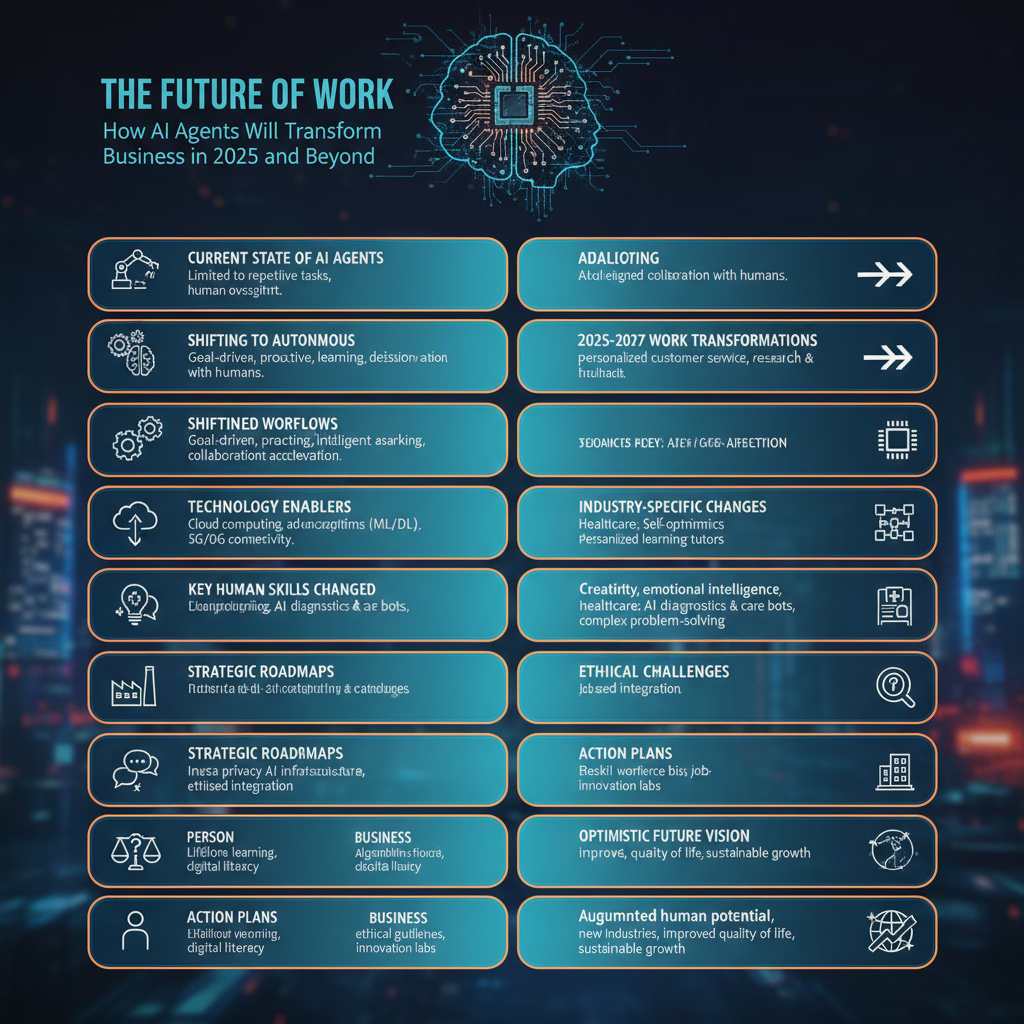
The Future of Work: How AI Agents Will Transform Business in 2025 and Beyond

We’re standing at an inflection point in how work gets done. AI agents aren’t just tools anymore—they’re becoming coworkers, and this shift is happening faster than most people realize. | future of work AI I’ve been deep in the AI automation space for three years, and the pace of change is extraordinary. Let me share what’s coming and how you can prepare. Where We Are Today Right now, AI agents handle discrete tasks: researching topics, drafting emails, analyzing data, generating content. They’re assistants—helpful but limited. Most businesses are still in the experimentation phase. They’ve tried ChatGPT, maybe built a simple automation or two. Some are using AI features in their existing tools. This is where adoption typically stalls. Companies wait for AI to get “better” before investing seriously. That’s a mistake. The Shift Happening Right Now AI agents are evolving from task-executers to autonomous workers. Here’s what’s changing: From single-task to multi-task agents: Early 2024, AI handled one task at a time. Now, agents chain multiple tasks together, making decisions about what needs to happen next. From prompted to proactive: We’re moving from “tell the AI what to do” to “tell the AI what you want to achieve.” Agents figure out the how. From isolated to collaborative: Multiple specialized agents working together, each handling what they do best, coordinating to achieve complex goals. From supervised to autonomous: Less human oversight needed for routine decisions. Agents handle exceptions and only escalate genuine edge cases. This isn’t science fiction. These capabilities exist today. The question is adoption speed. What Work Will Look Like in 2025-2027 Based on current trajectories and what’s already in development, here’s my forecast: Customer-Facing Roles Transform AI agents will handle 70-80% of customer interactions from first contact through resolution. Not just chatbots—actual problem-solving agents that can access systems, process refunds, update accounts, and handle complex scenarios. Human customer service will focus exclusively on: Companies will need fewer customer service reps, but the ones they employ will be more skilled, better paid, and handle genuinely interesting problems. Knowledge Work Becomes Agent-Assisted Every knowledge worker will have AI agents handling their repetitive cognitive tasks: Analysts won’t manually pull data and create reports. Agents will continuously monitor data sources, generate insights, flag anomalies, and produce visualizations. Analysts will focus on interpreting findings and recommending actions. Marketers won’t spend hours creating campaign variants. Agents will generate content, test messaging, optimize targeting, and report results. Marketers will focus on strategy and creative direction. Developers won’t write boilerplate code or fix simple bugs. Agents will handle routine coding, testing, and documentation. Developers will architect systems and solve novel problems. Salespeople won’t manually research prospects or follow up. Agents will gather intelligence, personalize outreach, manage pipelines, and surface opportunities. Sales teams will focus on relationship building and closing. The pattern is clear: AI handles the routine, humans handle the exceptional. New Job Categories Emerge We’ll see entirely new roles: AI Agent Managers: People who oversee teams of AI agents, similar to how managers oversee human teams. They monitor performance, handle escalations, and optimize agent workflows. Prompt Engineers (but evolved): Not just writing prompts, but designing complex agent systems, integrating tools, and ensuring agents make good decisions. AI Trainers: Specialists who fine-tune agents for specific industries or use cases, teaching them company-specific knowledge and processes. Human-AI Collaboration Specialists: People who design workflows that optimally blend human and AI capabilities. AI Ethics and Compliance Officers: Ensuring AI agents make decisions aligned with company values and legal requirements. These roles are already appearing at forward-thinking companies. The Technology Enabling This Future Several technologies are converging to make this possible: Multimodal AI: Models that understand text, images, audio, and video. This means agents can truly interact with the digital world as humans do. Long-context windows: AI can now “remember” entire conversations, documents, or project histories. This enables continuity and context-aware decision making. Tool use and function calling: AI can now reliably use APIs, databases, and software tools. They’re not just text generators—they’re operators. Agent frameworks: Platforms like LangChain, AutoGPT, and CrewAI make building complex agent systems accessible to anyone with basic coding skills. Affordable inference: Running AI models is getting cheaper rapidly. What cost $1 per interaction in 2023 might cost $0.01 in 2025. These aren’t future technologies—they exist now. We’re in the deployment phase. Industry-Specific Transformations Different industries will transform at different speeds: Tech and Software (Already Transforming) Software companies are leading adoption because they understand the technology and can move quickly. Expect AI agents to handle customer support, code review, testing, documentation, and deployment by late 2025. Professional Services (2025-2026) Legal, accounting, consulting firms will use AI agents for research, document analysis, report generation, and client communication. Junior associate work gets largely automated. Healthcare (2026-2027) Administrative AI agents will handle scheduling, billing, insurance verification, and medical records. Clinical AI will assist with diagnosis, treatment planning, and monitoring. Doctors focus on patient interaction and complex cases. Education (2025-2027) AI teaching assistants will provide personalized tutoring, grade assignments, answer questions, and track progress. Human teachers focus on mentorship, motivation, and social-emotional learning. Manufacturing and Logistics (2025-2026) AI agents will optimize supply chains, manage inventory, coordinate shipping, and handle quality control monitoring. Operations become more efficient with fewer human touchpoints. Retail and E-commerce (Already Transforming) AI agents manage customer inquiries, personalize shopping experiences, optimize pricing, and handle returns. Physical retail sees slower adoption than online. The Skills That Will Matter As AI handles more routine work, certain human skills become exponentially more valuable: Critical Thinking: The ability to question AI outputs, spot flaws in reasoning, and make judgment calls. Creativity: Generating truly novel ideas that AI hasn’t been trained on. Emotional Intelligence: Understanding and navigating human emotions, something AI struggles with. Systems Thinking: Understanding how complex systems interact and designing efficient workflows. Adaptability: Learning new tools and adjusting to rapidly changing work environments. AI Literacy: Understanding what AI can and cannot do, how to work with it effectively, and when to trust it. The good news? These are all

Scroll to Top