AI and Software Development Company | Tech Biz Builders

AI applications

IOT

Edge Intelligence: Revolutionizing IoT with AI at the Source

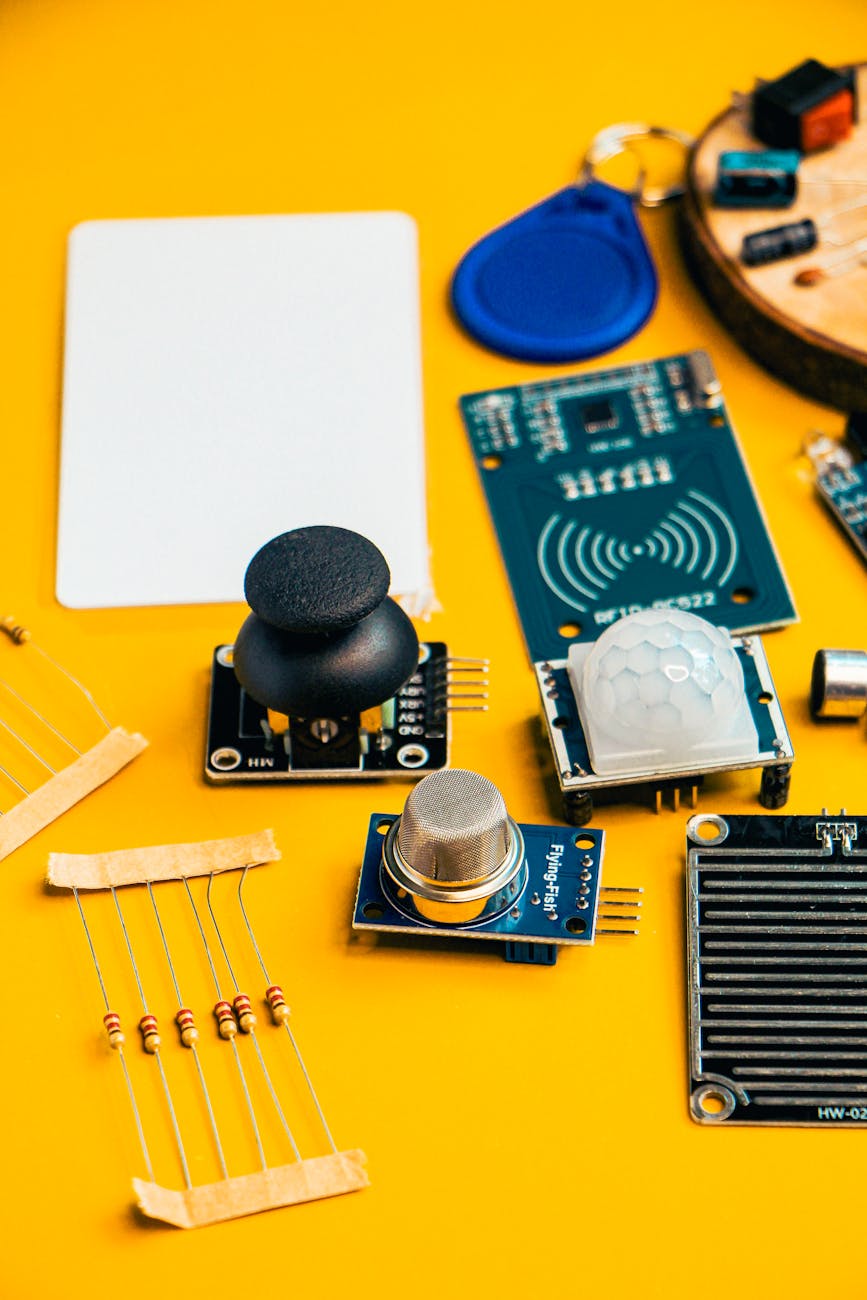
Edge Intelligence: Revolutionizing IoT with AI at the Source Imagine a world where your smart devices – from industrial sensors to wearable health trackers – make instant, intelligent decisions without sending data to the cloud. This isn’t science fiction; it’s the reality of Edge Intelligence. The limitations of cloud-only processing have driven a critical need for processing data closer to the source, closer to the “edge” of the network. This blog explores how edge intelligence is transforming the Internet of Things (IoT), unlocking unprecedented capabilities, and driving innovation across various industries. We’ll delve into the benefits, applications, and future trends of this powerful technology. Get ready to understand how AI is moving from the cloud to the device and reshaping the future of connected systems. | Edge Intelligence IoT What is Edge Intelligence? Edge intelligence, also known as edge computing, is the practice of processing data closer to where it’s generated—at the edge of the network. Unlike traditional cloud computing, where data is sent to a centralized data center for analysis, edge intelligence brings the processing power directly to the IoT device or a nearby edge server. This involves deploying AI models, machine learning algorithms, and other computational tasks on devices like gateways, routers, or dedicated edge servers. The result is faster response times, reduced latency, improved privacy, and enhanced security. It’s a fundamental shift in how we approach data processing, particularly in the rapidly expanding IoT landscape. Key Components of an Edge Intelligence System An effective edge intelligence system comprises several key components working in synergy. These components include: Edge Devices: These are the physical devices generating data and performing some initial processing. Edge Servers/Gateways: These act as intermediaries, processing data received from edge devices and forwarding it to the cloud when necessary. AI Models: Pre-trained or custom-built AI models that power the intelligent decision-making capabilities. Data Management Platform: Handles data ingestion, storage, and retrieval at the edge. Connectivity Infrastructure: Reliable network connections enabling data transfer between edge devices and the cloud, or within the edge network. For example, a smart factory might utilize edge devices to monitor machine performance. The edge server then performs immediate anomaly detection, triggering alerts before a potential breakdown occurs, while sending detailed reports to the cloud for long-term analysis and predictive maintenance. This streamlined approach dramatically reduces downtime and improves overall operational efficiency. Benefits of Edge Intelligence for IoT Applications The adoption of edge intelligence offers a multitude of benefits for organizations leveraging IoT. These advantages significantly contribute to improved efficiency, cost reduction, and competitive advantage. Reduced Latency and Improved Real-Time Performance One of the most compelling benefits of edge intelligence is its ability to drastically reduce latency. By processing data locally, edge devices eliminate the delay associated with sending data to the cloud and back. This is critical for applications requiring real-time responses, such as autonomous vehicles, industrial automation, and remote healthcare monitoring. Consider self-driving cars – every millisecond counts in making safe driving decisions. Edge processing allows for instant reactions to changing road conditions, ensuring passenger safety. Enhanced Privacy and Security Edge intelligence enhances data privacy and security by minimizing the amount of sensitive data transmitted to the cloud. By pre-processing data at the edge, companies can filter, anonymize, or encrypt information before it leaves the device, reducing the risk of data breaches and complying with stricter data privacy regulations like GDPR. For instance, a smart camera system can analyze video feeds locally to identify suspicious activity, alerting security personnel without transmitting raw video footage to the cloud, preserving user privacy. Cost Optimization and Bandwidth Reduction Sending vast amounts of data to the cloud can be expensive, especially for IoT deployments. Edge intelligence reduces bandwidth consumption by processing data locally, minimizing the amount of data that needs to be transmitted. This translates to significant cost savings in network infrastructure and data storage. Furthermore, edge processing can offload computationally intensive tasks from the cloud, optimizing cloud resources and lowering cloud computing costs. Think of a fleet management system – centralizing processing at the edge of each vehicle eliminates the need to transmit every sensor reading to a central server, significantly reducing data transfer fees. Improved Reliability and Resilience Edge deployments enhance the resilience of IoT systems. Even if the connection to the cloud is temporarily disrupted, edge devices can continue to operate and perform local processing. This ensures continued functionality and prevents data loss. This is particularly crucial in remote or unreliable network environments. For example, a remote environmental monitoring station can continue to collect and analyze data even without a stable internet connection, triggering alerts when conditions deviate from pre-defined thresholds. Applications of Edge Intelligence Across Industries Edge intelligence is disrupting industries across the board, unlocking new possibilities and driving innovation. Here are some notable examples: Industrial Automation In manufacturing, edge intelligence enables predictive maintenance, real-time quality control, and optimized production processes. By analyzing sensor data from machinery and equipment, edge devices can detect anomalies, predict failures, and trigger preventative maintenance actions. This reduces downtime, improves product quality, and enhances overall operational efficiency. For example, a CNC machine could analyze vibration data at the edge to detect potential bearing failures before they occur, minimizing costly repairs. Smart Cities Edge intelligence is transforming urban environments by enabling smarter traffic management, efficient energy consumption, and enhanced public safety. Smart streetlights can adjust brightness based on real-time traffic conditions and pedestrian activity—all processed at the edge. Similarly, intelligent waste management systems can optimize collection routes based on fill levels, reducing fuel consumption and emissions. Smart parking systems utilize edge processing to guide drivers to available parking spots, reducing congestion. Healthcare Edge intelligence is revolutionizing healthcare by enabling remote patient monitoring, personalized medicine, and improved medical diagnostics. Wearable devices can analyze vital signs and other health data at the edge, alerting healthcare providers to potential emergencies. Remote diagnostics tools can analyze medical images and other data locally, providing faster and more accurate diagnoses. Edge processing also enables secure data sharing between healthcare providers without

AI

Understanding Generative AI: From ChatGPT to DALL-E

Understanding Generative AI: From ChatGPT to DALL-E The rise of artificial intelligence (AI) has been one of the most transformative trends in recent years. Among these innovations, generative AI stands out as a powerful tool capable of creating new data, content, and experiences. This blog article delves into the fascinating world of generative AI, exploring how it works, its applications, and two prominent examples: ChatGPT and DALL-E. What is Generative AI? Generative AI refers to a type of machine learning that enables computers to create new data or content that resembles existing data. This can include text, images, music, videos, and more. Unlike descriptive AI, which analyzes and interprets existing data, generative AI creates original content based on the patterns it learns from training data. How Does Generative AI Work? The process of creating new data involves several steps: Data Collection: The system is trained on a large dataset containing examples of the type of content it needs to generate. Pattern Recognition: The AI learns to recognize patterns and structures within the data. Creation: Using the learned patterns, the system generates new data that is similar to the training examples. The Power of ChatGPT ChatGPT, developed by OpenAI, is a prime example of generative AI in action. It’s an advanced language model that can understand and generate human-like text on a wide range of topics. Here’s how it works: Input Prompt: You provide a prompt or question. Analysis: ChatGPT processes the input, analyzing the context and relevant information. Response Generation: It generates a response that is coherent, informative, and often creative. Applications of ChatGPT ChatGPT has numerous applications across various industries: Customer Support: Automating customer service to provide immediate assistance. Education: Creating personalized learning experiences and assisting in homework. Creative Writing: Generating story ideas, poems, and other forms of creative content. The Magic of DALL-E DALL-E, created by OpenAI, is another groundbreaking example of generative AI. It’s a tool that can generate images based on text descriptions. Here’s how it works: Input Prompt: You provide a text description of what you want to create. Analysis and Synthesis: DALL-E interprets the description and synthesizes visual elements based on its training data. Image Generation: It outputs an image that closely matches the described scenario. Applications of DALL-E DALL-E opens up new possibilities in fields such as art, design, and content creation: Creative Design: Generating custom graphics for marketing campaigns, logos, and more. Illustration and Animation: Creating unique illustrations and animations quickly. Concept Development: Brainstorming ideas for new products or services. Conclusion Generative AI, with its ability to create new data and content from existing patterns, is revolutionizing the way we interact with technology. Tools like ChatGPT and DALL-E demonstrate how generative AI can enhance efficiency, creativity, and innovation across various industries. As this field continues to evolve, it’s exciting to think about the possibilities that lie ahead. By understanding generative AI, you’re gaining insight into a powerful tool that can transform the way we live, work, and create. So, whether you’re interested in customer support, creative writing, or visual design, keep an eye on this dynamic area of technology as it continues to grow and shape our digital landscape. Image by: Sanket Mishra

LLM

Free Gemma Tutorial: Step-by-Step Guide to Using Google’s AI Model

Free Gemma Tutorial: Step-by-Step Guide to Using Google’s AI Model Are you excited about the potential of artificial intelligence? It’s a transformative technology rapidly changing how we work and live. But navigating the world of AI models can feel daunting. Google’s Gemma is making AI more accessible, and this tutorial will provide a comprehensive, step-by-step guide to using this powerful new language model – completely free of charge! We’ll explore what Gemma is, how to access it, and then walk through practical examples to show you how to harness its capabilities for various tasks. By the end of this article, you’ll have a solid foundation in using Gemma and discover its potential to boost your productivity and creativity. | free Gemma tutorial What is Gemma? Understanding Google’s New AI Model Gemma is a family of open-weights AI models created by Google DeepMind. Open-weights models are particularly significant because they allow developers and researchers to freely use, study, and modify the underlying code. This fosters innovation and accelerates progress in the AI field. Unlike closed-source models, the open nature of Gemma encourages community contributions and customization – meaning you can adapt it to your specific needs. Gemma models are designed to be powerful and efficient, offering impressive performance while requiring fewer computational resources. This makes them accessible to a wider range of users, from individual developers to large organizations. Google has released several Gemma models with varying sizes and capabilities, allowing users to choose the best fit for their application. Understanding these differences is key to effective utilization. Key Features of Gemma Here’s a quick rundown of what makes Gemma stand out: Open-Weight Model: Promotes transparency and community development. High Performance: Achieves state-of-the-art results on various benchmarks. Efficiency: Requires fewer computational resources compared to larger models. Versatility: Suitable for a wide range of natural language processing tasks. Gemma’s architecture is built upon the Transformer model, a revolutionary deep learning architecture that excels at processing sequential data like text. This allows Gemma to understand context and generate coherent and relevant outputs. The model has been trained on a massive dataset of text and code, enabling it to perform tasks like text generation, question answering, and translation with impressive accuracy. Accessing Gemma: A Practical Guide Getting started with Gemma is remarkably straightforward. Google provides several ways to access the model, making it easy to integrate into your workflows. The most common methods involve using the Gemma API or accessing it through various developer platforms. Using the Gemma API The Gemma API offers a convenient way to interact with the model programmatically. You’ll need to create a Google Cloud project and enable the Vertex AI API. The API allows you to send text prompts to Gemma and receive generated text in response. This is ideal for integration into applications and automated workflows. To access the API, you’ll need an API key. Google provides documentation and tutorials on how to obtain and manage API keys. The API is generally accessible through various programming languages, streamlining the integration process. Exploring Developer Platforms Several developer platforms provide access to Gemma, allowing you to experiment with the model without directly using the API. These platforms typically offer user-friendly interfaces and pre-built tools for various NLP tasks. Some popular platforms include Hugging Face and Replicate. These platforms simplify the process of deploying and using Gemma, making it accessible to users with varying levels of technical expertise. Platforms like Replicate offer a simple way to run Gemma inference without requiring any local setup or configuration. Access Method Ease of Use Technical Expertise Required Pricing Gemma API Medium High Pay-as-you-go Hugging Face Medium Medium Free (with usage limits) Replicate Low Low Pay-as-you-go Practical Applications of Gemma: Real-World Examples Gemma’s versatility makes it suitable for a wide range of applications. Here are several practical examples of how you can leverage the model: Text Generation One of the most common use cases for Gemma is text generation. You can use it to generate creative content, such as poems, articles, or even code. By providing a prompt, you can instruct Gemma to generate text that meets specific requirements. For instance, you could ask Gemma to “write a short story about a robot who falls in love with a human.” Example: Generate marketing copy for a new product. Prompt: “Write three different versions of a catchy tagline for a new line of organic coffee beans.” Question Answering Gemma can be used to answer questions based on a given context. You can provide the model with a document or a set of facts, and it will use its knowledge to answer questions related to that information. This is incredibly useful for creating chatbots and virtual assistants. Example: Build a chatbot that can answer customer support questions based on a knowledge base. Prompt: “Based on the following document: [insert document here], answer the question: What is the company’s mission statement?” Code Generation Gemma is also proficient in code generation. It can generate code in various programming languages based on natural language descriptions. This can be a valuable tool for developers to quickly prototype solutions or automate repetitive coding tasks. Example: Automatically generate Python code to scrape data from a website. Prompt: “Write a Python script to extract all email addresses from a given text.” Summarization Gemma can efficiently summarize long pieces of text, extracting the key information and presenting it in a concise format. This is useful for quickly understanding the main points of articles, reports, or documents. Example: Summarize a lengthy research paper. Prompt: “Summarize the following research paper: [insert paper text here].” Fine-tuning Gemma for Specific Tasks While Gemma is powerful out-of-the-box, you can further enhance its performance by fine-tuning it for specific tasks. Fine-tuning involves training the model on a smaller, task-specific dataset. This allows you to tailor Gemma to your particular needs and achieve even better results. Fine-tuning requires a dataset of labeled examples relevant to the task you want to perform. This dataset should be carefully curated to ensure high quality

LLM

Gemma AI Free Access: Your Guide to Powerful Open-Source Chatbots

Gemma AI Free Access: Your Guide to Powerful Open-Source Chatbots Are you curious about the latest advancements in artificial intelligence? Large language models (LLMs) are revolutionizing how we interact with technology, and Gemma AI is making it even more accessible. You’ve likely heard buzz about AI chatbots capable of generating human-quality text, writing code, and even creating different kinds of creative content. But what exactly is Gemma? And more importantly, how can you get free access to this powerful AI model? This comprehensive guide will walk you through everything you need to know to get started with Gemma AI, from understanding its capabilities to exploring different use cases. We’ll cover the free access process, potential limitations, and resources available to help you make the most of this exciting technology. | Gemma AI free access What is Gemma AI? Gemma AI is a family of open-weights large language models created by the Gemma team at Google DeepMind. This means the model weights are publicly available, giving developers and researchers the freedom to use, study, and modify the model for their own projects. Unlike closed-source models, Gemma fosters transparency and community-driven innovation. This open-weights approach is a significant departure from the traditional AI landscape and empowers users to build upon pre-trained models, leading to faster development and more customized solutions. The models are designed to be lightweight and efficient, making them suitable for a variety of hardware configurations. Key Features of Gemma Gemma models are built with a focus on responsible AI development. They are designed to be helpful, harmless, and honest. Here’s a deeper dive into what makes Gemma stand out: Open Weights: The biggest draw – full access to the model parameters for customization and research. Efficiency: Optimized for a variety of hardware, including CPUs, making it accessible to a wider range of users. Strong Performance: Competes with other open-source models in various benchmarks. Responsible AI: Designed with safety and ethical considerations in mind. How to Get Free Access to Gemma AI The process of accessing Gemma is straightforward. Google DeepMind provides several ways to download and utilize the models. The primary method involves utilizing the Gemma API. You can access the API through the Google Cloud Platform (GCP), which offers a free tier for experimentation. Alternatively, Hugging Face provides a convenient way to explore and download the Gemma models. Each platform offers different levels of access and features. Using the Gemma API on Google Cloud Platform (GCP) Here’s a step-by-step guide on how to leverage the Gemma API on GCP: Create a Google Cloud Project: If you don’t already have one, create a project on the Google Cloud Console. Enable the Vertex AI API: Enable the Vertex AI API within your project. This will unlock the ability to access the Gemma models. Configure Authentication: Set up authentication to access the API. This usually involves creating a service account and downloading a JSON key file. Write Code to Interact with the API: Use a programming language like Python to send requests to the API and receive responses from the Gemma models. The Vertex AI SDK provides helpful tools and examples. Accessing Gemma through Hugging Face Hugging Face offers a user-friendly interface for accessing and experimenting with the Gemma models. You can directly download the model weights and use them in your local environment. Hugging Face also provides a library for simplifying model interactions. This method is particularly beneficial for researchers and developers who prefer to work with models locally. The free tier of Hugging Face provides sufficient resources for many use cases. Gemma AI: Potential Use Cases The versatility of Gemma AI opens up a wide range of possibilities. Here are some examples of how you can utilize this powerful technology: Content Creation: Generate blog posts, social media updates, marketing copy, and more. Code Generation: Assist with writing code in various programming languages. Chatbots and Conversational AI: Build interactive chatbots for customer service or general conversation. Summarization: Condense large amounts of text into concise summaries. Translation: Translate text between different languages. Data Analysis & Insights: Analyze unstructured data and extract meaningful insights. Example: Building a Simple Chatbot Imagine you want to create a simple chatbot for answering frequently asked questions. Using Gemma, you can fine-tune the model on a dataset of questions and answers. This allows the chatbot to provide more accurate and relevant responses. This can automate customer support and free up human agents to handle more complex issues. Use Case Description Content Generation Creating articles, stories, and marketing copy Code Generation Assisting developers with coding tasks Chatbots Developing conversational AI agents Summarization Condensing long documents into shorter versions Limitations and Considerations While Gemma AI offers impressive capabilities, it’s important to acknowledge its limitations. Like all LLMs, Gemma can sometimes generate inaccurate, biased, or nonsensical responses. It can also struggle with complex reasoning tasks or tasks requiring real-world knowledge. Bias in training data can lead to biased outputs, so it is critical to be aware of this potential issue and mitigate it through careful prompt engineering and model evaluation. Also, performance can vary depending on the hardware and specific implementation. Fine-tuning the model on a specific dataset can significantly improve performance for targeted applications. Responsible AI and Bias Mitigation Google DeepMind emphasizes responsible AI development, and ethical considerations are central to the Gemma project. However, it’s the user’s responsibility to ensure that the model is used ethically and responsibly. This includes being aware of the potential for bias and taking steps to mitigate it. Thorough testing and evaluation are vital before deploying Gemma in any real-world application. Prompt engineering techniques can also help to steer the model away from generating harmful or inappropriate content. Getting Started: Resources and Community Support To further your exploration of Gemma AI, several resources are available: Google DeepMind Documentation: The official documentation provides comprehensive information about the Gemma models and API. Hugging Face Hub: Find the Gemma model weights and explore community-created examples. Community Forums: Engage with other Gemma users and developers on

LLM

Gemma Open Source AI: Access and Use Without Cost

Gemma Open Source AI: Access and Use Without Cost Are you fascinated by the latest advancements in artificial intelligence? Do you dream of leveraging powerful language models for your projects but worry about the hefty costs associated with commercial APIs? You’re not alone. The rise of open-source AI is democratizing access to cutting-edge technology, and Gemma is leading the charge. This article will guide you through accessing and utilizing the Gemma open-source AI model – all without incurring significant costs. We’ll explore what makes Gemma special, how to obtain it, and practical ways to integrate it into your workflows. Whether you’re a developer, researcher, or simply curious about AI, this comprehensive guide will empower you to explore the potential of Gemma. | Gemma open source AI Understanding Gemma: The Power of Open-Source AI Gemma is a family of open-weights large language models created by the Gemma team at Google DeepMind. It’s designed to be accessible to a broad audience, fostering innovation and collaboration within the AI community. What distinguishes Gemma from other open-source models? Its focus on efficiency, responsible AI development, and a commitment to making powerful AI accessible to everyone. Unlike some open-source models, Gemma is built with a strong emphasis on safety and mitigating potential harms, promoting responsible AI practices. This commitment is reflected in its training data and architecture. Key Features of Gemma Gemma models come in various sizes, offering trade-offs between performance and computational requirements. This flexibility enables users to choose the appropriate model for their specific needs. Here’s a quick overview of some key features: Open Weights: The model weights are publicly available, allowing for customization and fine-tuning. Efficiency: Gemma models are designed for efficient inference, making them suitable for deployment on a range of hardware. Responsible AI: Developed with a focus on safety, reducing bias, and mitigating potential risks. Scalability: Gemma models can be scaled to meet diverse application requirements. The availability of open weights means developers can modify the model for specific tasks, improving its performance and tailoring it to unique use cases. The open nature also facilitates community contributions, leading to continuous improvement and innovation. How to Access Gemma: A Step-by-Step Guide Obtaining access to Gemma is straightforward and can be done in several ways. The primary method is through the Gemma website provided by Google DeepMind. You’ll need to follow a few simple steps to download and use the model. Downloading Gemma Models 1. Visit the Official Website: Navigate to the official Gemma website provided by Google DeepMind: https://ai.google/gemma. 2. Select a Model: Explore the available Gemma models (e.g., Gemma 2B, 7B). Choose the model that aligns with your computational resources and desired performance level. The size of the model directly impacts its computational requirements. 3. Download the Weights: Download the model weights in a suitable format (e.g., PyTorch, TensorFlow). You can typically download these files directly from the website. 4. Local Installation You can install the model locally using libraries like `transformers` from Hugging Face. These libraries provide convenient tools for loading and using the downloaded model. Using the Gemma API Google DeepMind offers an API for Gemma that allows developers to access the model without needing to download and host the weights themselves. This is a practical option for prototyping and testing without significant infrastructure investment. Hugging Face Integration Hugging Face provides a convenient platform for accessing and using Gemma models. You can easily load and utilize Gemma using the Hugging Face `transformers` library. It streamlines the process of managing model dependencies and offers pre-built tools for various use cases. Practical Applications of Gemma: Unleashing Its Potential The versatility of Gemma opens up a wide range of applications across various domains. Here are a few examples to illustrate its practical utility: Text Generation and Completion Gemma excels at generating coherent and creative text. You can use it for tasks like writing articles, drafting emails, creating marketing copy, or generating code snippets. For example, you could use Gemma to automatically generate product descriptions for your e-commerce store or to help your team brainstorm ideas. Question Answering Gemma can efficiently answer questions based on provided context. This opens up possibilities for building intelligent chatbots, virtual assistants, and knowledge retrieval systems. A common use case is creating a chatbot that can answer customer inquiries based on your company’s documentation. Text Summarization Condense lengthy documents into concise summaries. This can be invaluable for quickly understanding complex information. Imagine summarizing research papers, legal documents, or news articles with ease. Code Generation Gemma is capable of generating code in various programming languages. This can significantly accelerate software development and streamline repetitive coding tasks. Application Description Example Content Creation Generating blog posts, articles, social media updates. “Write a short blog post about the benefits of using open-source AI.” Customer Service Building chatbots for automated support. “Create a chatbot to answer frequently asked questions about our products.” Data Analysis Summarizing reports and extracting key insights. “Summarize this financial report highlighting key trends and risks.” These are just a few examples. The possibilities are vast, and the open-source nature of Gemma empowers developers to explore and innovate within these domains. Fine-Tuning Gemma for Specialized Tasks While Gemma can perform well on general tasks, fine-tuning the model on a specific dataset can significantly improve its performance for specialized applications. This involves training the model further on a dataset relevant to your specific needs. Steps for Fine-Tuning Prepare Your Dataset: Gather a high-quality dataset that is representative of the task you want to optimize for. Choose a Fine-Tuning Method: Experiment with different fine-tuning techniques, such as LoRA (Low-Rank Adaptation), to optimize performance and reduce computational costs. Train the Model: Use a suitable training framework (e.g., PyTorch, TensorFlow) to fine-tune the Gemma model on your dataset. Google’s documentation provides guidance on this process. Evaluate and Iterate: Evaluate the performance of the fine-tuned model and iterate on the training process to achieve desired results. Fine-tuning requires some technical expertise but can yield substantial improvements in accuracy and relevance for specialized applications.

Scroll to Top