AI and Software Development Company | Tech Biz Builders

business productivity

AI, AI Automation

From AI Agents to AI Automation: A Complete Guide to Smarter Workflows

From AI Agents to AI Automation: A Complete Guide to Smarter Workflows Are you feeling overwhelmed by your daily tasks? Do you spend countless hours on repetitive processes, leaving you little time for strategic thinking and creative work? The rise of artificial intelligence (AI) is no longer a futuristic concept – it’s a present-day reality transforming how we work. Many businesses are struggling to understand the difference between AI agents and AI automation, and how to effectively leverage these technologies to boost productivity and efficiency. This guide will break down the nuances of both, providing a clear roadmap to implementing smarter workflows and unlocking the true potential of AI. You’ll learn how to identify opportunities for automation, understand the capabilities of AI agents, and ultimately, build a more streamlined and productive work environment. We’ll cover practical strategies, real-world examples, and actionable tips to help you navigate this exciting new landscape – regardless of your technical expertise. | AI Agents and AI Automation Understanding AI Agents: Your Intelligent Assistants AI agents represent a significant shift in how we interact with technology. Unlike traditional automation, which follows pre-programmed rules, AI agents possess a degree of autonomy and can learn and adapt to changing circumstances. They’re essentially digital assistants that can perform tasks, answer questions, and even make decisions – all without constant human intervention. Think of them as specialized software programs that mimic human intelligence, capable of understanding natural language and responding in a contextually relevant manner. These agents aren’t just about executing commands; they’re about understanding *why* a command is given and responding accordingly. This is achieved through techniques like Natural Language Processing (NLP) and Machine Learning (ML). Key Capabilities of AI Agents Natural Language Understanding (NLU): Agents can interpret and understand human language, even with variations in phrasing or tone. Task Execution: They can perform a wide range of tasks, from scheduling meetings to generating reports. Learning and Adaptation: Through ML, agents continuously improve their performance based on user interactions and data analysis. Personalization: Agents can tailor their responses and recommendations to individual user preferences. A compelling example of an AI agent in action is a customer service chatbot. Instead of simply providing pre-written answers, a sophisticated chatbot can understand the customer’s issue, access relevant information, and offer personalized solutions. According to a recent report by Gartner, AI agents are projected to handle 85% of customer interactions by 2025. This demonstrates the growing demand and potential of this technology. Furthermore, AI agents are increasingly being used in internal operations, assisting employees with research, data analysis, and even drafting emails – freeing up valuable time for more strategic work. Delving into AI Automation: Streamlining Processes AI automation goes beyond simple task execution; it focuses on automating entire workflows and processes. This involves using AI technologies – such as Robotic Process Automation (RPA) combined with AI – to mimic human actions within software applications. RPA bots, often referred to as “digital workers,” can be programmed to perform repetitive, rule-based tasks, like data entry, invoice processing, and report generation. However, the true power of AI automation lies in its ability to *learn* and adapt these rules, moving beyond rigid scripting to handle more complex and dynamic scenarios. This is where the integration of AI, particularly machine learning, becomes crucial. Types of AI Automation RPA (Robotic Process Automation): Automates repetitive, rule-based tasks. Intelligent Document Processing (IDP): Uses AI to extract data from unstructured documents like invoices and contracts. Process Mining: Analyzes existing workflows to identify automation opportunities. Cognitive Automation: Combines RPA with AI to automate more complex, decision-making processes. Consider a logistics company. Traditionally, tracking shipments involved manual data entry and phone calls. Now, an AI-powered automation system can automatically scan shipping labels, update tracking information in real-time, and proactively notify customers of any delays – all without human intervention. This not only reduces errors and improves efficiency but also significantly lowers operational costs. A case study by McKinsey found that companies implementing AI automation can see a 20-30% increase in productivity and a 15-25% reduction in operational costs. The key is to start with well-defined, repetitive processes and gradually expand automation efforts as the technology matures. Bridging the Gap: AI Agents vs. AI Automation It’s important to distinguish between AI agents and AI automation, as they serve different purposes. AI agents are designed to *assist* humans, while AI automation is designed to *replace* human tasks. Think of an AI agent as a helpful colleague, and AI automation as a tireless worker. While they can often work together – for example, an AI agent might trigger an automation workflow – they are fundamentally different concepts. The most effective strategies often involve a hybrid approach, leveraging the strengths of both to create truly intelligent workflows. Feature AI Agents AI Automation Focus Human Assistance Task Replacement Autonomy Moderate – Learns and Adapts High – Executes Pre-defined Rules Interaction Style Natural Language Rule-Based Typical Use Cases Customer Service, Research, Content Generation Data Entry, Invoice Processing, Report Generation For instance, a marketing team could use an AI agent to generate initial drafts of social media posts, and then use AI automation to schedule and publish those posts across various platforms. This combination of agent and automation allows for both creativity and efficiency. Ultimately, the best approach depends on the specific needs and goals of the organization. Investing in a pilot project to test both AI agents and AI automation is a crucial step in determining the optimal strategy. Conclusion: Embracing the Future of Work The convergence of AI agents and AI automation is fundamentally reshaping the way we work, offering unprecedented opportunities for increased productivity, reduced costs, and improved employee satisfaction. AI agents provide intelligent assistance, while AI automation streamlines processes, creating a powerful synergy that can transform entire organizations. As AI technology continues to evolve, it’s crucial for businesses to embrace these advancements and strategically integrate them into their workflows. Don’t view AI as a threat, but rather as a tool to augment human capabilities and

AI, AI Tools

Discover Claud: The Best Free AI Agent for Efficient Task Management

Are you feeling overwhelmed by a never-ending to-do list? Do you dream of having a personal assistant to streamline your work and free up your valuable time? In today’s fast-paced world, managing tasks effectively is crucial for productivity and achieving your goals. But juggling multiple apps and struggling with manual workflows can be exhausting. That’s where Claud, a powerful and remarkably accessible AI agent, comes in. This article dives deep into Claud, exploring its capabilities, benefits, and how it can revolutionize your task management. We’ll uncover why Claud is the top free AI agent for boosting efficiency and reclaiming your time – whether you’re a freelancer, entrepreneur, or simply someone striving for better organization. | Claud AI task management What is Claud and Why Should You Care? Claud is an open-source AI assistant built upon a strong foundation of large language models. It’s designed to understand and execute complex instructions, effectively acting as a virtual assistant for a wide range of tasks. Unlike some other AI assistants that require subscriptions or have limited functionality, Claud is completely free to use, making it an incredibly attractive option for individuals and small teams looking for a powerful productivity tool. Its open-source nature also allows for community contributions and continuous improvement, ensuring it stays at the forefront of AI innovation. Key Features and Capabilities Claud shines because of its versatility. It can handle tasks like: Scheduling appointments: Claud can create and manage your calendar, integrating with various platforms. Generating content: Need help drafting emails, social media posts, or blog outlines? Claud can assist with content creation. Summarizing information: Quickly condense lengthy articles, reports, or documents. Data extraction: Pull relevant information from unstructured text. For example, extracting key details from a lengthy email chain. Code generation and debugging: Assist with basic coding tasks and identify errors in existing code snippets. These capabilities mean Claud is far more than just a to-do list manager; it’s a versatile work companion that can significantly enhance your productivity across numerous domains. Boosting Productivity with Claud: Practical Applications Imagine you’re a marketing manager juggling multiple campaigns, meetings, and deadlines. Claud can significantly streamline your workflow. Instead of manually drafting social media captions, you can simply provide Claud with a brief and it will generate several options tailored to your brand voice. This saves valuable time and ensures consistent messaging. Similarly, Claud can schedule recurring meetings, send follow-up emails, and even generate meeting agendas, freeing you up to focus on strategic planning. A case study from a small marketing agency showed a 25% increase in team productivity after integrating Claud into their workflow. Email Management with Claud Claud can dramatically improve your email efficiency. Feed Claud your email inbox and instruct it to sort emails into categories, draft responses to common inquiries, and even summarize lengthy email threads. This allows you to quickly identify important messages and respond efficiently, minimizing inbox clutter and maximizing time spent on high-priority tasks. For example, provide Claud with a prompt like: “Categorize these emails into ‘Urgent,’ ‘Important,’ and ‘Non-Essential’ and draft a reply to all emails marked ‘Urgent’.” It can handle many complex email scenarios with remarkable accuracy. Integrating Claud into Your Existing Workflow One of the biggest advantages of Claud is its ease of integration with existing tools. While it’s still developing its full integration capabilities, Claud can connect with popular platforms like Google Calendar, Slack, and email providers. This seamless integration ensures that Claud doesn’t disrupt your current workflow but rather enhances it. You can instruct Claud to access information from these platforms and use it to perform tasks directly within your familiar environment. For example, you can ask Claud to pull a meeting schedule from Google Calendar and create a reminder for an upcoming event. The open-source nature of Claud means that developers can easily create custom integrations tailored to specific needs. The Future of AI Agents The development of AI agents like Claud represents a significant leap forward in productivity tools. Unlike basic chatbots, Claud is designed to understand and execute complex instructions, making it a true virtual assistant. The open-source model fosters innovation and allows for community-driven improvements, ensuring that Claud continues to evolve and meet the ever-changing needs of users. As AI technology advances, we can expect even more sophisticated and powerful AI agents to emerge, further transforming the way we work and manage our lives. Making Claud Accessible: Cost and Availability The best part about Claud – its free availability – is a game-changer. It eliminates the financial barrier to entry, making it accessible to everyone, regardless of their budget. You can access Claud through various platforms and interfaces, including web browsers, command-line interfaces, and even custom integrations. The open-source nature means you can also run Claud locally on your own hardware, providing maximum control over your data and ensuring privacy. There are ongoing community efforts to simplify the setup and usage of Claud for non-technical users, further expanding its accessibility. Here’s a quick look at how to access Claud: Platform/Interface Access Notes Web Interface [Link to Web Interface – Replace with actual link] Quickest way to start experimenting Command Line Interface (CLI) [Link to CLI Documentation – Replace with actual link] For advanced users and automation Local Installation See documentation for setup instructions. Offers maximum privacy and control Conclusion: Claud – Your Free Path to Enhanced Task Management In conclusion, Claud is a truly remarkable AI agent that offers a powerful and completely free solution for efficient task management. Its versatility, ease of integration, and open-source nature make it an exceptional choice for individuals and teams alike, helping to boost productivity and reclaim valuable time. From streamlining email management to generating creative content, Claud empowers you to accomplish more with less effort. While still under active development, Claud is rapidly evolving and promising to become an indispensable tool in the future of work. If you’re seeking a cost-effective and powerful way to enhance your productivity, Claud is definitely worth exploring – you might be surprised

AI Agents
AI Automation

Beyond the Chatbot: Why Your Business Needs a Dedicated AI Agent in 2026

In 2024, everyone was talking about ChatGPT. In 2025, we all got used to seeing “Ask AI” buttons on every app we own. But as we settle into 2026, the novelty has worn off, and business owners are asking a much tougher question(AI Agents for Business): “If this chatbot is so smart, why am I still doing all the manual work?” If you feel like your “AI tools” are just fancy search bars that talk back to you, you’re not alone. The era of the passive chatbot is ending. We are now in the age of the Autonomous AI Agent. At TechBizBuilders, we’re helping businesses move beyond conversation and into execution. Here’s why a dedicated AI agent is the competitive edge you need this year. 1. Chatbots Talk, Agents Work The biggest misconception in 2026 is that AI agents and chatbots are the same thing. They aren’t. The 2026 Difference: While a chatbot can explain your refund policy, an AI Agent can verify the purchase, process the refund in Stripe, update your inventory, and send a personalized “we’re sorry” discount code to the customer—all in seconds. 2. Solving the “Context Gap” We’ve all had that frustrating experience where a chatbot “forgets” who we are or what we asked two minutes ago. Traditional chatbots often live in a vacuum. Dedicated AI agents are built into your business ecosystem. They have “memory” and context. They know your brand voice, your current inventory, and your client’s history. Because they are integrated directly into your WordPress site or custom app, they don’t just guess—they know. 3. The “Multi-Agent” Workforce In 2026, we’re seeing a shift toward Agentic Workflows. Instead of one giant AI trying to do everything, smart businesses are deploying specialized “Digital Employees”: 4. Scalability Without the Headcount Scaling a business used to mean a massive hiring spree. That came with overhead, training periods, and management “bloat.” With AI agents, you can scale your output by 10x without adding a single desk to your office. These agents work 24/7/365. They don’t get “burnout,” and they don’t make “tired mistakes” at 4:00 PM on a Friday. They allow your human team to stop being “task-doers” and start being strategy-makers. How to Start the Shift You don’t need to replace your entire workflow overnight. At TechBizBuilders, we recommend the “One-Task Rule”: Identify the one repetitive, soul-crushing task that eats up 5 hours of your week. Whether it’s lead qualification, invoice reconciliation, or data entry—that’s where your first AI agent belongs. Is your website still just a digital business card, or is it a high-performing employee? Ready to build your first AI Agent? At TechBizBuilders, we specialize in building the “brains” behind the business. We combine expert web development with agentic AI to turn your static site into an automated powerhouse. [Book a Free Strategy Call Today] and let’s talk about which parts of your business are ready for an upgrade.

Make.com workflows
Workflow Automation

Make.com Workflows Every Business Should Automate Today

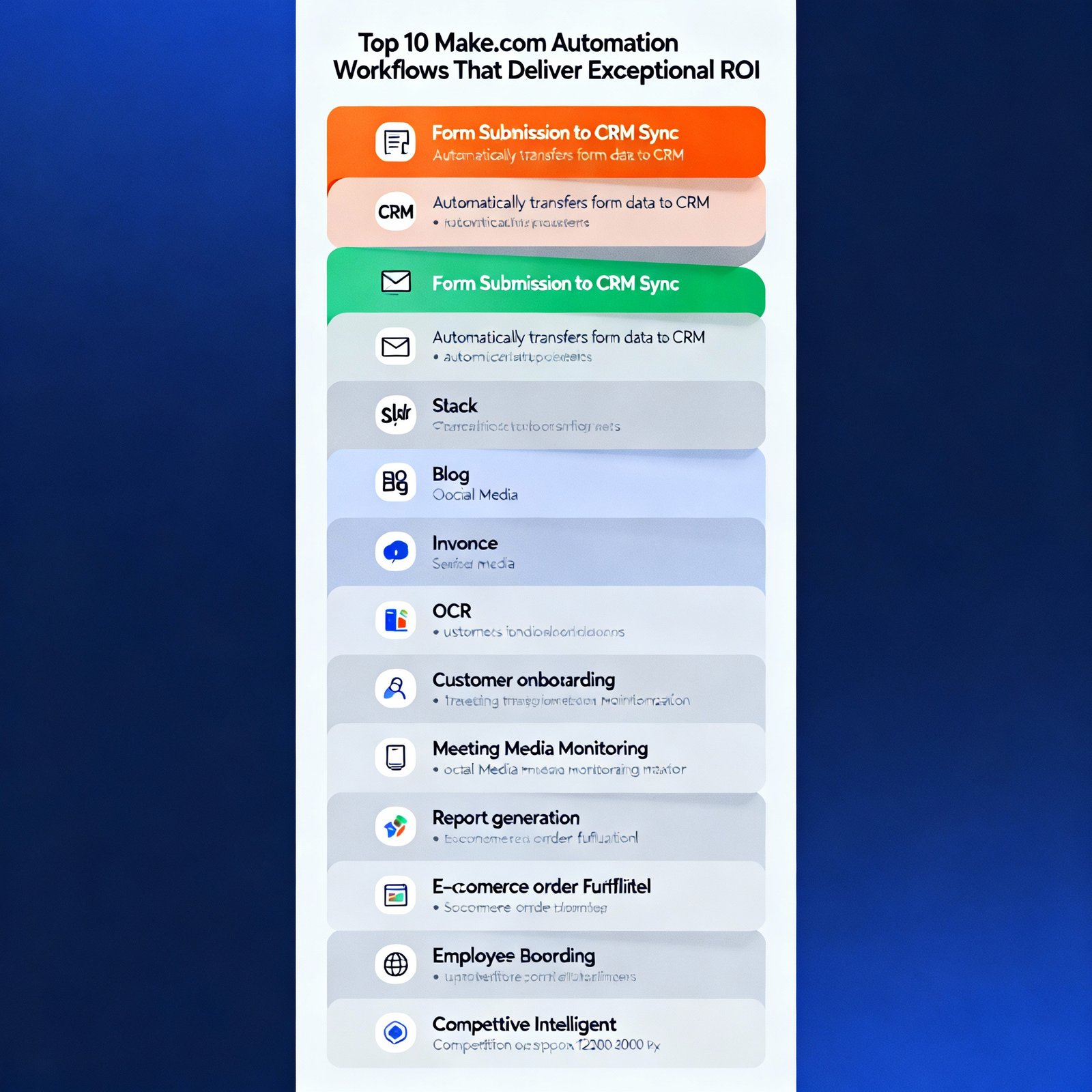
Make.com is one of the most powerful automation platforms available, but most people barely scratch the surface of what’s possible. | Make.com workflows I’ve built hundreds of Make.com scenarios for clients across industries, and certain patterns consistently deliver exceptional ROI. These ten workflows have proven their worth time and again. Let me show you exactly what to build. 1. Automated Lead Enrichment and Routing The Problem: Leads come in with minimal information. Sales teams waste time researching and determining who should handle each lead. The Solution: When a new lead submits a form, Make.com: Time Saved: 15-20 minutes per lead Technical Difficulty: Intermediate Modules Needed: Webhook, HTTP requests, router, CRM integration, Gmail, Slack 2. Content Distribution Across Multiple Platforms The Problem: Publishing content to multiple platforms takes forever and content often needs reformatting for each channel. The Solution: When you publish a blog post: Time Saved: 45-60 minutes per piece of content Technical Difficulty: Intermediate Modules Needed: RSS/Webhook, OpenAI, social media modules, scheduling 3. Automated Invoice Processing and Payment Tracking The Problem: Invoices arrive via email in various formats. Tracking payments manually is tedious and error-prone. The Solution: When an invoice email arrives: Time Saved: 10-15 minutes per invoice Technical Difficulty: Advanced Modules Needed: Gmail, PDF parsing, accounting software, calendar, notification system 4. Customer Onboarding Automation The Problem: New customers need multiple touchpoints across different tools. Manual onboarding is time-consuming and inconsistent. The Solution: When someone becomes a customer: Time Saved: 30-40 minutes per customer Technical Difficulty: Intermediate Modules Needed: CRM, email marketing, project management, router for conditional logic 5. Meeting Recording to Action Items The Problem: Meeting insights get lost. Action items aren’t consistently tracked. Meeting notes are incomplete or never written. The Solution: After a recorded meeting: Time Saved: 20-30 minutes per meeting Technical Difficulty: Intermediate Modules Needed: Zoom/Google Meet, transcription service, OpenAI, project management, email 6. Social Media Monitoring and Response The Problem: Monitoring multiple social platforms is time-consuming. Important mentions get missed. Response times lag. The Solution: Continuous monitoring that: Time Saved: 2-3 hours per week Technical Difficulty: Advanced Modules Needed: Social media APIs, sentiment analysis, OpenAI, routing logic, notification systems 7. Automated Report Generation and Distribution The Problem: Creating weekly/monthly reports manually is tedious. Data lives in multiple systems. Reports are often delayed. The Solution: On a schedule (weekly/monthly): Time Saved: 2-4 hours per report Technical Difficulty: Advanced Modules Needed: Multiple API connections, data aggregation, OpenAI, Google Docs/Slides, email 8. E-commerce Order Fulfillment Workflow The Problem: Order processing involves multiple steps across different systems. Manual coordination causes delays and errors. The Solution: When a new order is placed: Time Saved: 15-20 minutes per order Technical Difficulty: Intermediate Modules Needed: E-commerce platform, inventory system, shipping API, email, CRM 9. Employee Onboarding Automation The Problem: New employee onboarding involves coordination across HR, IT, and multiple departments. Things fall through cracks. The Solution: When a new employee is added to HR system: Time Saved: 3-4 hours per new hire Technical Difficulty: Advanced Modules Needed: HR system, IT systems, email, Slack, project management, calendar 10. Competitive Intelligence Monitoring The Problem: Staying aware of competitor activities requires constant monitoring. Important changes get missed. The Solution: Continuous monitoring that: Time Saved: 5-6 hours per week Technical Difficulty: Advanced Modules Needed: Web scraping, news APIs, social monitoring, OpenAI analysis, notification system Implementation Tips for Success Start simple: Don’t try to build the perfect workflow on day one. Get a basic version working, then iterate. Test thoroughly: Use Make.com’s manual run feature to test each module before activating automated triggers. Add error handling: Use error handlers to catch failures gracefully. Always have a notification system for critical failures. Monitor usage: Keep an eye on your operations count. Optimize scenarios that consume too many operations. Document your workflows: Future you will appreciate notes on what each scenario does and why decisions were made. The Make.com Features That Make This Possible Routers: Send data down different paths based on conditions Iterators: Process arrays of data item by item Aggregators: Combine multiple results into one Error handlers: Gracefully manage failures Data stores: Temporarily store data between workflow runs Scheduling: Run scenarios on custom schedules Master these features, and you can build virtually any automation. Your Next Steps Choose one workflow from this list that addresses your biggest pain point. Don’t try to implement all ten at once. Spend a week building and testing that single workflow. Once it’s running smoothly, move to the next one. Six months from now, you’ll have most of these running, and you’ll wonder how you ever managed without them. The businesses winning in 2025 are the ones that automate strategically. Start today.

AI Automation

N8N vs Zapier: Which Automation Tool is Right for Your Business in 2025?

Choosing the right automation platform can make or break your productivity goals. If you’re tired of paying hefty subscription fees for Zapier or looking for more control over your workflows, you’ve probably stumbled across N8N. But is it really worth the switch? | n8n automation Let me walk you through everything you need to know about these two automation giants. What Makes N8N Different? N8N is an open-source workflow automation tool that’s been gaining serious traction among developers and tech-savvy businesses. Unlike Zapier’s black-box approach, N8N gives you complete visibility into how your automations work. The biggest advantage? You can self-host N8N on your own servers. This means no monthly fees eating into your budget, and complete control over your data. For businesses handling sensitive information, this is huge. The Zapier Advantage Don’t get me wrong—Zapier isn’t popular by accident. With over 5,000 app integrations and a dead-simple interface, it’s the go-to choice for non-technical teams. You can set up a workflow in minutes without writing a single line of code. Zapier’s strength lies in its plug-and-play nature. Need to connect your Gmail to Slack? Done in three clicks. Want to automate your lead capture from Facebook Ads to your CRM? There’s a pre-built Zap for that. Pricing: Where the Gap Widens Here’s where things get interesting. Zapier starts at $19.99 per month for 750 tasks, and prices escalate quickly as your needs grow. Enterprise plans can run into thousands of dollars monthly. N8N’s self-hosted version is completely free. Yes, free. You only pay for your server costs, which typically run $5-20 monthly on platforms like DigitalOcean or AWS. They also offer a cloud version starting at $20/month if you prefer managed hosting. For a growing business running 10,000+ tasks monthly, you could save $200-500 monthly by switching to N8N. Which One Should You Choose? Choose Zapier if you: Choose N8N if you: Real-World Use Cases I’ve helped dozens of businesses migrate from Zapier to N8N, and here’s what works best: E-commerce stores love N8N for inventory management workflows that sync across multiple platforms without hitting API rate limits. Marketing agencies use it to build complex lead nurturing sequences that would cost a fortune on Zapier’s task-based pricing. SaaS companies leverage N8N’s webhooks and custom functions to build product-specific automations that simply aren’t possible with Zapier’s limitations. The Bottom Line Both tools have their place in 2025. Zapier is still the king of ease-of-use, but N8N is rapidly closing the gap while offering unbeatable value for technically-inclined teams. Start with Zapier if you need results today. Consider N8N if you’re building for tomorrow and want full control over your automation infrastructure. The best part? You don’t have to choose forever. Many businesses start with Zapier and gradually migrate critical workflows to N8N as their needs evolve.

Scroll to Top