AI and Software Development Company | Tech Biz Builders

October 2025

future of work AI
AI Transformation

The Future of Work: How AI Agents Will Transform Business in 2025 and Beyond

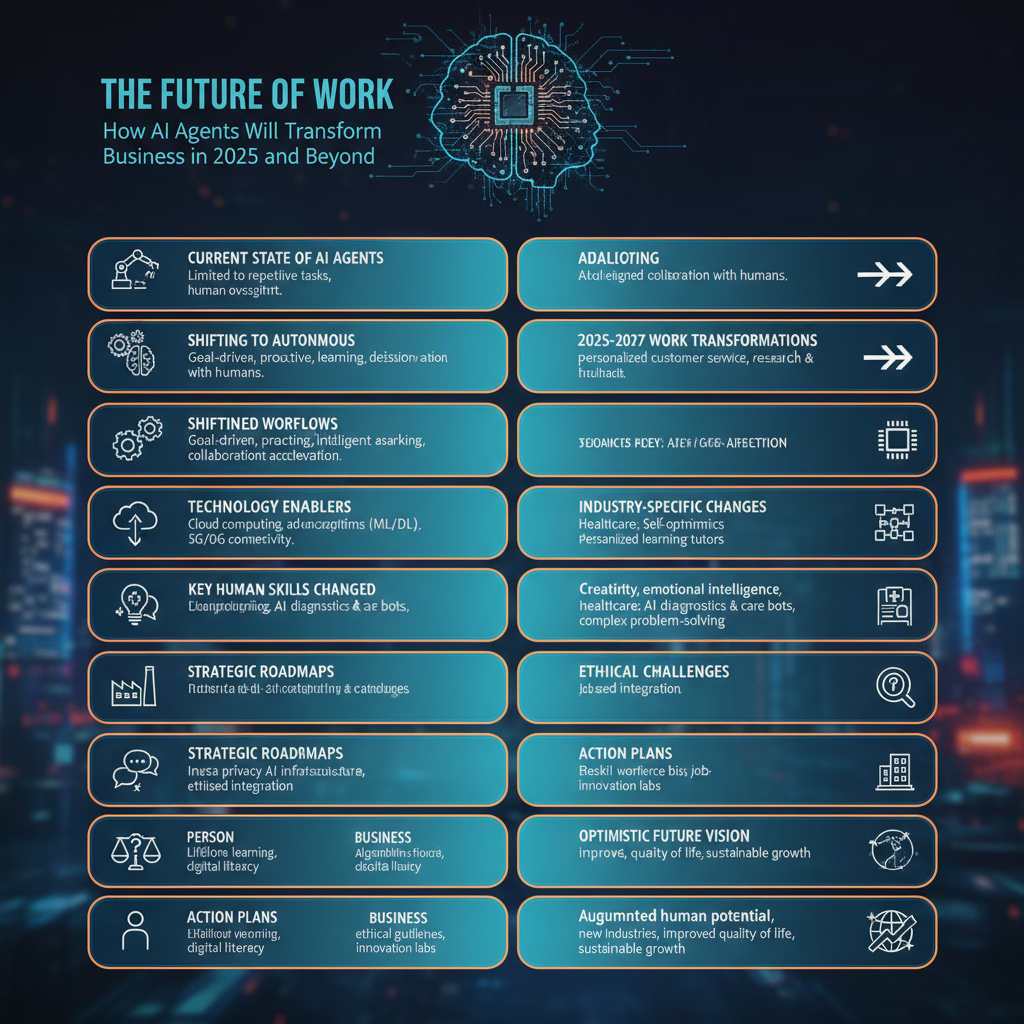
We’re standing at an inflection point in how work gets done. AI agents aren’t just tools anymore—they’re becoming coworkers, and this shift is happening faster than most people realize. | future of work AI I’ve been deep in the AI automation space for three years, and the pace of change is extraordinary. Let me share what’s coming and how you can prepare. Where We Are Today Right now, AI agents handle discrete tasks: researching topics, drafting emails, analyzing data, generating content. They’re assistants—helpful but limited. Most businesses are still in the experimentation phase. They’ve tried ChatGPT, maybe built a simple automation or two. Some are using AI features in their existing tools. This is where adoption typically stalls. Companies wait for AI to get “better” before investing seriously. That’s a mistake. The Shift Happening Right Now AI agents are evolving from task-executers to autonomous workers. Here’s what’s changing: From single-task to multi-task agents: Early 2024, AI handled one task at a time. Now, agents chain multiple tasks together, making decisions about what needs to happen next. From prompted to proactive: We’re moving from “tell the AI what to do” to “tell the AI what you want to achieve.” Agents figure out the how. From isolated to collaborative: Multiple specialized agents working together, each handling what they do best, coordinating to achieve complex goals. From supervised to autonomous: Less human oversight needed for routine decisions. Agents handle exceptions and only escalate genuine edge cases. This isn’t science fiction. These capabilities exist today. The question is adoption speed. What Work Will Look Like in 2025-2027 Based on current trajectories and what’s already in development, here’s my forecast: Customer-Facing Roles Transform AI agents will handle 70-80% of customer interactions from first contact through resolution. Not just chatbots—actual problem-solving agents that can access systems, process refunds, update accounts, and handle complex scenarios. Human customer service will focus exclusively on: Companies will need fewer customer service reps, but the ones they employ will be more skilled, better paid, and handle genuinely interesting problems. Knowledge Work Becomes Agent-Assisted Every knowledge worker will have AI agents handling their repetitive cognitive tasks: Analysts won’t manually pull data and create reports. Agents will continuously monitor data sources, generate insights, flag anomalies, and produce visualizations. Analysts will focus on interpreting findings and recommending actions. Marketers won’t spend hours creating campaign variants. Agents will generate content, test messaging, optimize targeting, and report results. Marketers will focus on strategy and creative direction. Developers won’t write boilerplate code or fix simple bugs. Agents will handle routine coding, testing, and documentation. Developers will architect systems and solve novel problems. Salespeople won’t manually research prospects or follow up. Agents will gather intelligence, personalize outreach, manage pipelines, and surface opportunities. Sales teams will focus on relationship building and closing. The pattern is clear: AI handles the routine, humans handle the exceptional. New Job Categories Emerge We’ll see entirely new roles: AI Agent Managers: People who oversee teams of AI agents, similar to how managers oversee human teams. They monitor performance, handle escalations, and optimize agent workflows. Prompt Engineers (but evolved): Not just writing prompts, but designing complex agent systems, integrating tools, and ensuring agents make good decisions. AI Trainers: Specialists who fine-tune agents for specific industries or use cases, teaching them company-specific knowledge and processes. Human-AI Collaboration Specialists: People who design workflows that optimally blend human and AI capabilities. AI Ethics and Compliance Officers: Ensuring AI agents make decisions aligned with company values and legal requirements. These roles are already appearing at forward-thinking companies. The Technology Enabling This Future Several technologies are converging to make this possible: Multimodal AI: Models that understand text, images, audio, and video. This means agents can truly interact with the digital world as humans do. Long-context windows: AI can now “remember” entire conversations, documents, or project histories. This enables continuity and context-aware decision making. Tool use and function calling: AI can now reliably use APIs, databases, and software tools. They’re not just text generators—they’re operators. Agent frameworks: Platforms like LangChain, AutoGPT, and CrewAI make building complex agent systems accessible to anyone with basic coding skills. Affordable inference: Running AI models is getting cheaper rapidly. What cost $1 per interaction in 2023 might cost $0.01 in 2025. These aren’t future technologies—they exist now. We’re in the deployment phase. Industry-Specific Transformations Different industries will transform at different speeds: Tech and Software (Already Transforming) Software companies are leading adoption because they understand the technology and can move quickly. Expect AI agents to handle customer support, code review, testing, documentation, and deployment by late 2025. Professional Services (2025-2026) Legal, accounting, consulting firms will use AI agents for research, document analysis, report generation, and client communication. Junior associate work gets largely automated. Healthcare (2026-2027) Administrative AI agents will handle scheduling, billing, insurance verification, and medical records. Clinical AI will assist with diagnosis, treatment planning, and monitoring. Doctors focus on patient interaction and complex cases. Education (2025-2027) AI teaching assistants will provide personalized tutoring, grade assignments, answer questions, and track progress. Human teachers focus on mentorship, motivation, and social-emotional learning. Manufacturing and Logistics (2025-2026) AI agents will optimize supply chains, manage inventory, coordinate shipping, and handle quality control monitoring. Operations become more efficient with fewer human touchpoints. Retail and E-commerce (Already Transforming) AI agents manage customer inquiries, personalize shopping experiences, optimize pricing, and handle returns. Physical retail sees slower adoption than online. The Skills That Will Matter As AI handles more routine work, certain human skills become exponentially more valuable: Critical Thinking: The ability to question AI outputs, spot flaws in reasoning, and make judgment calls. Creativity: Generating truly novel ideas that AI hasn’t been trained on. Emotional Intelligence: Understanding and navigating human emotions, something AI struggles with. Systems Thinking: Understanding how complex systems interact and designing efficient workflows. Adaptability: Learning new tools and adjusting to rapidly changing work environments. AI Literacy: Understanding what AI can and cannot do, how to work with it effectively, and when to trust it. The good news? These are all

self-host N8N
Workflow Automation

N8N Self-Hosting Guide: Complete Setup from Zero to Production

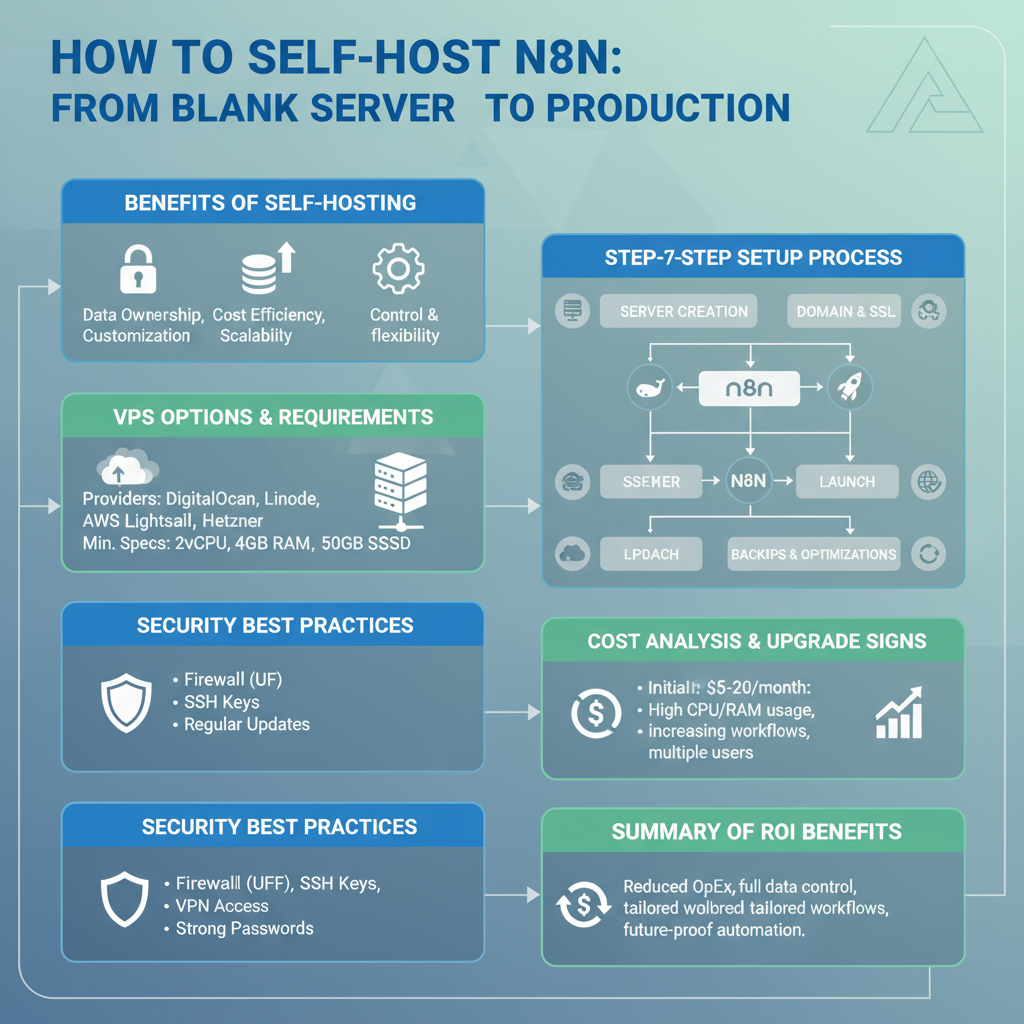
Self-hosting N8N gives you unlimited workflows, complete data control, and massive cost savings compared to cloud automation platforms. But the setup process intimidates many people. | self-host N8N I’ve deployed N8N for dozens of clients, and I’m going to walk you through the exact process I use—from a completely blank server to a secure, production-ready N8N instance. Why Self-Host N8N? Before we dive into technical details, let’s confirm this is right for you. Self-hosting makes sense if you: Stick with N8N Cloud or alternatives if you: Still here? Let’s build this. Choosing Your Server You need a Virtual Private Server (VPS). Here are proven options: DigitalOcean ($6-12/month): Best for beginners. Simple interface, great documentation, reliable performance. Recommended: Basic Droplet with 2GB RAM Hetzner ($5-8/month): Best value. European servers, excellent performance per dollar. Recommended: CX21 or CPX11 AWS Lightsail ($10-20/month): Best for enterprises already using AWS ecosystem. Recommended: 2GB instance Linode ($10-12/month): Solid middle ground. Good performance, responsive support. Recommended: Nanode 2GB For starting out, I recommend DigitalOcean. The rest of this guide assumes you’re using it, but the process is similar across providers. Server Requirements Minimum specifications: Don’t skimp on RAM. N8N with several workflows can consume 1-1.5GB easily. Step 1: Server Setup and Security Create your droplet/server with Ubuntu 22.04. Once it’s running, SSH in: First, update everything: Create a non-root user for security: Set up firewall: From now on, use the n8n user, not root. Step 2: Install Docker N8N runs best in Docker. It’s cleaner, easier to maintain, and simpler to upgrade. Install Docker: Log out and back in for group changes to take effect. Install Docker Compose: Verify installation: Step 3: Set Up N8N with Docker Compose Create a directory for N8N: Create a docker-compose.yml file: yaml Replace change_this_password with a strong password and your_domain.com with your actual domain (we’ll set this up next). Step 4: Domain and SSL Setup You need a domain name pointing to your server. Use Namecheap, Google Domains, or any registrar. Add an A record pointing to your server’s IP address. Install Nginx: Install Certbot for free SSL certificates: Create Nginx configuration for N8N: Add this configuration: nginx Enable the site: Get SSL certificate: Certbot will automatically configure SSL. Choose option 2 to redirect HTTP to HTTPS. Step 5: Launch N8N Start N8N: Check if it’s running: Visit https://your_domain.com in your browser. You should see the N8N login screen! Step 6: Configure Backups Never skip backups. N8N stores everything in ~/.n8n/, so back this up regularly. Create a backup script: bash Save as backup-n8n.sh, make executable: Schedule daily backups with cron: Add this line: This backs up daily at 2 AM, keeping the last 7 backups. Step 7: Production Optimizations Increase Docker Resources: Edit docker-compose.yml to add memory limits: yaml Enable Execution Data Pruning: Add to environment variables: yaml This deletes execution logs older than 7 days, preventing database bloat. Set Up Monitoring: Use Uptime Robot or similar to monitor your N8N instance and alert you if it goes down. Step 8: Updating N8N When new versions release: Always check the N8N changelog for breaking changes before updating. Troubleshooting Common Issues N8N won’t start: Check logs: docker-compose logs n8n Webhooks not working: Verify WEBHOOK_URL is set correctly in docker-compose.yml Out of memory errors: Upgrade to a server with more RAM or optimize workflows SSL certificate renewal fails: Ensure ports 80 and 443 are open and Nginx is running Can’t access N8N: Check firewall: sudo ufw status Verify Nginx is running: sudo systemctl status nginx Security Best Practices Change default passwords immediately Enable two-factor authentication if using N8N’s user management Regularly update both N8N and the underlying server Restrict SSH access to specific IP addresses if possible Monitor logs for unusual activity Use strong encryption keys for N8N’s encryption features Advanced: Multi-User Setup For teams, set up proper user management: yaml This enables N8N’s built-in user management system. Cost Breakdown Monthly costs for self-hosted N8N: Compare to cloud platforms charging $50-200+ for similar workflow volumes. When to Upgrade Your Server Upgrade if you experience: Simply resize your server in your hosting dashboard—most providers allow this with minimal downtime. The Bottom Line Self-hosting N8N requires initial time investment, but the payoff is substantial. You get unlimited automation power at a fraction of cloud platform costs. The process looks long in this guide, but actual setup time is 1-2 hours. Ongoing maintenance is minimal—maybe 30 minutes monthly for updates. If you handle sensitive data or run heavy automation, self-hosting isn’t just cheaper—it’s better. Ready to take control of your automation infrastructure? Start today.

AI customer support
AI Automation

How to Build an AI-Powered Customer Support System That Actually Works

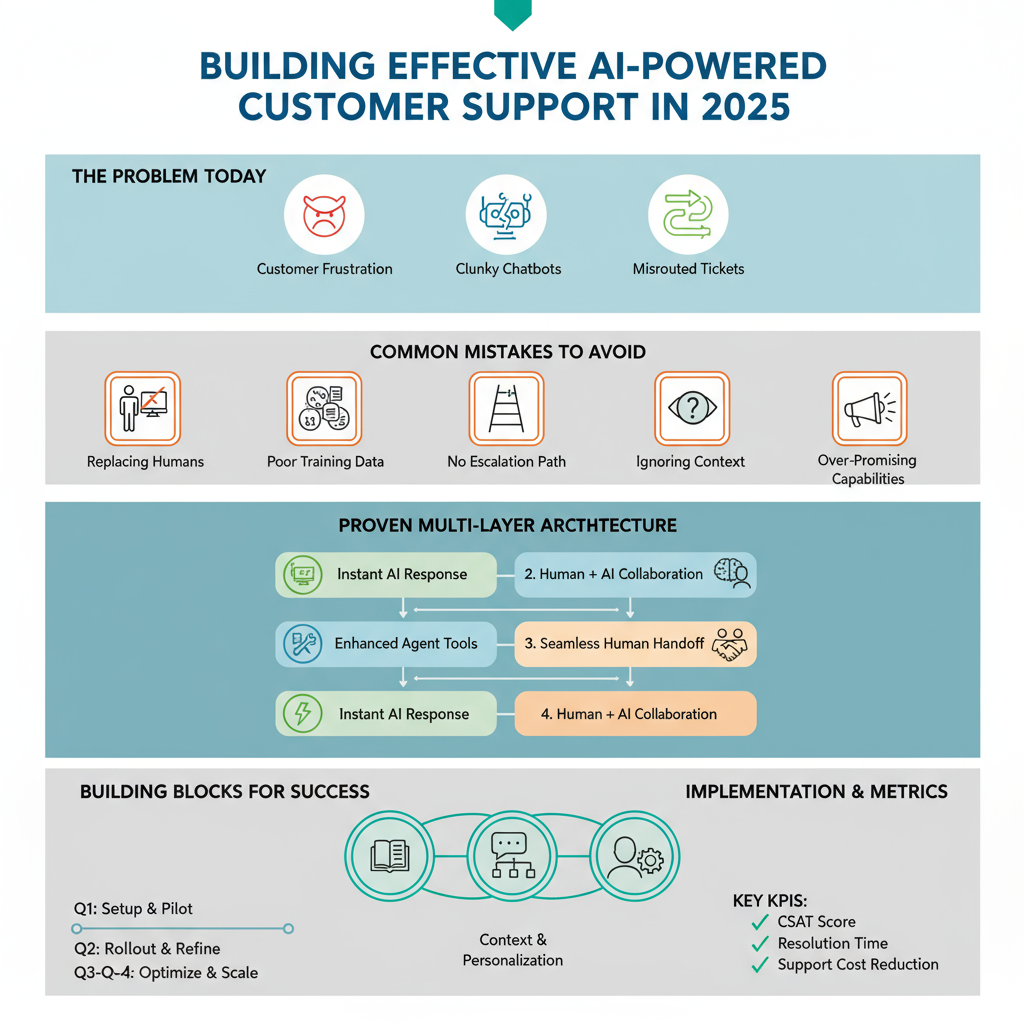
AI-powered customer support is everywhere now, but here’s the uncomfortable truth: most implementations are terrible. | AI customer support Customers get frustrated with chatbots that don’t understand them. Support tickets get misrouted. Questions go unanswered. Companies save money but lose customers. It doesn’t have to be this way. I’ve built AI support systems that customers actually like—systems that improve satisfaction while reducing costs. Let me show you how. Why Most AI Support Systems Fail Before building a solution, understand why others fail: Mistake 1: Replacing humans entirely AI should assist, not replace. The best systems blend AI efficiency with human empathy. Mistake 2: Poor training data Your AI is only as good as what it learns from. Garbage in, garbage out. Mistake 3: No escalation path When AI can’t help, customers need a clear path to human support—fast. Mistake 4: Ignoring context AI that treats returning customers like strangers creates frustration. Mistake 5: Over-promising Setting expectations that AI handles “everything” leads to disappointed customers. The Architecture That Works Here’s the proven structure for effective AI support: Layer 1: Instant AI Response (First 30 seconds) AI immediately acknowledges the inquiry, understands the question, and attempts resolution using your knowledge base. Layer 2: Enhanced AI with Tools (30 seconds – 5 minutes) If Layer 1 doesn’t resolve it, AI accesses additional tools: order lookup, account status, FAQ database, previous ticket history. Layer 3: Human Handoff (5+ minutes) For complex issues, AI creates a detailed summary and routes to the right human agent with full context. Layer 4: Human + AI Collaboration Agent handles the interaction with AI suggesting responses, pulling relevant information, and documenting the conversation. This architecture ensures customers get help fast while maintaining quality. Building Block 1: Knowledge Base Optimization Your AI is only as good as the information it can access. Here’s how to prepare: Audit existing documentation: Identify gaps, outdated info, and unclear explanations. Structure for AI consumption: Use clear headings, consistent formatting, and explicit answers to common questions. Create a question-answer database: Don’t just have articles—have specific Q&A pairs the AI can reference. Include edge cases: Document unusual scenarios and exceptions. Keep it updated: Set a monthly review schedule. AI trained on outdated information creates more problems than it solves. Building Block 2: Conversation Design AI conversations need careful design. Here’s the framework: Opening: Friendly acknowledgment + understanding check Example: “I understand you’re having trouble logging in. Let me help you with that.” Information gathering: Ask clarifying questions one at a time Bad: “What’s your email, order number, and the issue?” Good: “What email address did you use for your account?” Resolution attempt: Clear, actionable steps Use numbered lists. Confirm understanding. Check if the solution worked. Escalation trigger: Know when to hand off If AI asks for clarification more than twice, route to human. Closing: Ensure satisfaction before ending “Did this solve your issue?” with clear yes/no options. Building Block 3: Context and Personalization Generic AI responses feel robotic. Add context: Customer history: Reference previous interactions naturally. “I see you had a similar question last month about shipping…” Account status: Acknowledge their relationship with you. “As a premium member, I can fast-track this for you…” Current situation: Show you understand their specific case. “Since your order was placed yesterday, it’s still in processing…” Tone matching: Adjust formality based on how they communicate. Casual customer → friendly AI. Formal inquiry → professional AI. The Technology Stack Here’s a practical stack that works: AI Model: Claude or GPT-4 for conversation and understanding Vector Database: Pinecone or Weaviate for knowledge base search Integration Platform: Make.com or N8N to connect everything Helpdesk: Zendesk, Intercom, or Front for ticket management Analytics: Custom dashboard tracking resolution rates, handoff frequency, customer satisfaction Total monthly cost for small to medium business: $200-500 Implementation Roadmap Week 1-2: Preparation Week 3-4: Build MVP Week 5-6: Test and Refine Week 7-8: Expand Week 9+: Optimize Measuring Success: The Metrics That Matter Track these KPIs: AI Resolution Rate: Percentage of inquiries fully resolved by AI Target: 40-60% for most businesses Time to Resolution: Average time from inquiry to resolution Goal: Reduce by 50% or more Customer Satisfaction Score: Post-interaction ratings Target: Match or exceed human-only support scores Handoff Rate: How often AI escalates to humans Goal: Under 40% with clear handoff reasons Cost Per Ticket: Total support cost divided by tickets handled Typical savings: 30-50% cost reduction First Response Time: How quickly customers get initial response Target: Under 30 seconds Handling Different Support Channels Email Support: AI can draft complete responses that agents review before sending. This works well because timing isn’t critical. Live Chat: AI provides instant first response and handles simple questions fully. Seamless handoff to humans for complex issues. Phone Support: AI voice agents handle initial routing and information gathering, then connect to appropriate human agent with context. Social Media: AI monitors mentions, categorizes by urgency, drafts responses for agent approval. Never fully automated—too risky. The Human Element: Training Your Team Your support team might feel threatened by AI. Address this directly: Position AI as an assistant, not a replacement: Show how AI handles repetitive questions so they can focus on complex, interesting problems. Involve them in improvement: Support agents should review AI responses and suggest improvements. Highlight new opportunities: With AI handling basics, agents can focus on relationship building and solving challenging problems. Provide AI training: Teach your team how to work alongside AI effectively. Common Pitfalls and How to Avoid Them Pitfall: AI inventing answers Solution: Implement strict knowledge base search. If no confident answer exists, escalate immediately. Pitfall: Circular conversations Solution: Set a maximum of 2-3 clarification attempts before human handoff. Pitfall: Tone-deaf responses Solution: Detect frustration keywords and immediately escalate. Never let AI argue with angry customers. Pitfall: Privacy concerns Solution: Never have AI request sensitive information. Route to secure human channels for payment details, passwords, etc. Pitfall: Over-automation Solution: Always provide a clear “talk to a human” option within first response. Advanced Features to Add Later Once your basic system

Make.com workflows
Workflow Automation

Make.com Workflows Every Business Should Automate Today

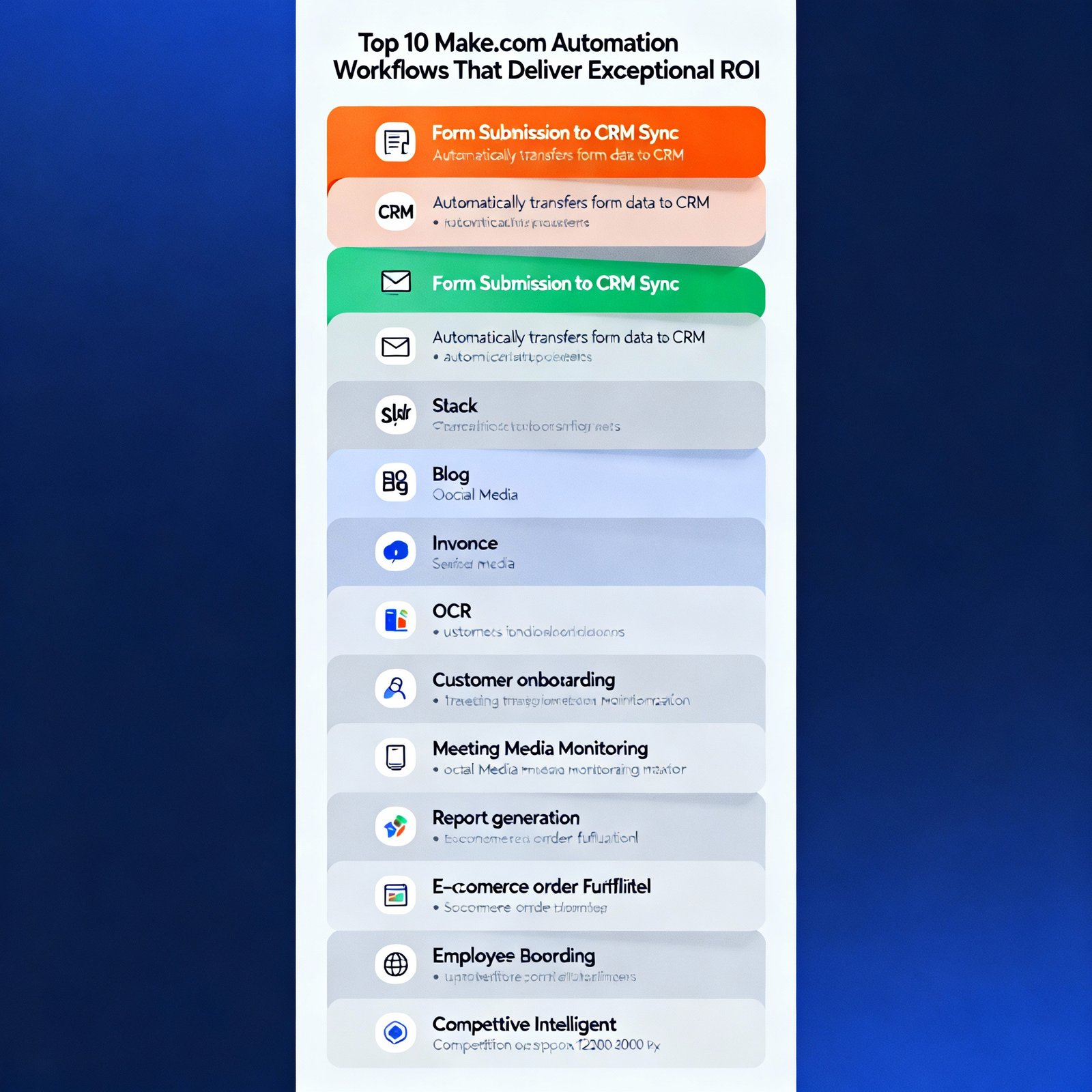
Make.com is one of the most powerful automation platforms available, but most people barely scratch the surface of what’s possible. | Make.com workflows I’ve built hundreds of Make.com scenarios for clients across industries, and certain patterns consistently deliver exceptional ROI. These ten workflows have proven their worth time and again. Let me show you exactly what to build. 1. Automated Lead Enrichment and Routing The Problem: Leads come in with minimal information. Sales teams waste time researching and determining who should handle each lead. The Solution: When a new lead submits a form, Make.com: Time Saved: 15-20 minutes per lead Technical Difficulty: Intermediate Modules Needed: Webhook, HTTP requests, router, CRM integration, Gmail, Slack 2. Content Distribution Across Multiple Platforms The Problem: Publishing content to multiple platforms takes forever and content often needs reformatting for each channel. The Solution: When you publish a blog post: Time Saved: 45-60 minutes per piece of content Technical Difficulty: Intermediate Modules Needed: RSS/Webhook, OpenAI, social media modules, scheduling 3. Automated Invoice Processing and Payment Tracking The Problem: Invoices arrive via email in various formats. Tracking payments manually is tedious and error-prone. The Solution: When an invoice email arrives: Time Saved: 10-15 minutes per invoice Technical Difficulty: Advanced Modules Needed: Gmail, PDF parsing, accounting software, calendar, notification system 4. Customer Onboarding Automation The Problem: New customers need multiple touchpoints across different tools. Manual onboarding is time-consuming and inconsistent. The Solution: When someone becomes a customer: Time Saved: 30-40 minutes per customer Technical Difficulty: Intermediate Modules Needed: CRM, email marketing, project management, router for conditional logic 5. Meeting Recording to Action Items The Problem: Meeting insights get lost. Action items aren’t consistently tracked. Meeting notes are incomplete or never written. The Solution: After a recorded meeting: Time Saved: 20-30 minutes per meeting Technical Difficulty: Intermediate Modules Needed: Zoom/Google Meet, transcription service, OpenAI, project management, email 6. Social Media Monitoring and Response The Problem: Monitoring multiple social platforms is time-consuming. Important mentions get missed. Response times lag. The Solution: Continuous monitoring that: Time Saved: 2-3 hours per week Technical Difficulty: Advanced Modules Needed: Social media APIs, sentiment analysis, OpenAI, routing logic, notification systems 7. Automated Report Generation and Distribution The Problem: Creating weekly/monthly reports manually is tedious. Data lives in multiple systems. Reports are often delayed. The Solution: On a schedule (weekly/monthly): Time Saved: 2-4 hours per report Technical Difficulty: Advanced Modules Needed: Multiple API connections, data aggregation, OpenAI, Google Docs/Slides, email 8. E-commerce Order Fulfillment Workflow The Problem: Order processing involves multiple steps across different systems. Manual coordination causes delays and errors. The Solution: When a new order is placed: Time Saved: 15-20 minutes per order Technical Difficulty: Intermediate Modules Needed: E-commerce platform, inventory system, shipping API, email, CRM 9. Employee Onboarding Automation The Problem: New employee onboarding involves coordination across HR, IT, and multiple departments. Things fall through cracks. The Solution: When a new employee is added to HR system: Time Saved: 3-4 hours per new hire Technical Difficulty: Advanced Modules Needed: HR system, IT systems, email, Slack, project management, calendar 10. Competitive Intelligence Monitoring The Problem: Staying aware of competitor activities requires constant monitoring. Important changes get missed. The Solution: Continuous monitoring that: Time Saved: 5-6 hours per week Technical Difficulty: Advanced Modules Needed: Web scraping, news APIs, social monitoring, OpenAI analysis, notification system Implementation Tips for Success Start simple: Don’t try to build the perfect workflow on day one. Get a basic version working, then iterate. Test thoroughly: Use Make.com’s manual run feature to test each module before activating automated triggers. Add error handling: Use error handlers to catch failures gracefully. Always have a notification system for critical failures. Monitor usage: Keep an eye on your operations count. Optimize scenarios that consume too many operations. Document your workflows: Future you will appreciate notes on what each scenario does and why decisions were made. The Make.com Features That Make This Possible Routers: Send data down different paths based on conditions Iterators: Process arrays of data item by item Aggregators: Combine multiple results into one Error handlers: Gracefully manage failures Data stores: Temporarily store data between workflow runs Scheduling: Run scenarios on custom schedules Master these features, and you can build virtually any automation. Your Next Steps Choose one workflow from this list that addresses your biggest pain point. Don’t try to implement all ten at once. Spend a week building and testing that single workflow. Once it’s running smoothly, move to the next one. Six months from now, you’ll have most of these running, and you’ll wonder how you ever managed without them. The businesses winning in 2025 are the ones that automate strategically. Start today.

AI agents vs automation
AI Automation

AI Agents vs Traditional Automation: What’s the Real Difference?

Everyone’s talking about AI agents like they’re the future of automation. But here’s what’s confusing people: how are AI agents actually different from the automation we’ve been using for years? | AI agents vs automation I get this question constantly, so let’s clear it up once and for all. Traditional Automation: The Rule Follower Traditional automation is like a highly obedient assistant who follows your instructions exactly. You tell it: “When X happens, do Y.” It does Y every single time X happens, without deviation. Think of it as a flowchart made executable. If this, then that. If condition A, do action 1. If condition B, do action 2. Predictable, reliable, deterministic. Examples you’re probably already using: These work great for repetitive, rule-based tasks with clear logic. AI Agents: The Thinking Assistant AI agents are fundamentally different. They don’t just follow rules—they reason, make decisions, and adapt to situations. Instead of saying “do Y when X happens,” you tell an AI agent: “Here’s my goal. Figure out how to achieve it.” The agent then: It’s less like following a flowchart and more like working with a junior employee who can think through problems. The Key Differences That Actually Matter Decision Making Traditional automation: Follows predefined rules only AI agents: Make contextual decisions based on understanding Example: You receive a customer email. Traditional automation sees keywords like “refund” and routes to the refunds team. An AI agent reads the entire email, understands the customer is actually asking about returning an item to get a different size (not a refund), and routes to the exchange team instead. Adaptability Traditional automation: Breaks when encountering unexpected scenarios AI agents: Adapt to novel situations using reasoning Example: A workflow step fails. Traditional automation stops and sends an error notification. An AI agent tries alternative approaches, uses different tools, or escalates intelligently while providing context on what it attempted. Natural Language Understanding Traditional automation: Requires structured inputs and exact formatting AI agents: Work with messy, human language Example: Processing meeting notes. Traditional automation needs notes formatted with specific headers and bullet points. An AI agent can read free-form notes in any format and extract action items, decisions, and follow-ups automatically. Goal-Oriented Behavior Traditional automation: Task-oriented (complete this specific action) AI agents: Goal-oriented (achieve this outcome, however necessary) Example: Research a potential client. Traditional automation might check LinkedIn and save the profile. An AI agent researches the person across multiple platforms, identifies recent activity, finds company news, notes shared connections, and compiles a comprehensive brief—whatever it takes to support your goal of understanding the prospect. When Traditional Automation Still Wins Don’t rush to replace all your automation with AI agents. Traditional automation is often the better choice when: Predictability is critical: Financial transactions, compliance processes, safety-critical systems. You want deterministic behavior, not intelligence. Speed is essential: Traditional automation executes faster. No reasoning time required. Costs matter: AI agents consume API credits. For high-volume, simple tasks, traditional automation is more economical. The logic is simple: If your automation is “copy this from here to there,” traditional tools are perfect. Don’t overcomplicate. Audit trails are required: Traditional automation has clear, traceable logic. AI agent reasoning can be harder to audit. When AI Agents Transform Everything AI agents shine in scenarios that traditional automation handles poorly: Unstructured data: Processing emails, documents, images, conversations—anything that doesn’t fit neatly into fields. Contextual decisions: When the right action depends on understanding nuance and context. Multi-step problem solving: Tasks that require planning, execution, evaluation, and adjustment. Personalization at scale: Creating unique responses or content for individuals based on their specific situation. Complex research tasks: Gathering information from multiple sources and synthesizing insights. Customer interactions: Conversations that require understanding intent, emotion, and context. The Hybrid Approach: Best of Both Worlds Here’s what smart businesses are doing: combining both approaches strategically. Use traditional automation for the predictable pipeline, and deploy AI agents for the complex decision points. Real-world example: Customer support workflow Traditional automation handles: AI agent handles: The automation moves data reliably. The agent adds intelligence where it matters. Cost Considerations Let’s talk about the elephant in the room: AI agents cost more to run. Traditional automation typically has fixed monthly costs (tool subscriptions). Once built, there’s minimal incremental cost per execution. AI agents consume API credits with every action. A single agent execution might cost $0.01-$0.50 depending on complexity. Break-even calculation: If an AI agent saves you 30 minutes of work and costs $0.10 to run, and your time is worth $50/hour, you’re getting $25 of value for $0.10 of cost. That’s a 250x ROI. The key is deploying AI agents where the value justifies the cost. Building Your Automation Strategy Here’s my recommended approach for 2025: Foundation layer: Traditional automation for high-volume, simple, predictable tasks. This is your reliability layer. Intelligence layer: AI agents for complex, contextual, high-value tasks. This is your differentiation layer. Human layer: Humans for judgment calls, relationship building, and creative work. This is your value layer. Most businesses should aim for a 70-20-10 split: 70% traditional automation, 20% AI agents, 10% human touch. Common Misconceptions “AI agents will replace all automation” No. They complement it. Traditional automation remains superior for many use cases. “AI agents are too expensive” For the right use cases, they deliver massive ROI. It’s about deployment strategy. “AI agents are too complicated to build” Frameworks like LangChain and AutoGPT have made agent development accessible to anyone with basic coding skills. “AI agents are unreliable” They’re probabilistic, not deterministic. This doesn’t mean unreliable—it means you need proper error handling and human oversight. The Future is Multi-Agent The next evolution is multiple AI agents working together, each specialized for specific tasks. One agent handles research. Another manages communication. A third coordinates actions. They collaborate to achieve complex goals that no single agent could handle. We’re already seeing this in advanced implementations, and it’ll become mainstream within 18-24 months. Making Your Decision Ask yourself these questions: Does this task require understanding context and nuance? → AI agent

workflow automation
Workflow Automation

The Complete Guide to Workflow Automation in 2025

Workflow automation has matured from a nice-to-have into a must-have for competitive businesses. But here’s the problem: most companies are doing it wrong. They automate random tasks without strategy. They pick tools before understanding their needs. They expect magic but end up disappointed. This guide will show you the right way to approach workflow automation—from strategy to implementation to optimization. What Workflow Automation Actually Means Let’s get clear on terminology. Workflow automation is the use of technology to execute recurring tasks or processes where manual effort can be replaced by a systematic approach. It’s not just about saving time. It’s about: The Automation Maturity Model Most businesses fall into one of four stages: Stage 1: Manual Everything Every process requires human intervention. High error rates, inconsistent results, team burnout. Stage 2: Disconnected Automation Individual tools have some automation, but nothing talks to each other. Slightly better, still chaotic. Stage 3: Connected Workflows Systems integrate and share data. Most common processes are automated. This is where most businesses should aim. Stage 4: Intelligent Automation AI makes decisions, adapts to conditions, predicts needs. Still emerging but increasingly accessible. Where does your business sit? Be honest. The Framework: How to Identify Automation Opportunities Don’t automate blindly. Use this framework to find your best opportunities: The Automation Scorecard For each process, score these factors (1-5): Add up the scores. Anything scoring 18+ is a prime automation candidate. Common Workflow Automation Patterns Certain patterns appear repeatedly across industries. Master these, and you can automate 80% of common business workflows. Pattern 1: Data Transfer Moving information from System A to System B when conditions are met. Example: New CRM contact → add to email marketing tool. Pattern 2: Approval Chains Multi-step approval processes with routing logic. Example: Expense report → manager approval → accounting review → payment processing. Pattern 3: Scheduled Data Processing Recurring tasks that run on a schedule. Example: Generate sales report every Monday at 9 AM. Pattern 4: Event-Triggered Actions Actions that occur when specific events happen. Example: Customer signs up → send welcome email + create project folder + notify team. Pattern 5: Data Enrichment Automatically enhancing data with additional information. Example: Email address submitted → lookup company info → append to database. Choosing Your Automation Stack The right tools depend on your needs, but here’s a sensible approach: For small businesses (1-20 people): For mid-size businesses (20-200 people): For enterprises (200+ people): The Implementation Process That Actually Works I’ve implemented hundreds of automations. This process has the highest success rate: Phase 1: Document Current State (Week 1) Map your current process step-by-step. Who does what? What information moves where? What are the decision points? Phase 2: Design Future State (Week 2) Redesign the process for automation. Remove unnecessary steps. Simplify decision trees. Identify what truly needs human judgment. Phase 3: Build Minimum Viable Automation (Week 3-4) Create the simplest version that delivers value. Don’t try to handle every edge case initially. Phase 4: Parallel Testing (Week 5-6) Run automated and manual processes side-by-side. Compare results. Fine-tune. Phase 5: Full Deployment (Week 7) Switch to automated process. Monitor closely for the first 30 days. Phase 6: Optimization (Ongoing) Continuously improve based on actual usage and results. The Biggest Automation Mistakes Learn from others’ failures: Mistake 1: Automating Broken Processes Automation makes bad processes fail faster. Fix the process first, then automate it. Mistake 2: No Error Handling Every automation will eventually encounter unexpected conditions. Build in error handling from day one. Mistake 3: Over-Automation Some things genuinely need human judgment. Automate the routine, preserve the judgment. Mistake 4: Set and Forget Business needs change. Processes evolve. Review your automations quarterly. Mistake 5: Ignoring User Experience An automation that confuses your team is worse than no automation. Consider the human experience. Measuring Automation Success You need metrics. Here’s what to track: Time Savings: Hours saved weekly × hourly rate = cost savings Error Reduction: Compare error rates before and after automation Throughput: How many more transactions can you handle? Time to Completion: How much faster do processes complete? Employee Satisfaction: Are people happier with automated workflows? Customer Impact: Are customers experiencing improvements? Advanced Automation Concepts Once you’ve mastered basics, explore these: Conditional Logic: Different actions based on data values or outcomes Loops and Iterations: Processing lists of items automatically Webhooks: Real-time triggers from external systems API Integration: Connecting systems that don’t have pre-built integrations Data Transformation: Converting data formats between systems Error Recovery: Automatic retry logic and fallback paths Building an Automation Culture Technology is only half the battle. You need organizational buy-in. Get leadership support: Show ROI projections and quick wins Start with pain points: Solve problems people actually care about Celebrate successes: Share time-saving stories across the company Provide training: Make sure teams understand how automations work Create feedback loops: Let users suggest automation improvements The Future: Where Automation is Heading Automation is evolving rapidly. Here’s what’s coming: AI-Powered Decision Making: Systems that don’t just follow rules but make intelligent choices based on context. Natural Language Automation Building: Describe what you want automated in plain English, and AI builds it for you. Self-Optimizing Workflows: Automations that analyze their own performance and suggest improvements. Hyper-Personalization: Workflows that adapt to individual user preferences automatically. Your 90-Day Automation Roadmap Ready to get started? Here’s your plan: Days 1-30: Audit processes, identify top 5 automation opportunities, select tools Days 31-60: Build and test your first 2-3 automations Days 61-90: Deploy automations, train team, measure results, plan next phase Three months from now, you’ll have real automation wins under your belt and momentum to continue. The Bottom Line Workflow automation isn’t about replacing humans—it’s about freeing them to do what humans do best: think creatively, build relationships, and solve complex problems. Start small, but start today. Every day you wait is another day of manual work you’ll never get back.

AI automation ideas
AI Automation

AI Automation Ideas That Will Save You 20+ Hours Per Week

We’re living in the golden age of automation, but here’s what nobody tells you: most people automate the wrong things. | AI automation ideas I’ve spent the last three years helping businesses implement AI automation, and I’ve seen patterns emerge. The automations that actually deliver results aren’t the flashy ones—they’re the ones that eliminate genuine pain points. Let me share 15 AI automation ideas that have saved my clients hundreds of hours. These aren’t theoretical—they’re battle-tested and proven. 1. Email Response Automation (Save: 5 hours/week) Stop writing the same emails over and over. Train an AI agent on your past responses and let it draft replies to common inquiries. The AI reads incoming emails, categorizes them, generates appropriate responses, and queues them for your review. You just click send or make minor tweaks. Best for: Customer support, sales inquiries, partnership requests Tools: Claude API + Gmail API + N8N/Make.com 2. Meeting Notes and Action Items (Save: 3 hours/week) Record your meetings (with permission), feed the audio to an AI transcription service, then use GPT-4 to extract action items, decisions made, and key discussion points. The AI automatically creates task lists and emails them to participants within minutes of your meeting ending. Best for: Team meetings, client calls, project discussions Tools: Otter.ai or Fireflies.ai + OpenAI API + Project management tool integration 3. Content Repurposing Engine (Save: 6 hours/week) Write one long-form blog post, and let AI automatically create: The AI maintains your voice and adapts content for each platform’s best practices. Best for: Content creators, marketing teams, personal brands Tools: Claude/GPT-4 + custom workflow + social media APIs 4. Intelligent Lead Qualification (Save: 4 hours/week) Stop manually reviewing every lead that comes in. Let AI analyze form submissions, enrich data from LinkedIn and company websites, score leads, and route hot prospects directly to your sales team. Cold leads get automated nurture sequences. Your team only sees qualified opportunities. Best for: B2B companies, SaaS businesses, service providers Tools: Clearbit or Apollo for enrichment + AI scoring + CRM integration 5. Document Data Extraction (Save: 3 hours/week) Tired of copying data from PDFs, invoices, or receipts into spreadsheets? AI can read documents, extract relevant fields, and populate your databases automatically. This works for invoices, contracts, resumes, or any structured document. Best for: Accounting, HR, operations teams Tools: Document AI services + custom parsing + database integration 6. Social Media Monitoring and Response (Save: 2 hours/week) AI monitors your brand mentions across platforms, categorizes sentiment, flags urgent issues, and can even draft appropriate responses for common questions or comments. You focus on strategic engagement while AI handles routine interactions. Best for: Brands with active social presence, agencies Tools: Social listening APIs + sentiment analysis + response generation 7. Personalized Outreach Campaigns (Save: 5 hours/week) Upload a list of prospects, and let AI research each person (recent activity, company news, shared interests), then generate personalized outreach messages that actually reference specific, recent information. No more generic “I hope this email finds you well” messages. Best for: Sales teams, recruiters, partnership managers Tools: Web scraping + GPT-4 + email automation platform 8. Automated Report Generation (Save: 4 hours/week) Pull data from multiple sources (analytics, CRM, ad platforms), have AI analyze trends, generate insights, create visualizations, and compile everything into formatted reports. Schedule these weekly or monthly, and they appear in your inbox automatically. Best for: Managers, agencies, data-driven teams Tools: API integrations + data analysis + report templating 9. Customer Onboarding Sequences (Save: 3 hours/week) Create intelligent onboarding flows that adapt based on user behavior. If someone completes step 1, they get sequence A. If they skip it, they get reminder B. AI personalizes timing and content. Your onboarding becomes a self-running system. Best for: SaaS products, online courses, membership sites Tools: Email automation + behavior tracking + AI personalization 10. Expense Categorization and Tracking (Save: 2 hours/week) Connect your bank accounts and credit cards. AI automatically categorizes every transaction, flags unusual expenses, tracks against budgets, and generates spending reports. No more Saturday mornings spent on bookkeeping. Best for: Freelancers, small business owners, anyone tracking expenses Tools: Plaid for bank connections + AI categorization + accounting software 11. Content Idea Generation (Save: 2 hours/week) Feed AI your industry keywords, competitor content, and audience questions. It monitors trends, identifies content gaps, and generates a prioritized list of content ideas with outlines. Never face a blank page again. Best for: Content teams, bloggers, marketers Tools: Trending topic APIs + competitive analysis + AI generation 12. Job Application Screening (Save: 4 hours/week) AI reads resumes, extracts qualifications, matches against job requirements, answers pre-screening questions, and ranks candidates. You only review the top matches. This cuts your screening time by 80% while reducing bias. Best for: HR teams, recruiters, hiring managers Tools: Resume parsing AI + scoring algorithms + ATS integration 13. Appointment Scheduling with Context (Save: 2 hours/week) Beyond basic scheduling, this AI checks your calendar, considers meeting prep time, understands context (e.g., doesn’t schedule calls right after others), suggests optimal times based on your productivity patterns, and automatically sends pre-meeting briefs. Best for: Busy professionals, consultants, executives Tools: Calendar AI + scheduling logic + meeting prep automation 14. Inventory Forecasting (Save: 3 hours/week) AI analyzes sales patterns, seasonal trends, upcoming promotions, and external factors to predict inventory needs. It automatically generates purchase orders when stock runs low. No more out-of-stock frustrations or overstock waste. Best for: E-commerce stores, retail businesses, product companies Tools: Sales data + forecasting models + inventory management integration 15. Knowledge Base Auto-Update (Save: 3 hours/week) When your product changes, AI identifies affected documentation, drafts updates, checks for consistency across all help articles, and flags outdated information. Your knowledge base stays current without manual auditing. Best for: SaaS companies, technical products, support teams Tools: Change detection + documentation AI + content management system How to Actually Implement These Don’t try to do all 15 at once. That’s a recipe for failure. Here’s my proven approach: Week 1: Pick one automation that solves your

Blog

Make.com: Automate Your Business and Boost Efficiency

Make.com: Automate Your Business and Boost Efficiency In today’s fast-paced business world, efficiency is paramount. Manual tasks consume valuable time and resources, hindering productivity and growth. Fortunately, automation platforms like Make.com offer a powerful solution. This article will delve into the capabilities of Make.com, exploring how it empowers businesses to streamline workflows, integrate applications, and ultimately, boost overall efficiency. We’ll examine its core features, real-world applications, and the benefits it provides. By the end, you’ll understand how Make.com can transform your business operations and unlock significant gains in productivity and cost savings. Discover the power of automation and how it can revolutionize your approach to work. Core Functionality and Features Make.com is a visual automation platform that allows users to connect various applications and automate workflows without requiring extensive coding knowledge. The platform uses a drag-and-drop interface, making it easy to design and implement complex automation scenarios. At its heart, Make.com operates on the principle of “scenarios,” which are automated workflows triggered by specific events. These scenarios can involve multiple steps and connect various apps, enabling data transfer and automated actions across your entire tech stack. Key features include: Extensive App Integrations: Make.com boasts an impressive library of pre-built integrations with hundreds of popular apps, including Google Workspace, Salesforce, Slack, and many more. Visual Workflow Builder: The intuitive drag-and-drop interface simplifies the process of creating and managing complex automation scenarios. Data Transformation Tools: Built-in tools for data formatting, filtering, and manipulation allow users to customize data flow within their automation workflows. Error Handling and Monitoring: Make.com provides robust error handling and monitoring capabilities, ensuring that workflows run smoothly and allowing users to quickly identify and resolve any issues. Scalability and Flexibility: The platform is designed to handle workflows of any size and complexity, making it suitable for businesses of all sizes. Real-world Applications: Streamlining Workflows The versatility of Make.com makes it applicable across various business functions. Its power lies in its ability to connect disparate systems and automate repetitive tasks. Consider these examples: Lead Generation: Automatically capture leads from your website forms (e.g., using Typeform or Google Forms), add them to your CRM (e.g., Salesforce or HubSpot), and trigger automated email sequences. Customer Support: Integrate your help desk (e.g., Zendesk or Intercom) with your CRM to automatically create support tickets based on customer inquiries and synchronize customer data between systems. E-commerce: Automate order processing by integrating your e-commerce platform (e.g., Shopify or WooCommerce) with your fulfillment center and accounting software. Marketing Automation: Create automated email marketing campaigns, manage social media postings, and track campaign performance by connecting your marketing tools. Data Synchronization: Regularly synchronize data between various systems, such as your CRM, accounting software, and project management tools. The Benefits of Automation with Make.com Implementing Make.com into your business offers a multitude of advantages, leading to tangible improvements in efficiency, productivity, and cost savings. Here are some of the key benefits: Increased Productivity: Automation frees up your team from repetitive manual tasks, allowing them to focus on more strategic and value-added activities. Reduced Errors: Automating tasks eliminates the risk of human error, leading to more accurate data and improved overall quality. Cost Savings: By automating tasks and increasing efficiency, Make.com can help reduce labor costs and optimize resource allocation. Improved Data Accuracy: Automated data transfer and synchronization ensure that information is consistent and up-to-date across all your systems. Enhanced Collaboration: Integrated workflows improve communication and collaboration between different teams and departments. The following table shows an estimate of the benefits Make.com can generate: Benefit Description Potential Impact Increased Efficiency Automating manual tasks and streamlining workflows Up to 40% reduction in time spent on repetitive tasks Reduced Errors Minimizing human error through automated data transfer Up to 15% improvement in data accuracy Cost Savings Optimizing resource allocation and reducing labor costs Potentially significant, varying depending on the extent of automation Improved Data Consistency Ensuring data is consistent across all systems Better decision-making and improved reporting Conclusion: Automate for Success Make.com is a powerful tool for businesses seeking to streamline operations, boost productivity, and reduce costs. Throughout this article, we’ve explored its core functionalities, highlighted its wide range of real-world applications, and discussed the significant benefits it offers. From lead generation and customer support to e-commerce and marketing automation, Make.com can be used to revolutionize how you approach your business. By leveraging its intuitive interface and extensive integration capabilities, businesses can create sophisticated automation scenarios that unlock significant gains in efficiency and allow their teams to focus on more strategic initiatives. The key takeaway is simple: embracing automation with Make.com is not just about doing more with less; it’s about working smarter and setting your business up for long-term success in today’s competitive landscape. Image by: Hyundai Motor Group https://www.pexels.com/@hyundaimotorgroup

Blog

Make.com: Automate Your Business and Skyrocket Your Growth

Make.com: Automate Your Business and Skyrocket Your Growth Are you tired of repetitive tasks eating away at your valuable time? Do you dream of a business that runs smoothly, even when you’re not actively working on it? The answer to these challenges lies in automation, and one of the most powerful tools available for achieving this is Make.com (formerly Integromat). This article will explore how Make.com can revolutionize your business, freeing up your time, boosting productivity, and ultimately driving significant growth. We will delve into the core functionalities of Make.com, explore practical applications, and illustrate how you can leverage its power to streamline your workflows and achieve your business goals. Get ready to unlock the potential of automation and witness a remarkable transformation in how you operate. Getting Started with Make.com: The Automation Blueprint Make.com is a visual automation platform that allows you to connect various apps and services, creating automated workflows called “scenarios.” Think of it as a digital glue that binds your favorite tools together, enabling them to communicate and share data seamlessly. This eliminates the need for manual data entry, repetitive tasks, and tedious processes. Setting up your first scenario is surprisingly intuitive. You begin by selecting the apps you want to connect, such as Google Sheets, Gmail, and your CRM. Then, you define the trigger, which initiates the workflow. For example, a new row added to a Google Sheet could trigger an email notification. Finally, you set up the actions, which are the tasks that Make.com performs based on the trigger. This can include sending emails, updating CRM records, or posting on social media. With its user friendly interface, you can build complex automations without any coding experience. Key Features and Functionality Make.com boasts a comprehensive suite of features designed to empower users to automate a wide range of business processes. One of the most important features is its vast library of pre built integrations. This allows you to connect with hundreds of popular apps and services, including social media platforms, email marketing tools, CRM systems, and project management software. The platform also offers advanced features such as conditional logic, which allows you to create workflows that respond to specific conditions, and data transformations, which enable you to manipulate data before it is passed between apps. Furthermore, the platform offers robust error handling and monitoring capabilities, ensuring that your automations run smoothly and efficiently. Here’s a table to highlight some key features: | Feature | Description | Benefit | | :———————- | :—————————————————————————————————————————————— | :———————————————————————————————————————————— | | Pre-built Integrations | Connects with a wide range of apps (CRM, email marketing, social media, etc.) | Saves time and effort on manual data transfer between different apps | | Visual Workflow Builder | Drag-and-drop interface to create automation scenarios | Easy to use, even for non technical users; quickly visualize and understand workflows | | Conditional Logic | Allows workflows to respond to specific conditions (e.g., “If a lead is high-value, send a different email”) | Creates more sophisticated and efficient automations; personalizes interactions | | Data Transformations | Enables data manipulation (e.g., formatting dates, extracting information from text) | Ensures data compatibility between different apps; improves data quality | | Error Handling | Provides tools to identify and resolve issues in automation scenarios | Minimizes disruptions and ensures automations run smoothly | | Scheduling | Allows you to schedule automations to run at specific times or intervals | Automates tasks that need to be performed regularly (e.g., daily reporting) | Practical Applications: Automating Your Business Operations The possibilities for automation with Make.com are virtually limitless. Consider these practical applications: Automating lead generation and management by automatically capturing leads from web forms, enriching them with data from your CRM, and sending personalized follow up emails. Automating sales processes by automatically updating your CRM with sales information, sending invoices, and triggering notifications when deals are closed. Automating marketing campaigns by segmenting your audience, sending targeted emails, and tracking campaign performance. Automating customer support by automatically creating support tickets, routing them to the appropriate team members, and sending automated responses to common questions. By automating these and other processes, you can significantly reduce manual effort, improve accuracy, and free up your team to focus on more strategic and revenue generating activities. Measuring Success and Scaling Your Automation Once you have implemented automations with Make.com, it’s essential to track their performance and make adjustments as needed. Make.com provides detailed logs and analytics that allow you to monitor the performance of your scenarios, identify errors, and optimize your workflows. Regularly review the data to assess the impact of your automations on your business objectives, such as lead generation, sales conversions, and customer satisfaction. As your business grows, you can scale your automation efforts by creating more complex scenarios, integrating with additional apps, and expanding your automation to new areas of your business. Remember to prioritize the areas where automation will have the greatest impact on your efficiency and productivity. Continuously refine your workflows, eliminate bottlenecks, and embrace a culture of continuous improvement. Conclusion: Embrace Automation for Unprecedented Growth In conclusion, Make.com is an indispensable tool for any business seeking to streamline operations, increase productivity, and drive growth. By leveraging its powerful features, extensive integrations, and user friendly interface, you can automate a wide range of tasks, freeing up valuable time and resources to focus on core business activities. From lead generation and sales processes to marketing campaigns and customer support, the applications of Make.com are vast and varied. Remember to carefully plan your automation strategy, starting with the areas where you can achieve the most significant impact. Track your results, analyze the data, and continuously refine your workflows to maximize efficiency and achieve your business goals. Embrace automation and unlock the potential for unprecedented growth. The future of business is automated, and Make.com is your key to unlocking it. Image by: Aleksander Dumała https://www.pexels.com/@stitch

Blog

From Chaos to Control: Using N8N to Automate Your Small Business Operations

From Chaos to Control: Using N8N to Automate Your Small Business Operations Small businesses often grapple with a sea of manual tasks: repetitive data entry, lead management, social media scheduling, and email marketing. These time-consuming processes can drain resources, hinder growth, and lead to operational inefficiencies. This article explores how N8N, an open-source workflow automation tool, can transform your small business from a chaotic landscape to one of controlled efficiency. We’ll delve into the power of N8N, showing how it empowers entrepreneurs to streamline operations, reclaim valuable time, and ultimately, boost their bottom line. We’ll cover key areas like marketing automation, lead generation, data integration, and customer relationship management, illustrating how N8N provides practical solutions for real-world business challenges. Prepare to witness the power of automation and unlock your business’s full potential. Building Your Automation Foundation with N8N N8N is a powerful, yet surprisingly user-friendly, workflow automation platform. Unlike some complex enterprise solutions, N8N boasts a visual interface that makes it easy to design and implement automated workflows, even for users with limited technical expertise. Its open-source nature means it’s free to use, offers a high degree of customization, and benefits from a vibrant community that constantly contributes new integrations and improvements. The core concept behind N8N is simple: you connect different applications (think CRM, email marketing platforms, social media, etc.) through “nodes.” These nodes represent individual actions or triggers. You then define the “flow” of data and actions between these nodes, creating automated processes. For example, you could set up a workflow that automatically adds new leads from a form submission on your website to your CRM, triggers an email sequence, and sends a notification to your sales team. This eliminates manual data entry, reduces the chance of errors, and ensures a faster response to potential customers. Automating Marketing Efforts Marketing is a cornerstone of any successful small business, and N8N offers a wealth of opportunities to automate key marketing tasks. Consider these examples: * *Social Media Scheduling:* Automatically schedule social media posts across multiple platforms based on a predefined schedule or trigger (e.g., a new blog post publication). * *Email Marketing:* Create automated email campaigns triggered by specific events, such as a new subscriber signup or a purchase. Segment your audience and personalize email content to improve engagement and conversion rates. * *Lead Generation:* Integrate your website forms with your CRM and email marketing platform. Instantly capture lead information, send automated welcome emails, and assign leads to the appropriate sales representatives. * *Content Repurposing:* Automate the process of repurposing content from one platform to another. For instance, automatically convert a blog post into a series of social media updates or a YouTube video script. These automations save time, improve consistency, and allow you to engage with your audience more effectively. They also allow you to gather analytics data that can be used for further improvement. Integrating Data and Managing Leads N8N shines when it comes to connecting different data sources and streamlining lead management. This allows you to have a cohesive view of your customers and their interactions with your business. * *CRM Integration:* Automatically sync lead information from various sources (website forms, email signups, social media) to your CRM. Update contact details, track customer interactions, and manage sales pipelines more efficiently. * *Data Synchronization:* Seamlessly transfer data between different applications, such as your CRM, accounting software, and project management tools. This eliminates manual data entry and ensures data accuracy across all platforms. * *Lead Qualification:* Use N8N to automate lead qualification processes. Score leads based on their behavior and demographics, and automatically assign qualified leads to your sales team. * *Reporting and Analytics:* Create automated reports that consolidate data from multiple sources. Track key metrics such as website traffic, lead generation, and sales performance, and generate customized dashboards. Here is an example of how integrating different apps can help automate a process: Trigger Action 1 Action 2 Result New form submission on website Add lead to CRM (e.g., HubSpot) Send automated welcome email New lead added to CRM and immediately nurtured Unlocking Business Efficiency Ultimately, the goal of automating with N8N is to liberate your time, improve your business’s efficiency, and foster overall growth. With N8N, you can focus on strategic initiatives, customer relationships, and innovative product development instead of being bogged down by repetitive tasks. Automating tasks, improving data insights, and better managing leads leads to tangible business improvements. With the time freed up, you can re-invest resources into business improvements. This might involve staff training, improving existing infrastructure, or expanding your products and services. By embracing automation, you’re not just saving time; you’re investing in the future of your business. Conclusion In conclusion, N8N presents a compelling solution for small businesses seeking to streamline operations and gain a competitive edge. By leveraging its powerful workflow automation capabilities, entrepreneurs can eliminate manual tasks, improve efficiency, and free up valuable time. From automating marketing efforts and integrating data across various platforms to managing leads effectively, N8N empowers businesses to work smarter, not harder. The open-source nature of N8N, combined with its user-friendly interface and extensive integrations, makes it an accessible and scalable solution for businesses of all sizes. By embracing N8N, you are not simply automating tasks; you are building a more efficient, agile, and ultimately, more successful business. Image by: Yan Krukau https://www.pexels.com/@yankrukov

Scroll to Top