Future of Work

Remote Work Technologies
Business Technology

Remote Work Technologies: Essential Tools for a Hybrid Workforce

The shift to remote and hybrid work models has fundamentally changed how teams collaborate, communicate, and accomplish their goals. What began as an emergency response has evolved into a permanent workplace transformation, with organizations discovering that productivity and employee satisfaction can thrive outside traditional office settings. This transition, however, depends entirely on having the right technology infrastructure in place. The tools that enable seamless remote work have become just as critical as office space once was, forming the digital foundation upon which modern businesses operate. | Remote Work Technologies Communication and Collaboration Platforms Video Conferencing Solutions Video conferencing has evolved from a convenience to an absolute necessity for remote and hybrid teams. Platforms like Zoom, Microsoft Teams, and Google Meet have become the virtual meeting rooms where teams connect face-to-face regardless of physical location. Modern video conferencing tools offer far more than basic video calls—they include features like breakout rooms for smaller group discussions, screen sharing for presentations and demonstrations, virtual backgrounds to maintain professionalism from any location, and recording capabilities that allow team members in different time zones to catch up on missed meetings. The most effective organizations use video conferencing strategically, establishing clear guidelines about when video calls are necessary versus when asynchronous communication might be more efficient. Features like live transcription and translation are breaking down language barriers, while integration with calendar systems ensures meetings start on time and participants can join with a single click. Instant Messaging and Team Chat Applications Real-time messaging platforms such as Slack, Microsoft Teams, and Discord have replaced the spontaneous conversations that once happened at office water coolers. These tools enable quick questions, rapid feedback loops, and the kind of informal communication that builds team cohesion. Organized into channels based on projects, departments, or topics, these platforms keep conversations focused and searchable, creating a valuable knowledge base over time. Advanced features like threaded conversations prevent important discussions from getting lost in busy channels, while status indicators help team members understand colleague availability without interrupting focused work time. Integration capabilities allow teams to receive notifications from other tools directly within their chat platform, centralizing communication and reducing the need to constantly switch between applications. Email Management and Shared Inboxes While newer communication tools have proliferated, email remains essential for formal communication, client interactions, and external correspondence. Modern email platforms like Gmail and Outlook have evolved to support remote work with features such as smart categorization, priority inboxes, and advanced search capabilities. Shared inbox solutions allow teams to collaboratively manage customer inquiries, support tickets, and general correspondence without messages falling through the cracks or multiple people duplicating efforts. Email scheduling features accommodate teams working across time zones, allowing messages to be composed during one person’s working hours but delivered during the recipient’s optimal time. Integration with task management systems turns emails into actionable items, ensuring important requests don’t get buried in crowded inboxes. Project Management and Productivity Tools Task and Project Management Platforms Tools like Asana, Trello, Monday.com, and Jira have become indispensable for coordinating work across distributed teams. These platforms provide visibility into who is working on what, project timelines, and progress toward goals—transparency that’s especially crucial when team members aren’t physically present to observe each other’s work. Different views such as Kanban boards, Gantt charts, and calendar layouts accommodate various work styles and project types. Automation features within these platforms reduce administrative overhead by automatically assigning tasks, sending reminders, and updating stakeholders when milestones are reached. Custom workflows reflect each organization’s unique processes, while reporting dashboards give leadership insight into team capacity, project health, and potential bottlenecks before they become problems. Time Tracking and Productivity Monitoring Remote work introduces new challenges around understanding how time is spent and ensuring projects remain on budget. Tools like Toggl, Harvest, and RescueTime help teams track time spent on various projects and tasks without creating an atmosphere of surveillance. When implemented thoughtfully, these tools provide valuable data for project estimation, client billing, and identifying processes that could be more efficient. The most successful organizations use productivity monitoring to support rather than police their teams. Analytics reveal patterns like meeting overload or frequent context switching that harm productivity, enabling management to make systemic improvements rather than focusing on individual performance metrics. Document Collaboration and File Sharing Cloud-based document platforms such as Google Workspace, Microsoft 365, and Notion have made simultaneous collaboration possible in ways that email attachments and version-controlled files never could. Multiple team members can work on the same document in real time, seeing each other’s edits and suggestions as they happen. Version history ensures no work is ever truly lost, while commenting features facilitate discussions directly within documents rather than through separate communication channels. These platforms eliminate the confusion of multiple document versions circulating via email and ensure everyone works from the most current information. Permissions and sharing controls provide security while enabling flexible collaboration with both internal teams and external partners. Cloud Storage and File Management Secure, accessible file storage has become foundational to remote work. Solutions like Dropbox, Google Drive, OneDrive, and Box provide centralized repositories where teams can store, organize, and access files from any device. Advanced search capabilities help locate documents quickly, while automatic syncing ensures local copies stay current. Enterprise-grade cloud storage includes sophisticated permission controls, allowing organizations to protect sensitive information while enabling necessary collaboration. Audit trails track who accessed or modified files, supporting compliance requirements and security investigations. Integration with other business tools means files can be attached to tasks, referenced in chat messages, and accessed directly from within other applications. File request features allow teams to collect documents from clients or contractors without requiring them to have accounts, while link sharing with expiration dates and password protection balances accessibility with security. Security and Access Management Virtual Private Networks and Secure Connections When employees work from home networks, coffee shops, and other locations outside corporate security perimeters, VPNs become essential for protecting sensitive data. These tools create encrypted tunnels between remote devices and company resources, ensuring

future of work AI
AI Transformation

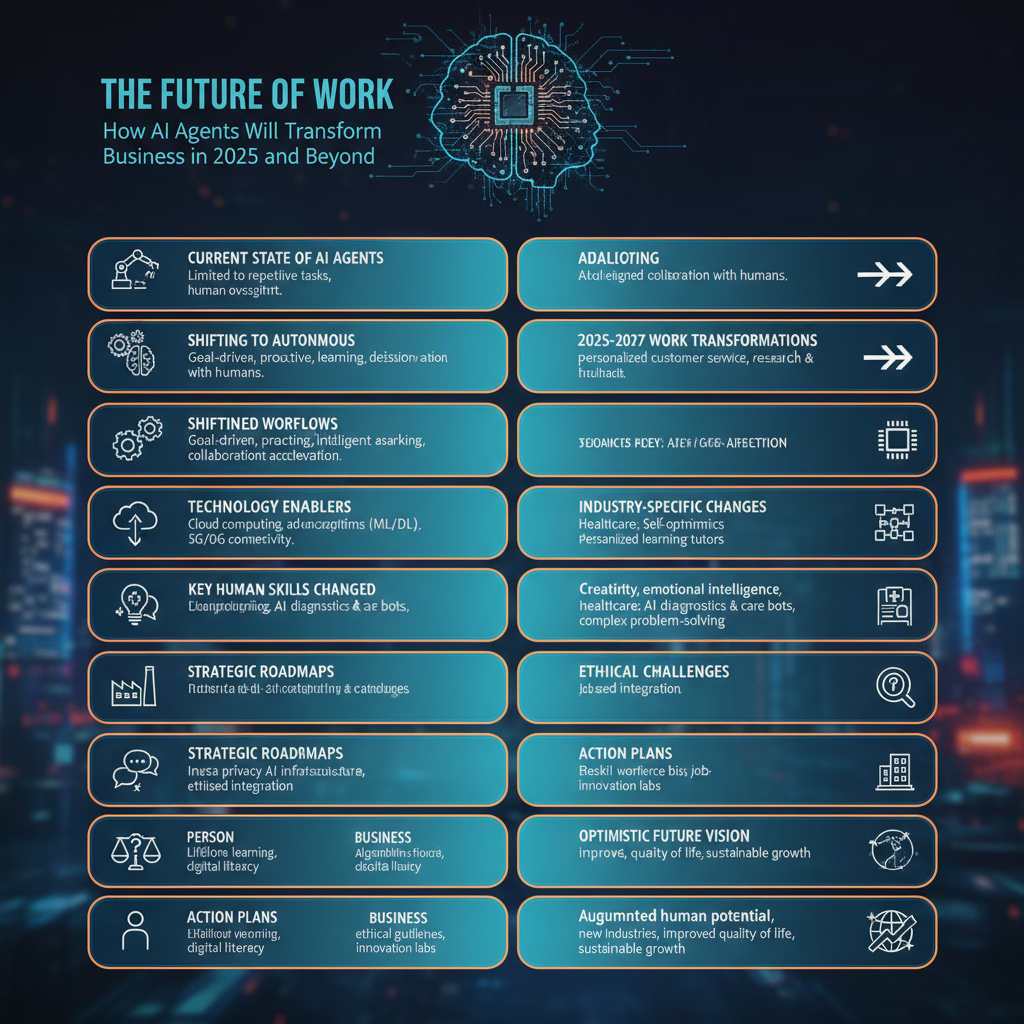
The Future of Work: How AI Agents Will Transform Business in 2025 and Beyond

We’re standing at an inflection point in how work gets done. AI agents aren’t just tools anymore—they’re becoming coworkers, and this shift is happening faster than most people realize. | future of work AI I’ve been deep in the AI automation space for three years, and the pace of change is extraordinary. Let me share what’s coming and how you can prepare. Where We Are Today Right now, AI agents handle discrete tasks: researching topics, drafting emails, analyzing data, generating content. They’re assistants—helpful but limited. Most businesses are still in the experimentation phase. They’ve tried ChatGPT, maybe built a simple automation or two. Some are using AI features in their existing tools. This is where adoption typically stalls. Companies wait for AI to get “better” before investing seriously. That’s a mistake. The Shift Happening Right Now AI agents are evolving from task-executers to autonomous workers. Here’s what’s changing: From single-task to multi-task agents: Early 2024, AI handled one task at a time. Now, agents chain multiple tasks together, making decisions about what needs to happen next. From prompted to proactive: We’re moving from “tell the AI what to do” to “tell the AI what you want to achieve.” Agents figure out the how. From isolated to collaborative: Multiple specialized agents working together, each handling what they do best, coordinating to achieve complex goals. From supervised to autonomous: Less human oversight needed for routine decisions. Agents handle exceptions and only escalate genuine edge cases. This isn’t science fiction. These capabilities exist today. The question is adoption speed. What Work Will Look Like in 2025-2027 Based on current trajectories and what’s already in development, here’s my forecast: Customer-Facing Roles Transform AI agents will handle 70-80% of customer interactions from first contact through resolution. Not just chatbots—actual problem-solving agents that can access systems, process refunds, update accounts, and handle complex scenarios. Human customer service will focus exclusively on: Companies will need fewer customer service reps, but the ones they employ will be more skilled, better paid, and handle genuinely interesting problems. Knowledge Work Becomes Agent-Assisted Every knowledge worker will have AI agents handling their repetitive cognitive tasks: Analysts won’t manually pull data and create reports. Agents will continuously monitor data sources, generate insights, flag anomalies, and produce visualizations. Analysts will focus on interpreting findings and recommending actions. Marketers won’t spend hours creating campaign variants. Agents will generate content, test messaging, optimize targeting, and report results. Marketers will focus on strategy and creative direction. Developers won’t write boilerplate code or fix simple bugs. Agents will handle routine coding, testing, and documentation. Developers will architect systems and solve novel problems. Salespeople won’t manually research prospects or follow up. Agents will gather intelligence, personalize outreach, manage pipelines, and surface opportunities. Sales teams will focus on relationship building and closing. The pattern is clear: AI handles the routine, humans handle the exceptional. New Job Categories Emerge We’ll see entirely new roles: AI Agent Managers: People who oversee teams of AI agents, similar to how managers oversee human teams. They monitor performance, handle escalations, and optimize agent workflows. Prompt Engineers (but evolved): Not just writing prompts, but designing complex agent systems, integrating tools, and ensuring agents make good decisions. AI Trainers: Specialists who fine-tune agents for specific industries or use cases, teaching them company-specific knowledge and processes. Human-AI Collaboration Specialists: People who design workflows that optimally blend human and AI capabilities. AI Ethics and Compliance Officers: Ensuring AI agents make decisions aligned with company values and legal requirements. These roles are already appearing at forward-thinking companies. The Technology Enabling This Future Several technologies are converging to make this possible: Multimodal AI: Models that understand text, images, audio, and video. This means agents can truly interact with the digital world as humans do. Long-context windows: AI can now “remember” entire conversations, documents, or project histories. This enables continuity and context-aware decision making. Tool use and function calling: AI can now reliably use APIs, databases, and software tools. They’re not just text generators—they’re operators. Agent frameworks: Platforms like LangChain, AutoGPT, and CrewAI make building complex agent systems accessible to anyone with basic coding skills. Affordable inference: Running AI models is getting cheaper rapidly. What cost $1 per interaction in 2023 might cost $0.01 in 2025. These aren’t future technologies—they exist now. We’re in the deployment phase. Industry-Specific Transformations Different industries will transform at different speeds: Tech and Software (Already Transforming) Software companies are leading adoption because they understand the technology and can move quickly. Expect AI agents to handle customer support, code review, testing, documentation, and deployment by late 2025. Professional Services (2025-2026) Legal, accounting, consulting firms will use AI agents for research, document analysis, report generation, and client communication. Junior associate work gets largely automated. Healthcare (2026-2027) Administrative AI agents will handle scheduling, billing, insurance verification, and medical records. Clinical AI will assist with diagnosis, treatment planning, and monitoring. Doctors focus on patient interaction and complex cases. Education (2025-2027) AI teaching assistants will provide personalized tutoring, grade assignments, answer questions, and track progress. Human teachers focus on mentorship, motivation, and social-emotional learning. Manufacturing and Logistics (2025-2026) AI agents will optimize supply chains, manage inventory, coordinate shipping, and handle quality control monitoring. Operations become more efficient with fewer human touchpoints. Retail and E-commerce (Already Transforming) AI agents manage customer inquiries, personalize shopping experiences, optimize pricing, and handle returns. Physical retail sees slower adoption than online. The Skills That Will Matter As AI handles more routine work, certain human skills become exponentially more valuable: Critical Thinking: The ability to question AI outputs, spot flaws in reasoning, and make judgment calls. Creativity: Generating truly novel ideas that AI hasn’t been trained on. Emotional Intelligence: Understanding and navigating human emotions, something AI struggles with. Systems Thinking: Understanding how complex systems interact and designing efficient workflows. Adaptability: Learning new tools and adjusting to rapidly changing work environments. AI Literacy: Understanding what AI can and cannot do, how to work with it effectively, and when to trust it. The good news? These are all

Scroll to Top