
Restaurant customers expect a quick and convenient dining experience, but traditional table ordering can sometimes create unnecessary waiting. A customer may need to wait for a waiter to become available, explain the order, wait for it to be entered into the system, and then wait again while the kitchen receives and prepares it. During busy hours, even small delays can affect the overall dining experience. | QR code ordering system for restaurants
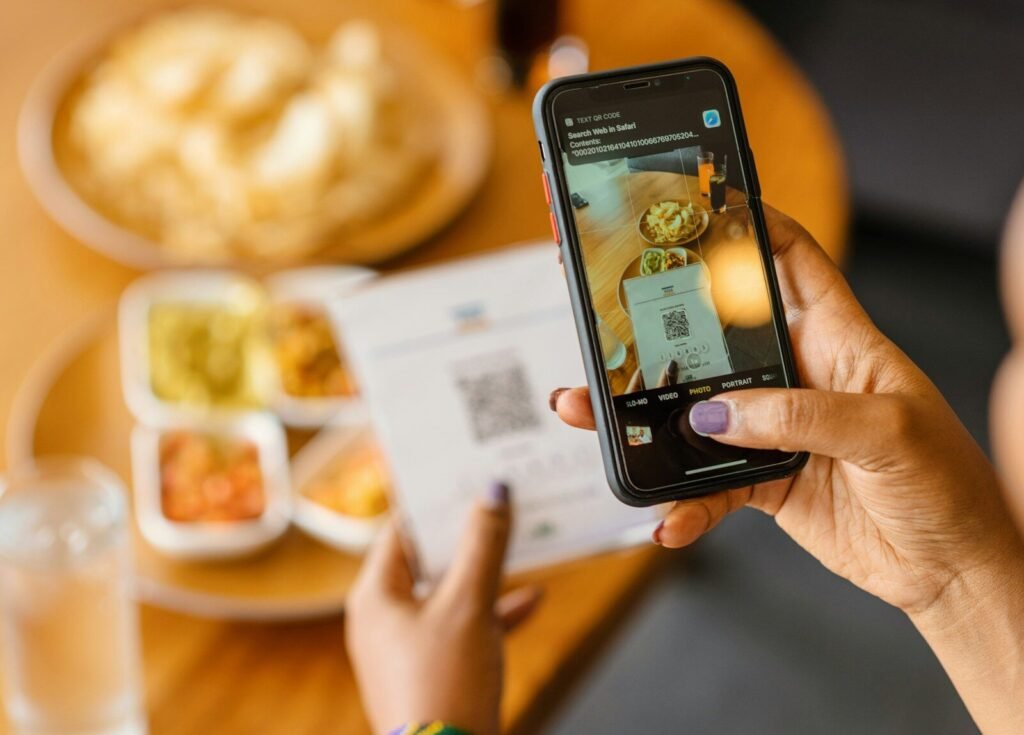
A QR code ordering system for restaurants provides a practical way to simplify this process. Instead of waiting for a waiter to take every order, customers can scan a QR code placed on their table, open the restaurant’s digital menu on their smartphone, select their food, and place the order directly. The order can then reach the restaurant’s kitchen dashboard instantly, allowing kitchen staff to start preparation without unnecessary communication between the customer, waiter, and kitchen.
In this guide, we will explain how restaurant QR ordering works, how table-specific QR codes connect customers with the kitchen, the difference between a QR menu and a complete ordering system, and what restaurant owners should consider when choosing a digital ordering solution.
What is a QR code ordering system for restaurants?
A QR code ordering system for restaurants is a digital ordering solution that allows customers to view a restaurant menu and place an order by scanning a QR code using their smartphone. The QR code can be assigned to a particular restaurant table, helping the system identify where the order has been placed.
Unlike a basic QR code that simply opens a PDF menu, a complete QR ordering system can connect the customer’s order with the restaurant’s operational workflow. The customer selects items from the digital menu, adds them to the cart, and submits the order. The restaurant team can then receive and manage the order through a dashboard.
This creates a connected process between the customer, table, order, kitchen, waiter, cashier, and restaurant administrator. For restaurants handling many tables during lunch, dinner, weekends, or special events, this type of workflow can make order management more organized.
How QR table ordering works
The process is simple for customers. A unique QR code is placed on each restaurant table. When a customer scans the code, the digital menu opens directly in the mobile browser, so there is no need to search for the restaurant online or manually communicate the table number.
- Customer scans the table QR code: The customer uses the smartphone camera to scan the QR code.
- Digital menu opens: The restaurant menu appears in a mobile-friendly format.
- Customer selects items: Food and beverage items can be browsed by category.
- Customer places the order: Selected items are added to the cart and submitted.
- Order reaches the restaurant: The order appears in the restaurant’s order management workflow.
- Kitchen receives the order: Kitchen staff can view the incoming order from their dashboard.
- Order is prepared: Kitchen staff can manage the order according to the restaurant’s workflow.
- Service team handles the table: Waiters can coordinate the service and deliver the prepared food.
The main advantage is that the customer does not have to depend entirely on a waiter simply to communicate the initial food order. Staff can focus more on hospitality, customer assistance, and service while the digital system handles the order communication.
QR menu vs QR ordering system
It is important for restaurant owners to understand the difference between a QR menu and a complete QR menu ordering system. Both use QR codes, but their functionality can be very different.
A basic QR menu may simply display a restaurant’s menu when scanned. The customer can read the items and prices, but they may still need to call a waiter to place the order. A QR ordering system takes the process further by allowing the customer to select items and submit the order digitally.
Feature | QR menu | QR ordering system View digital menu | Yes | Yes Mobile-friendly menu | Usually | Yes Place order from phone | Usually no | Yes Table identification | Optional | Yes, with table-specific QR codes Kitchen order workflow | No | Yes Order status management | Limited or unavailable | Available Staff dashboards | Usually no | Yes
For restaurants looking to improve the complete dine-in ordering process, a connected ordering system can provide considerably more value than a static digital menu.
How table-specific QR codes connect customers to the kitchen
One of the most useful features of a restaurant QR ordering system is the ability to create a unique QR code for every table. Instead of using one general QR code throughout the restaurant, each table can have its own code.
For example, Table 1 can have one QR code, Table 2 can have another, and Table 3 can have another. When a customer scans the QR code at Table 2 and places an order, the system can associate that order with the relevant table.
This is particularly useful in restaurants where multiple customers are ordering at the same time. The kitchen and service team can see which table the order belongs to, reducing confusion and helping staff deliver food to the correct location.
The concept is straightforward: scan the table QR code, open the menu, place the order, and send the order into the restaurant’s workflow. This turns the QR code from a simple menu link into an entry point for the complete restaurant ordering process.
Why table identification matters
Table identification is important because restaurants may have dozens of orders active at the same time. Without proper table information, staff may need to repeatedly ask customers or waiters where an order belongs.
A table-specific QR system can reduce this unnecessary communication. When customers scan the QR code assigned to their table, the system can associate the order with that table. Kitchen and service staff can then use the available order information to understand where the food needs to be delivered.
This approach is especially useful for busy restaurants, cafes, food courts, hotel restaurants, and other businesses where multiple tables are served simultaneously.
How QR ordering improves restaurant operations
A good restaurant QR code ordering system is not only about giving customers another way to view the menu. Its real value comes from connecting different parts of restaurant operations.
Traditional ordering often requires several communication steps. A customer tells the waiter what they want, the waiter communicates the order to the kitchen or enters it into another system, and the kitchen begins preparation. Every additional step creates an opportunity for delays or misunderstandings.
With digital table ordering, customers can enter their order directly through the menu interface. The order can then move into the restaurant’s digital workflow, allowing kitchen staff to see the information without relying entirely on verbal communication.
Faster customer ordering
Customers can scan the QR code and start browsing the menu immediately. They do not necessarily have to wait for a waiter to bring a physical menu or become available to take the initial order.
This does not mean that restaurant staff become unnecessary. Instead, staff can spend more time helping customers, answering questions, serving food, maintaining tables, and providing hospitality.
Fewer order-entry mistakes
Manual order taking can sometimes result in misunderstandings, particularly during busy periods. Customers may change quantities, forget to mention an item, or experience a communication issue.
When customers select items directly from a digital menu, the order information is entered electronically. This can help create a clearer record of what the customer selected before the kitchen begins preparation.
Easier menu management
Restaurants frequently need to change menu prices, add new dishes, remove unavailable items, or update descriptions. With a digital menu, these changes can be managed centrally instead of printing new menus every time something changes.
This can be especially useful for restaurants with seasonal menus, changing prices, daily specials, or frequently updated food availability.
Kitchen, waiter, cashier and admin workflows
A restaurant is not operated by the customer interface alone. A useful restaurant management and ordering system should consider the different roles involved in day-to-day operations.
Kitchen dashboard
The kitchen is one of the most important parts of the ordering workflow. When a customer submits an order through the QR menu, the kitchen team needs a clear way to see incoming orders and understand what needs to be prepared.
A kitchen dashboard can provide staff with an organized view of orders. Depending on the restaurant’s workflow, kitchen staff can review order details and update the order status as preparation progresses.
Waiter management
QR ordering does not eliminate the role of waiters. Instead, it can change how their time is used. Rather than spending the entire service period entering every order manually, waiters can focus on customer assistance and table service.
Waiter access can also help staff monitor table-related orders and coordinate with the kitchen when customers require assistance.
Cashier management
The cashier plays an important role in completing the customer’s dining journey. A connected system can give the cashier access to relevant order information and help organize the billing process.
When ordering and billing information are connected, staff can spend less time manually reconstructing what was ordered and which table the order belongs to.
Admin management
Restaurant administrators need visibility across the operation. An admin dashboard can provide tools for managing menus, tables, staff accounts, orders, and other restaurant settings.
Role-based access is particularly useful because kitchen staff, waiters, cashiers, and administrators have different responsibilities. Giving each role an appropriate login helps keep the workflow organized.
Features to look for in restaurant QR ordering software
Not every QR menu solution provides the same functionality. Restaurant owners should look beyond the QR code itself and evaluate the complete ordering workflow before selecting software.
- Unique table QR codes: Each table should be identifiable through its own QR code.
- Mobile-friendly digital menu: Customers should be able to browse the menu comfortably from a smartphone.
- No-app ordering: A browser-based ordering experience can make adoption easier for customers.
- Menu management: Restaurant staff should be able to manage categories, items, prices, and availability.
- Kitchen dashboard: Orders should be clearly visible to kitchen staff.
- Order status management: Staff should be able to track the progress of orders.
- Role-based logins: Admin, kitchen, waiter, and cashier access can help organize responsibilities.
- Table management: The system should support the restaurant’s table structure.
- Responsive design: The customer interface should work well on different smartphone screen sizes.
- Order history: Staff should be able to access relevant order information when required.
Restaurant owners should also consider usability. A system can have many features, but if customers struggle to find menu items or staff find the dashboard difficult to use, the technology may create more problems than it solves.
How to implement QR code ordering in a restaurant
Introducing a QR code ordering system for restaurants does not need to be complicated, but the implementation should be planned carefully. The restaurant should test the complete customer-to-kitchen journey before placing QR codes on every table.
- Prepare the digital menu: Add accurate food names, descriptions, prices, categories, and images where appropriate.
- Create table-specific QR codes: Generate a unique QR code for each restaurant table.
- Place QR codes correctly: Make sure customers can easily see and scan the QR code while seated.
- Test every table: Scan each QR code and confirm that it identifies the correct table.
- Test the ordering process: Place test orders and confirm that they reach the correct restaurant workflow.
- Train staff: Kitchen, waiter, cashier, and admin users should understand their respective dashboards.
- Test busy scenarios: Simulate multiple tables placing orders at the same time.
- Keep the menu updated: Remove unavailable items and update prices whenever necessary.
- Monitor customer feedback: Watch for areas where customers need assistance and improve the experience.
Restaurants should also keep a human support option available. Some customers may prefer traditional ordering, may have questions about ingredients, or may need help using the QR system. Technology should support hospitality rather than replace it.
Is QR ordering right for your restaurant?
A digital ordering system for restaurants can be useful for many types of food businesses. Restaurants with multiple tables can use table-specific QR codes to organize dine-in orders, while cafes can use them to simplify ordering during busy periods.
Quick-service restaurants, casual dining businesses, hotel restaurants, food courts, and other hospitality businesses can also consider QR ordering depending on their service model. The important question is not whether every restaurant needs QR ordering, but whether digital ordering solves a real operational problem for that particular business.
For restaurants that experience long ordering queues, busy service periods, frequent menu changes, or communication challenges between customers and staff, a connected QR ordering workflow can be worth considering.
Why a complete restaurant ordering system is better than a simple QR menu
A QR code by itself is only an access point. The real value comes from what happens after the customer scans it.
A simple QR menu can show food items and prices. A complete restaurant table ordering system can connect the table with the customer’s order and then move that order into the restaurant’s kitchen and staff workflow.
This difference is important for restaurant owners. The objective should not simply be to replace a printed menu with a digital one. The larger opportunity is to create a more connected ordering process where customers, kitchen staff, waiters, cashiers, and administrators can work from the same operational system.
When implemented correctly, QR ordering can become part of the restaurant’s everyday workflow rather than being treated as a separate digital feature.
Conclusion
A QR code ordering system for restaurants can transform a simple table QR code into a complete digital ordering entry point. Customers can scan the code, open the restaurant’s mobile menu, select their food, and place an order without waiting for a waiter to manually take the initial order. The order can then move directly into the restaurant’s operational workflow for kitchen preparation and service.
The biggest advantage is not simply having a digital menu. The real benefit comes from connecting the customer, table, order, kitchen, waiter, cashier, and administrator within one organized system. Table-specific QR codes can help identify where orders originate, while role-based dashboards can give different staff members the tools they need to perform their responsibilities.
For restaurants looking to modernize their dine-in experience, reduce unnecessary manual steps, simplify menu management, and create a more connected ordering workflow, QR ordering is worth considering. The right solution should be easy for customers to use, practical for restaurant staff, and flexible enough to support the restaurant’s everyday operations.